The shared release workflow installs trunk, but EffectCraft's web build
runs the wasm-bindgen CLI directly (cargo xtask web), so the Web job
fails with "wasm-bindgen CLI not found". In CI, package.sh now installs
the CLI at xtask's WASM_BINDGEN version, as the per-app release.yml did
before the move to craft-common-actions.
Co-Authored-By: Claude Opus 5.5 <noreply@anthropic.com>
The previous release build failed in craft-common-actions, not in this
repo: riscv64 packaging got --formats deb,rpm,tar (fixed in
craft-common-actions#3), Linux jobs lacked the ALSA headers
(craft-common-actions#5), and Windows signing needed the AZURE_* secrets
listed in the caller.
Co-Authored-By: Claude Opus 5.5 <noreply@anthropic.com>
- Renderer: no cover step for adjustment layers (#686); their buffer is the comp below.
Restores a single CPU step in split adjustment stacks.
- Effect Controls rename (#953): focus the name field the frame it exists. Focusing an id
not yet drawn left AccessKit with a focus outside its tree (a panic in the consumer).
The tests double-click at 60 fps, within egui's double-click time.
- i18n: Russian, French and German entries for Copy Frame to Clipboard and the extrusion
Front/Bevel/Side/Back Color submenus added by today's other PRs.
- Tests: "fr" is now a valid language; the marker dialog's comment is focused on open
(#922), so Enter-is-OK is tested with the focus elsewhere; the toolbar gradient tests
give the selected layer its paint kind, since the toolbar mirrors it (#732).
Co-Authored-By: Claude Opus 5.5 <noreply@anthropic.com>
- Footage sources: the cancellable wrapper (#784) forwards frame_with (#752 float curves)
and problem (#887); problem's default lives on the trait.
- Media: a called-off decode (#784) is not a footage problem (#887).
- Effect Controls rename (#953): Escape cancels (egui drops focus on Escape the same
frame), the Rename item is translated; regression test.
- i18n (#873): drop the /out-i18n/ ignore rule and the note about an uncommitted script.
- Tests: text range selector caps (#926) re-borrow the layer; the RAM preview test (#793)
sets the comp's own Resolution (#462).
Co-Authored-By: Claude Opus 5.5 <noreply@anthropic.com>
Viewer: each composition keeps its Resolution in the project, as in After Effects (#417)
# Conflicts:
# crates/ui-egui/src/control.rs
# crates/ui-egui/src/menus.rs
# crates/ui-egui/src/panels/viewer_tools.rs
- GPU Pixel Motion Blur (#695) declined without a host; it now averages the shutter's
frames like the CPU effect (tests_fx_time::without_a_host).
- add_item_keeps_footage_longer_than_the_comp_at_full_length (#798) built footage with
the default kind (Still), which adds at comp length; it is a movie.
- docs/effects.md regenerated.
Co-Authored-By: Claude Opus 5.5 <noreply@anthropic.com>
#755 decoded stills of an extension-decided format with load_from_memory_with_format,
bypassing #827's oriented decode: load_oriented now takes the format.
The DPX ffmpeg oracle test expected the bare codec name; ffmpeg builds that write
the transfer characteristic make it "DPX 8-bit RGB, linear".
Co-Authored-By: Claude Opus 5.5 <noreply@anthropic.com>
Opening movies in place (#796) skipped the whole-file bytes #827 read the
track matrix from, so the pool and the probe lost the turn for movies on
disk. stream::movie_header reads just the ftyp and moov boxes (bounded,
positional reads) and both in-place paths derive the orientation from it.
Co-Authored-By: Claude Opus 5.5 <noreply@anthropic.com>
Keep every entry in contributors/people.toml, and translate the new menu
item (Copy Frame to Clipboard) and the five gradient-editor strings into
Czech.
Co-Authored-By: Claude Opus 5.5 <noreply@anthropic.com>
Czech for all 618 fixed menu entries and the 496 panel, tooltip and dialog
strings of the most complete catalog; settings accept and persist `cs`, Match
System recognises cs, cs-CZ and cs_CZ.UTF-8; native menu, Undo/Redo and
file-manager labels. Czech may lag the Chinese catalogs like Japanese and
Ukrainian (a missing row falls back to English); menu rows use "..." like
the other catalogs. AI-assisted, independently reviewed, not yet proofread
by a native speaker.
Co-Authored-By: Claude Opus 5.5 <noreply@anthropic.com>
Three places built file URLs by string concatenation: Edit Original
(`file://{path}`), the Reveal commands via folder_url (`file://{dir}`) and
File.execute (`file://` with only spaces replaced by %20). On Windows that
produced `file://C:\Users\...`, and any path containing `#`, `%`, `?` or
non-ASCII characters named the wrong file (or none).
Add layer_menu::file_url: backslashes become `/`, drive paths get the third
slash (`file:///C:/...`), and bytes outside the plain path characters are
percent-encoded (UTF-8 for non-ASCII). folder_url, edit_original and
execute_file use it.
Tests: file_urls_are_well_formed, folder_url_names_the_containing_folder,
edit_original_opens_an_encoded_file_url, execute_file_opens_an_encoded_file_url.
Co-Authored-By: Claude Opus 5.5 <noreply@anthropic.com>
Masks are applied before effects, but the noise was composited with the
Opacity alpha alone, so a masked solid filled the whole layer. The result
is now multiplied by the original alpha on the CPU and on both GPU paths
(kernels.wgsl for the default settings, fx_noise.wgsl for the rest).
Co-Authored-By: Claude Opus 5.5 (1M context) <noreply@anthropic.com>
Dragging the in or out edge of a selected layer's bar now trims every
selected layer by the same delta from its own in/out point, as in After
Effects. layer.timing gains relative inDelta/outDelta params (seconds,
frame-snapped), clamped to the comp start/end and to one frame of layer;
the drag stays one undo step via the merge key.
Co-Authored-By: Claude Opus 5.5 <noreply@anthropic.com>
As in After Effects, the Preset menu in Composition Settings / New Composition gets a Save
button (asks for the name in a Choose Name window; an existing name of yours is replaced) and a
Delete button for the selected preset of yours. Your presets keep frame size, pixel aspect and
frame rate, are listed above the built-in ones and live in the settings (`compPresets`), so they
survive restarts and Reset All. Commands: `comp.savePreset`, `comp.deletePreset`, `comp.presets`.
A hand-edited settings file loses only its invalid presets.
Co-Authored-By: Claude Opus 5.5 <noreply@anthropic.com>
Double-clicking a text layer in the Timeline (its name or its bar) edits its text in the
Composition viewer with the whole text selected, as in After Effects; it used to open the rename
field (Enter still renames). The layer bar had no double-click at all: it now opens a precomp,
opens footage and solids in the Layer panel and edits text, like the name.
Co-Authored-By: Claude Opus 5.5 <noreply@anthropic.com>
Since the release workflow moved to storytold/craft-common-actions, it has
passed only the Apple and WINDOWS_CERTIFICATE secrets. The signing job reads
values from the release environment, but only for names the caller lists, so
the AZURE_* names that Trusted Signing uses came through empty and Windows
builds would ship unsigned. Same fix as storytold/craft-launcher#174.
Co-Authored-By: Claude Opus 5.5 <noreply@anthropic.com>
The Go to Time dialog's Frame field sends a float (5.0); time.set read
`frame` with as_i64, got None and failed with "need time, frame or
timecode". Read it as any JSON number and round.
Co-Authored-By: Claude Opus 5.5 <noreply@anthropic.com>
Unsaved Changes: Enter is Save, Cmd+Backspace is Don't Save.
Revert Project: Cmd+R is Revert (the button is now red).
Delete Items: Cmd+D is Delete.
Crash recovery: Enter is Open Auto-Save.
Marker: Enter is OK, Cmd+Backspace is Delete (from a focused text field too).
The macOS menu bar hands Cmd+D and Cmd+R back to the open prompt.
Co-Authored-By: Claude Opus 5.5 <noreply@anthropic.com>
Alt-click on a layer's Video, Audio, Solo or Lock switch sets that layer
apart: the other layers go off (or locked), and the next Alt-click brings
them back. Backed by layer.setSwitch {others: true}, one undo step.
Co-Authored-By: Claude Opus 5.5 <noreply@anthropic.com>
A launch from the Dock, the Start menu or a launcher has no terminal, and
without RUST_LOG nothing reached standard error anyway, so start-up and
GPU warnings were lost unless Help > Enable Logging was already on.
The logger now writes EffectCraft's info records and everyone's warnings
to standard error and to Logs/effectcraft.log in the settings folder.
Each launch keeps the previous two runs' logs; the file is capped at
16 MiB. RUST_LOG still overrides the filter. Help > Reveal Logging File
shows this run's log unless Enable Logging is on.
Ported from storytold/pdfcraft#239.
Co-Authored-By: Claude Opus 5.5 <noreply@anthropic.com>
Magnification ▸ Fit up to 100% stored the magnification of the moment it
was picked, so the comp kept that size when the panel was maximized or
resized. It is now a fit mode like Fit, capped at 100%.
Co-Authored-By: Claude Opus 5.5 <noreply@anthropic.com>
The Selection tool's arrow is a concave outline, but icon fills go through
egui's convex-only polygon fill, which fanned slivers across its notches.
The arrow, and the likewise concave Speaker and Sparkle glyphs, are now drawn
as overlapping convex pieces.
Co-Authored-By: Claude Opus 5.5 <noreply@anthropic.com>
fanning_out_reads_stop_at_a_budget expects the run-count error, but under heavy load
the 5 s wall-clock budget could fire first (different error). Add a test-only
per-thread time limit and lift it in that test. Wall-clock assertions in the other
new tests are now only generous hang guards (>=10x), the fuzzer's hang deadline is
24x MAX_TIME and the perf bound is 10x looser.
Co-Authored-By: Claude Sonnet 5.5 <noreply@anthropic.com>
Two follow-ups to ending text editing on a click in another panel.
A press anywhere in a panel group focused the group's shown panel, even
a press on another of its tabs. Opening Properties or Character behind
Effects & Presets (as in Undocked Panels) therefore ended the edit on
the press, before the tab's click focused the panel chosen, and later
formatting went to the whole layer instead of the selected characters
(an empty Type-tool layer was even removed). A press on another tab now
waits for that tab's click.
The click away is resolved after the frame's panels, so keys that came
after it in the same frame's input were still typed into the text. The
text keyboard handler now takes the frame's keys in order up to a press
outside the viewer: keys before the click are typed, keys after it are
neither typed nor run as shortcuts, and from the next frame they are
the app's.
Tests: opening_a_formatting_tab_keeps_the_text_selection (a real click
on the Properties tab keeps the edit and its selection; Faux Bold then
styles only "Hello") and keys_after_a_click_away_in_the_same_frame_skip_
the_text ("A", a click on a Timeline row, then "x", Space and Delete in
one frame: only "A" is typed, nothing is played or deleted; Space in the
next frame plays). Both fail on the previous commit.
With Fill or Stroke set to Linear or Radial Gradient, clicking its
toolbar swatch opened Fill / Stroke Options, so the gradient's colours
couldn't be edited from the toolbar as in After Effects (reported on
Discord, EffectCraft 0.8.0 on Windows 11). The swatch now opens the
Gradient Editor (prop.editGradient) on the selected shape layer's first
Gradient Fill or Gradient Stroke Colors, in contents order through nested
groups; OK sets that property. With no shape layer selected, or none
with that gradient, the swatch opens the options as before (the kind new
shapes get: the toolbar keeps no gradient stops of its own yet). The
words still open the options, a Solid Color swatch the colour picker,
and Alt-click still steps through the kinds.
Tests (ui_toolbar_gradient): a Linear Fill swatch opens the editor on the
layer's Gradient Fill Colors and OK saves an added stop; a Radial Stroke
swatch edits the Gradient Stroke, not the fill; without a selected
gradient the options open; the words, Solid swatches and Alt-click are
unchanged. The two gradient-swatch tests fail without this change.
Shape layers are always continuously rasterised, as in After Effects and
as text layers already are here: the contents are drawn at the layer's
effective scale (own transform and parents) whether or not the
Continuously Rasterize switch is on, so scaled-up shapes stay sharp.
Fixes#751
Co-Authored-By: Claude Opus 5.5 <noreply@anthropic.com>
Problem: footage audio kept only its first two channels, so the centre, LFE and surrounds of a 5.1 file were dropped. AAC 5.1 was worse: FilmCraft's AAC-LC decoder delivers AAC's own order (C L R Ls Rs LFE), so the left output was the centre and front-right was lost.
Fix: crates/media/src/downmix.rs holds one ITU-R BS.775 stereo downmix (centre and surrounds at -3 dB, LFE left out, fixed normalisation by the largest row sum so full scale cannot clip), with channel orders for 3 to 8 channels in WAVE/SMPTE order and AAC's native order, and only the front pair for more than 8. MediaPool::read_stereo applies it, which preview, waveform and export mixdown all read through. Mono and stereo are unchanged.
Co-Authored-By: Claude Sonnet 5.5 <noreply@anthropic.com>
Problem: the extra panes of View > Switch View Layout were fixed to Top, Front and Right, and the 3D View menu only changed the main view.
Fix: every extra pane has a view selector (Active Camera, Default, Front, Left, Top, Back, Right, Bottom, Custom View 1-3). The choice is kept per comp in Views3D::panes (serde default, so older editor states load with Top/Front/Right) and set by the new command view.setPaneView {pane 0-3, view}. The Active Camera pane renders through the comp camera.
Co-Authored-By: Claude Sonnet 5.5 <noreply@anthropic.com>
After typing into a text layer, clicking another panel (a solid in the
Timeline, say) left the edit open, and the viewer took the keyboard back
as soon as nothing had the focus: typed characters went into the text
and Space added a space instead of playing.
A click in any panel other than the viewers and the panels that format
the selected characters (Character, Paragraph, Properties) now ends the
edit with text.endEdit, so the text is kept and an empty layer the Type
tool started is removed, and the viewer's text focus is surrendered. The
editor takes the keyboard back only after a click in the viewer or one
of those panels, no longer merely because nothing has the focus. A click
elsewhere in the viewer still commits, and with the Type tool still
starts new text.
Test: clicking_another_panel_stops_typing_into_text, with the Type tool
and with an edit started by command: Character > Faux Bold keeps the edit,
its selection and typing; clicking the solid's Timeline row ends it,
selects the solid, typed characters leave the text unchanged and Space
plays; an empty Type-tool layer is removed. Fails on main.
Problem: the Timeline shows non-drop timecode, but time.set (the current-time field) parsed
typed text as drop-frame at 29.97/59.94 fps, so committing the displayed time, or typing a
time, landed on another frame from minute 1 on (frame 1800 "0:01:00:00" -> 1798).
Fix: typed text is read as drop-frame only when it uses ';' fields; ':' and '.' follow the
displayed non-drop style. Regression test round-trips the display at both rates.
Co-Authored-By: Claude Sonnet 5.5 <noreply@anthropic.com>
Problem: the viewer blurred hard edges even at Full resolution and 100 %
(reported on Discord). The frame rect was centred without snapping to
physical pixels, so bilinear sampling blended neighbouring pixels at 1:1
(worst at 125 %/150 % display scaling); More Accurate also magnified
bilinearly, so 200 %+ and lower resolutions were smoothed; and Zoom In /
Zoom Out stepped in points, so at 125 % scaling they never reached 100 %.
Fix: snap the frame origin (and the ViewerMap overlays use) to the
physical pixel grid; magnify with nearest in both Zoom Quality modes
(CPU texture options and the GPU frame sampler), keeping the averaged
minification below 100 % (#417); the snapshot texture follows the same
options; Zoom In / Out step through screen-pixel magnifications.
Co-Authored-By: Claude Opus 5.5 <noreply@anthropic.com>
Problem: a movie whose profile the software decoders lack (H.264 High 4:2:2 / 10-bit)
probes fine, then every frame read fails; MediaPool logged the error per frame and returned
None, so the layer rendered black with no sign why in the viewer, Project panel or for agents.
Fix: MediaPool records the reason once per file (codec from the probe plus the decoder's text
without error wrappers; I/O errors stay with missing-footage handling), logs it once, and
exposes it through the new FootageSource::problem. The Composition viewer shows it on the
affected layer, the Project panel marks the item with a warning whose tooltip is the reason,
and project.summary / footage.info carry a "problem" field. Cleared when the file is
forgotten; only set when decoding really failed, so a hardware decoder that handles the file
shows nothing.
Co-Authored-By: Claude Sonnet 5.5 <noreply@anthropic.com>
Problem: with several layers selected, right-clicking one of them in the
Timeline (name row or layer bar) and choosing Pre-compose, Delete,
Duplicate, ... re-selected and acted on only the right-clicked layer.
Right-clicking an unselected layer did not select it. In the Project
panel, Move to Project Root moved only the right-clicked item.
Fix: as in After Effects, a right-click on a selected layer keeps the
selection and the menu's commands target every selected layer (in comp
order); a right-click on an unselected layer selects only it. Move to
Project Root uses the same selection targets as Delete and Label.
Co-Authored-By: Claude Opus 5.5 <noreply@anthropic.com>
Problem: Tab in a Project panel rename (or comment) field committed the
edit and egui moved keyboard focus to the next widget, the row's label
swatch. While it held focus, Enter no longer renamed (it "clicked" the
swatch), the arrow keys moved between widgets and app shortcuts paused.
Fix: the field keeps Tab through its event filter (arrows as before);
Tab surrenders focus and commits like Enter, so nothing else takes the
keyboard and the next Enter renames again.
Co-Authored-By: Claude Opus 5.5 <noreply@anthropic.com>
Problem: spatial keys with huge coordinates (the Position field accepts any
finite number) overflow the motion path's arc length to NaN. SpatialSeg::at_length
only returned early for len <= 0.0, so NaN reached s.clamp(0.0, len), which
panics. The viewer's motion-path overlay evaluates on the UI thread, so moving
the current time over such keys crashed the app.
Fix: at_length returns the segment start unless the length is positive and
finite. A seeded fuzz of evaluate/velocity/spatial tangents with NaN, infinite
and +-1.7e308 values (200k tracks) found no other panic or hang.
Co-Authored-By: Claude Opus 5.5 <noreply@anthropic.com>
Problem: in a 2- or 4-view layout the Top / Front / Right views drew no
camera or light wireframes, so moving a camera showed nothing there
(reported on Discord).
Fix: draw_rigs takes the view camera explicitly and a pane name for its
automation ids; aux_views draws the wireframes of each extra view through
that view's camera, clipped to the pane, with ids
viewer.view.<view>.camera.<id> / .light.<id>.
Co-Authored-By: Claude Opus 5.5 <noreply@anthropic.com>
Problem: on Linux the font list only scanned /usr/share/fonts,
/usr/local/share/fonts, ~/.local/share/fonts and ~/.fonts. The ArtCraft
Launcher installs EffectCraft as a Flatpak, where those folders hold only
the runtime's fonts and the host's fonts live under /run/host, so installed
fonts were missing (25 families instead of 320 on the reporter's setup).
$XDG_DATA_HOME/fonts, $XDG_DATA_DIRS/*/fonts and fontconfig <dir> entries
were never scanned either.
Fix: a new font_dirs module lists the usual folders, the Flatpak host
folders (/run/host/fonts, local-fonts, user-fonts), the XDG data folders
and the <dir>/<remap-dir> entries of the fontconfig configuration
(FONTCONFIG_FILE or /etc/fonts/fonts.conf, /usr/local/etc/fonts/fonts.conf,
and ~/.config/fontconfig), following <include>s with prefix="xdg",
"relative" and ~ expansion. It uses a small tag scanner (no new dependency),
bounds the include depth, the number and size of files read, and reads each
file once. Folders are deduplicated before the walk, and the walk depth
goes from 4 to 8. docs/agents.md lists the folders and how to grant the
Flatpak an extra one.
Co-Authored-By: Claude Opus 5.5 <noreply@anthropic.com>
Three new 618-entry menu catalogs (ru, fr, de) with the same
(command, English label) keys as the existing six, registered in
CATALOG_CODES and the Settings language registry. Following the
Spanish/Portuguese precedent these are menu-only catalogs: panels keep
English for now.
* ci: refactor workflows to use reusable artcraft-common-actions
* ci: point reusable workflows to storytold/craft-common-actions
* ci: pin storytold/craft-common-actions to commit 27a978f and pass secrets explicitly
* ci: use @main (unpinned) for craft-common-actions with explanation comment
At 200 % in a 1600x1000 window, Previous / Next / Cancel / OK were cut
off. Settings sized its pages from the window height less a fixed 170,
and the shared modal put everything, buttons included, in one more
scroll area, so a footer that didn't fit scrolled out of the dialog.
The modal helper gets a modal_fit variant without that scroll area: it
hands its body the height left under the title. Settings lays out its
buttons first, from the bottom up, and gives the page list and the page
what they leave; both scroll on their own and the buttons stay put. The
pages are a clipped child, so a wide page can't widen the dialog under
the buttons. Other dialogs keep modal as it was.
Tests: settings_buttons_stay_in_view_at_200_percent opens Settings at
200 % in 1600x1000 and checks that each button is inside the window and
painted unclipped (fails before this change: the scroll area clipped
them at the bottom). It scrolls the page to UI Scale without moving
them, then types 150 and clicks Cancel (200 % again, nothing saved) and
OK (150 % saved). The UI Scale test no longer needs a larger window and
clicks Cancel at 200 %.
Picking Alpha / Alpha Inverted / Luma / Luma Inverted in a layer's Timeline
Track Matte menu only dispatched a command when the layer already had a
matte layer, so with "No Track Matte" the click closed the menu and did
nothing. The mode items now run layer.trackMatte (Layer > Track Matte),
which keeps an existing matte and otherwise takes the layer above, or
reports that the top layer has none. The menu ticks the current mode and
the cell's tooltip names the matte layer and the mode (the 104 px cell
has no room for both).
Co-Authored-By: Claude Opus 5.5 <noreply@anthropic.com>
Problem: Layer > New > Text (menu, Ctrl+Alt+Shift+T, Timeline context menus)
created a layer with the placeholder "Text" and no edit session, so typed keys
ran shortcuts; users then renamed the layer (Enter) and the name, not the
Source Text, got their text.
Fix: as in After Effects, the UI dispatch runs layer.newText with an empty
text and an edit session (insertion point in the comp centre); the name
follows the typed text. engine.execute keeps the headless default.
Co-Authored-By: Claude Opus 5.5 <noreply@anthropic.com>
The modified reveal compares each layer with a fresh layer of the same kind:
Audio, Material, Geometry, Camera and Light Options and a text layer's Path
and More Options now count when changed. Layer styles count in full, and
overridden Essential Properties are revealed.
Cameras and lights compare their Transform with their own defaults, and
separated X/Y Position with the comp centre, so untouched layers reveal
nothing.
Co-Authored-By: Claude Opus 5.5 <noreply@anthropic.com>
Inter and egui's built-in fallbacks have no glyph for ▸ (U+25B8), so the
command palette's "EffectCraft ▸ Settings... ▸ Appearance..." and every
"File ▸ Import" hint drew a box. JetBrains Mono, already bundled, has it:
register it as a symbol fallback for the non-monospace families.
Co-Authored-By: Claude Opus 5.5 <noreply@anthropic.com>
Project files now record activeComp and openComps next to savedBy, and
file.open restores them, so a project reopens on the comp it was saved
on (desktop app, CLI and MCP all open through file.open). Older files
and ids that no longer name a comp fall back to the first comp; older
versions ignore the new keys.
Fixes#748
Co-Authored-By: Claude Opus 5.5 <noreply@anthropic.com>
With a shape layer's Gradient Fill or Gradient Stroke (or a property in
it) selected, its Start Point and End Point show in the viewer as
draggable crosshairs with a guide between them, as in After Effects. The
points are in the space of the shape group holding the gradient, so they
are mapped through the enclosing groups' transforms and the layer's
(shapes::item_matrix), and a drag converts back the same way. A drag is
one prop.set merge: one undo step, and on an animated point a keyframe at
the current time. The hook runs after the viewer's own gestures, like the
effect point controls, so a handle takes the press and the layer doesn't
move. They follow View ▸ Show Layer Controls.
Tests (ui_gradient_handles, only pre-existing APIs, all three fail without
this): dragging the End Point moves it by the drag in one undo step without
moving the layer; inside a moved, 200%-scaled group the handle sits where
the group draws the point and a drag converts to group space; no handles
unless the gradient or a property in it is selected, or with layer
controls off. ui_effect_controls still passes.
anim.reveal only walked the layer's top-level groups, so Time Remap, which
sits at the root of the layer's property tree, was never revealed. Enabled
time remapping counts as a modification in itself.
Co-Authored-By: Claude Opus 5.5 <noreply@anthropic.com>
The app's item spacing left 4 px between two menu entries where neither
highlighted and a click did nothing. Menus (context menus, the menu bar,
menu buttons and their submenus) now use a menu style with no row gap and
rows taller by that gap, so they keep their size.
Co-Authored-By: Claude Opus 5.5 <noreply@anthropic.com>
Previous / Next Frame also answer to Cmd+Left / Cmd+Right Arrow, and Back / Forward
10 Frames to Cmd+Shift+Left / Right, next to the Page keys (After Effects' second
default keys). A command spec can now list several default shortcuts
(`alt_shortcuts`, `cmd!(…, ["PageDown", "Cmd+ArrowRight"], …)`); menus and tooltips
keep showing the first.
Co-Authored-By: Claude Opus 5.5 <noreply@anthropic.com>
The window opened at a fixed 1680 × 1020 wherever the system put it. Its size, position
and maximized state are now saved to window.json in the config directory (when they change,
and on exit) and restored on the next launch, moved onto a monitor that is still connected.
The first launch fits the window to its screen. Agent-driven runs (--control) restore the
saved window but don't overwrite it.
Co-Authored-By: Claude Opus 5.5 <noreply@anthropic.com>
Port of storytold/photocraft#2445. Each theme in the appearance picker gets a
star at the right edge of its row. Starred themes are saved with the
preferences and listed in a right-click menu on the header's appearance button,
next to Appearance Settings, so switching between favorites takes one click.
- The Layer panel keeps its own magnification and pan (`ui.layer_zoom`,
`ui.layer_pan`) with the Composition panel's magnification menu in its
footer; the wheel / pinch zooms around the pointer, the Hand tool,
Space-drag and a middle-drag pan, and the Zoom tool clicks zoom in
(Alt: out). Navigation never paints or makes Roto Brush strokes.
- View > Zoom In / Zoom Out / Fit / Actual Size act on the Layer panel
while it is focused, else on the Composition viewer as before.
- A Roto Brush click or drag in the Composition panel says the brush
works in the Layer panel; double-clicking a layer there with a Roto
Brush tool opens it in the Layer panel (as After Effects).
- Opening another layer resets the Layer panel to Fit.
Tests: crates/ui-egui/tests/ui_layer_panel_zoom.rs.
Co-Authored-By: Claude Opus 5.5 <noreply@anthropic.com>
Problem: expression text is input we don't control, and nothing fuzzed the
expression parser and evaluator. A seeded mutation fuzzer found stack
overflows (a few hundred `?:`/`=>`/`if`, a few thousand `.`/`<`/`()` links,
75 nested template substitutions or regex groups, a chain inside one
template), hangs (an expression reading its own layer's transform nested
2^16 times; fanning-out reads; 10M-iteration loops re-run per read; loops
calling looping functions), an i64 overflow panic in wiggle noise, and NaN
path vertices tripping the rasterizer's clipping assertion.
Fix: a dependency-free seeded fuzzer (crates/expr/src/tests/fuzz.rs: real
AE-style seeds, char/token mutations, worker thread with a 2 MiB stack,
catch_unwind, deadline, env vars for long runs); a weighted nesting
estimate covering chains without brackets and template/regex insides;
cycle detection per (property, time, text); a per-evaluation budget of
20 000 script runs and 5 s (runs are interrupted through boa's budgeted
evaluation; native only); loop limit 1M; wrapping noise lattice indices;
non-finite path results rejected. Each fix has a regression test.
Co-Authored-By: Claude Opus 5.5 <noreply@anthropic.com>
A movie shot with a phone held upright stores sideways frames and says so
in its video track header; it imported lying on its side. Probing now
reports the turned size, and decoded frames (full and reduced size) are
turned to match. Only the rotation is used, snapped to a quarter turn;
mirroring, scaling and offsets in the header are ignored.
Co-Authored-By: Claude Opus 5.5 <noreply@anthropic.com>
The picker marked every pass it drew, including the one it closed in, so
for one pass after closing the dialog Escape handler still stepped aside
and a quick second Escape did nothing. The mark is now set only while the
picker stays open and cleared in the pass it closes (OK, Cancel, Escape or
a click outside); the picker also consumes the Escape it handles.
Test: the_escape_after_the_picker_closes_cancels_the_editor presses Escape
to close the picker and again in the very next pass, with no settling
frames: the editor cancels. It fails on the previous marking.
A photo taken with the camera held sideways (or a mirrored scan) imported
as stored, lying on its side. Probing now reports the size the picture is
seen at, and the still and smart-object decodes apply the rotation or
mirroring to the pixels. A missing or invalid tag decodes as stored.
Co-Authored-By: Claude Opus 5.5 <noreply@anthropic.com>
Problem: probe() and MediaPool's movie sources called std::fs::read and then
filmcraft_codecs::open_bytes, so a clip cost its full size in memory, twice
while probing (a 245 MiB MP4 peaked at 494 MiB just to import).
Fix: container footage on disk is opened through a positional-read
ByteReader (stream::FileReader) and FilmCraft's reader openers
(filmcraft_media::reader::open_reader; MP4/MOV, Matroska/WebM, MXF, Ogg,
MPEG-PS/TS), which read the index and then single samples. Probing takes this
path only when nothing probed before containers (still/model extensions,
PSD/SVG/PDF, image magic) claims the file; everything else, whole-file audio
formats, in-memory files (add_bytes) and wasm32 builds keep the byte path.
Regression test: probing and decoding a frame and audio of a movie with a
256 MiB tail grows peak RSS by <64 MiB (512 MiB before), same results.
Co-Authored-By: Claude Opus 5.5 <noreply@anthropic.com>
Problem: while a preview played, the RAM preview cache evicted the least
recently used frame. The frames just ahead of the playhead had been rendered
(prefetched) before the frames just shown, so once the cache was full they
were evicted first; prefetch asked for them again, but its queue ran in
request order, so they waited behind every frame further ahead. Playback
ran into a gap right ahead of the playhead while frames far ahead stayed
green, re-rendered the same frames over and over (about four renders per
frame shown when the preview was longer than the cache) and stalled for
seconds. The prefetch window could also reach further ahead than the cache
holds.
Fix: the playing preview tells Frames where it is (Frames::set_playhead).
Evictions then take frames the preview does not reach first (other series,
behind it without looping), least recently used first, then the frame it
reaches last; prefetch renders the frame it reaches first; queued prefetch
frames it no longer reaches are dropped (and leave the in-flight set). The
prefetch window stops at what the cache holds. The viewer puts a CPU frame
that needs no averaging on screen without copying its pixels.
Co-Authored-By: Claude Opus 5.5 <noreply@anthropic.com>
Problem: comp.new/comp.settings clamp sizes to 30,000 px, frame rates to
0.001-1000 fps and motion-blur samples to 2-64, but reading a project
(.ecproj and .ecprojx, templates, recovery, offload) accepted any value:
a 4-billion-px comp, solid or footage frame, a 0 or 10^18 fps rate
(zero-length frames), a negative duration or 4 billion blur samples all
reached the renderer. New Solid, Layer Settings, Import Solid/Placeholder,
Crop Comp and PSD import set sizes without the upper bound, and comp
sizes past 2^32 wrapped.
Fix: one set of limits in effectcraft_project::limits. Project::from_json
brings every item (and proxy) within them; from_json_repaired also says
what it changed, which file.open returns as `repaired` and shows in a
toast, so the project still opens. Project::add_item applies the same
limits to every new item, and the size-setting commands clamp with the
shared helpers.
Co-Authored-By: Claude Opus 5.5 <noreply@anthropic.com>
Problem: floating panels lived inside the main window only, so on a
two-screen setup no panel could go onto the second monitor (#486).
Fix: panel menu > Move Panel to New Window (and the agent/control command
`window.panelWindow {panel, window?}`) undocks the panel if needed and shows
its floating group in a native egui viewport the user can drag to any screen;
Move Panel to Main Window or closing the window brings it back. The window's
place and size are kept in the workspace (sanitised against hostile values)
and restored on the next start. Browser and test builds, which embed
viewports, show it as an in-app window.
Co-Authored-By: Claude Opus 5.5 <noreply@anthropic.com>
Problem: nothing fuzzed project files. The hand-written .ecprojx XML reader
recursed once per nested <arr>/<obj> with no limit, so a deeply nested file
overflowed the stack and aborted the app instead of failing to open.
Fix: a dependency-free, deterministic, seeded mutation fuzzer for File > Open
(JSON and XML seeds from the demo, byte and JSON-structure mutations, the real
file.open path, first queries and a thumbnail render; each input under
catch_unwind with a deadline; bounded for cargo test, longer runs via env
vars). The XML reader now stops at the JSON reader's 128-level limit, with a
regression test.
Co-Authored-By: Claude Opus 5.5 <noreply@anthropic.com>
Problem: scrubbing a long movie showed the frame under the pointer
seconds after the pointer stopped. Every viewer frame a free frame-pool
thread had started kept running: each seeked the movie's one decoder and
decoded up to a GOP, and the newest frame waited behind all of them on
the decoder's lock (45 min 1080p H.264/HEVC, GOP 250: 1.8-3.6 s for the
last frame of a drag; a single jump is 0.1-0.4 s). FilmCraft's decoder
already polls a cancellation flag, but nothing set one.
Fix: FootageSource::cancellable / called_off and CancellableFootage (a
per-render view whose frame reads run under the render's own flag, so
reads on other threads answer to the right render). MediaPool runs them
under filmcraft_media::cancel::with_cancel. The frame workers render
through it, and a newer viewer frame calls off the comp's running viewer
frames of other times. A called-off render is not cached (frames, disk,
layer cache). Drag latency is now 0.1-0.3 s.
Co-Authored-By: Claude Opus 5.5 <noreply@anthropic.com>
A mouse click gives a Project row no keyboard focus, and the arrow keys
only move keyboard focus when a row already had it, so Delete /
Backspace, Cmd+D and Enter keep working for mouse users, also after an
arrow key moved the selection. Pin that down with a headless test.
Co-Authored-By: Claude Opus 5.5 <noreply@anthropic.com>
Problem: app.scheduleTask(code, delay, true) queued the task and then
skipped it (eval_with_tasks: `if repeat { continue; }`), so repeating
tasks - what ScriptUI panels use for polling and refreshing - never ran.
One-shot tasks scheduled by handlers or in the Script Console never ran
either.
Fix: tasks live per script context (crates/script/src/tasks.rs) with a
due time. Frontends run the due ones every frame through the new
ScriptUi::run_tasks hook (the egui app does; agents and headless hosts
use the `script.runTasks` command). Script-host threads get a Tick
message, inline hosts (Script Console, web) run in their kept context.
A repeating task runs every `delay` ms until app.cancelTask, until it
throws (reported once, then cancelled), or until its owner goes: the
script's last window closing, or - for scripts without windows and the
console - the project being closed or replaced (ScriptUi::project_epoch).
Bounds: at least 50 ms between runs, at most 64 pending tasks per
script, one run per pass (no catch-up bursts), task code nested too
deeply is refused, the engine's loop and recursion limits apply. Ticks
only reach the hosts of the session that scheduled them.
Co-Authored-By: Claude Opus 5.5 <noreply@anthropic.com>
Problem: with the Project panel focused the arrow keys did nothing (After
Effects selects the previous / next item, extends with Shift and opens /
closes folders with Right / Left). The custom-drawn rows, sort headers,
twirls, label swatches, proxy switches and footer buttons reached
AccessKit with no name or role, the empty list area and each row's name
cell were unnamed extra Tab stops, a Tab-focused row showed no focus
ring, and the arrows then moved egui's spatial focus instead.
Fix: Up / Down select the previous / next row (Shift extends from the
anchor), Right opens and Left closes the selected folder or selects the
parent; the moved-to row scrolls into view. A row with keyboard focus
keeps the arrows, focus follows the selection and the panel takes focus.
Rows are AccessKit tree items named "<name>, <type>" with selected,
level and expanded state; headers and row / footer buttons are named
buttons; one Tab stop per row and a focus ring.
Co-Authored-By: Claude Opus 5.5 <noreply@anthropic.com>
The panel catalog (crates/ui-egui/src/i18n/ui.rs) has grown to 496 rows since
Ukrainian last matched it on 9 October, so `uk` fell back to English for the Home
screen, the viewer's toolbar tooltips and popups, the Appearance settings, the
solid dialog and the project, import, export and colour-management forms.
Add those rows, in the Chinese catalogs' order and under their section comments,
so the catalogs stay parallel. `uk` now carries 495 of the 496 rows: `RGB` reads
the same in Ukrainian, so it keeps no row and falls back to the English source,
which is what the catalog's own rule asks for.
Terminology follows the Ukrainian menu catalog in i18n.rs so the two agree:
Full/Half/Third/Quarter as Повна/Половина/Третина/Чверть, Draft as Чорнова,
Wireframe as Каркас, Custom... as Власна..., Region of Interest as Область
інтересу, footage as матеріал, solid as суцільний колір, Default as Стандартний.
Dark and Light take the neuter form the catalog's existing Darker/Lighter rows
(Темніше/Світліше) already use, so one row reads correctly both as an Appearance
Mode and as a theme card option.
`format_ago` picks between one and many, while Ukrainian declines the noun for 1,
for 2–4 and for 5 and up, so the relative times use the invariant unit
abbreviations (хв, год, дн.), which read correctly for every count. A per-language
plural rule would be the fuller fix and is left for its own change.
ROADMAP.md and docs/localization-parity.md carry the new count.
Co-Authored-By: Claude Opus 5 <noreply@anthropic.com>
Problem: the Render Queue had no single-file uncompressed output, so
handing a render to an external encoder meant a lossy codec, ProRes,
or an image sequence plus a separate WAV.
Fix: add the "QuickTime (Uncompressed)" Output Module format. Frames
are stored as QuickTime 'raw ' samples: 8-bit RGB (depth 24, rows
padded to even bytes) or ARGB with RGB + Alpha (depth 32), written
through FilmCraft's existing QuickTime muxer with PCM audio
(16/24-bit or float) like ProRes. Format name `uncompressed` on the
control channel; disk-space estimate and Sample Format menu included.
Co-Authored-By: Claude Opus 5.5 <noreply@anthropic.com>
Problem: ScriptUI controls never sent mouse events to scripts.
addEventListener("mousedown" | "mouseup" | "mousemove" | "mouseover" |
"mouseout" | "click") listeners never ran, so custom-drawn controls
(onDraw + mouse, as DuScriptUI builds them) could not react to the pointer.
docs/plugins.md listed this as missing.
Fix: scriptui.js builds a ScriptUI MouseEvent (clientX/clientY relative to
the target, button, detail = click count, screenX/Y, modifier keys,
getModifierState, stopPropagation, preventDefault) and delivers it in the
capture, target and bubble phases. addEventListener takes the capture flag.
The parent walk is bounded, so a script-made parent cycle cannot hang it.
Each published control lists the mouse events a listener wants
(Widget::mouse, inherited from containers). The new scriptui.mouse
command dispatches one event with clamped, finite values and rejects
unknown types and disabled controls. The egui ScriptUI view hit-tests the
pointer over script windows and docked panels, skipping covered layers and
windows blocked by a modal dialog. It sends mouseover/mouseout,
mousemove, mousedown/mouseup with click counts, and a click carrying the
pointer details in place of the plain click, so a checkbox still toggles
once. Handlers run under the existing script limits; a throwing listener
reports an error and the window keeps working.
Co-Authored-By: Claude Opus 5.5 <noreply@anthropic.com>
Problem: After Effects 26.2 spreads a Ctrl+Alt (Cmd+Opt) hot-text scrub
over the selected layers by selection order (first unchanged, last the
whole change, the ones between even shares). Our multi-layer scrub
(#491) always moved every selected layer by the same change.
Fix: prop.set takes `proportional` (with `selected` + `offset`); each
participating layer, the scrubbed one included, gets index/(n-1) of the
change in selection order, in one undo step; the first layer is left
alone (no key added). The Timeline value editor sends it while Ctrl+Alt
(Cmd+Opt) is held; that chord no longer fine-scrubs or unlinks Scale.
Co-Authored-By: Claude Opus 5.5 <noreply@anthropic.com>
Problem: `$.evalFile` always threw, and `typeof BridgeTalk` was
`undefined`, so frameworks such as DuAEF failed during initialisation
when they load their modules or ask which application they run in.
Fix: `$.evalFile(file[, timeout])` evaluates a script file in the global
scope and returns its last value. Relative paths resolve against the
folder of the file being evaluated (the running script's for the
outermost call, else the project's); reads follow the same file gate,
16 MiB size cap and 32-deep nesting limit as `#include` (#759, shared
`scriptfile.rs`), and the bracket-depth check runs before parsing.
`BridgeTalk` names the host honestly (`appName` "effectcraft", its
version, `appSpecifier`, `isRunning` / `getSpecifier` / `getStatus` /
`getTargets` for ourselves only); `send()` throws a clear "not
supported" error instead of messaging other applications.
Co-Authored-By: Claude Opus 5.5 <noreply@anthropic.com>
Problem: ExtendScript's preprocessor directives weren't understood, so a
script (or ScriptUI panel, or library such as DuAEF) failed to parse at
its first `#include`; `#target` / `#targetengine` / `#strict` lines broke
parsing too.
Fix: before a script runs, `include::expand` inlines `#include "f"` and
`//@include "f"` in place of the line, resolved against the including
file's folder, then the folders of the latest `#includepath "a;b"`.
Each file is inlined once (which also breaks cycles), nesting is limited
to 32, files are capped at 16 MiB (64 MiB in all), and reads follow the
scripts' file gate (the script's own folder, the project's folder, or
anywhere with Allow Scripts to Write Files). `#target`, `#targetengine`,
`#strict`, `#script` and `#engine` are dropped. Errors in the expanded
code are mapped back to the included file and its line. Scripts without
directives run unchanged. File resolution, the gate and the limits live
in `scriptfile.rs` for `$.evalFile` (#760) to share.
Co-Authored-By: Claude Opus 5.5 <noreply@anthropic.com>
Problem: the Media Browser lists .mxf files, but File > Import's dialog
filtered them out and media::is_importable refused them, although the
pinned FilmCraft codecs behind crates/media already demux MXF (AVC,
MPEG-2 / XDCAM / D-10, VC-3 / DNxHD, ProRes, PCM audio) by content.
Fix: add "mxf" to VIDEO_EXTENSIONS and to the File > Import and Set
Proxy dialog filters. Tests check MPEG-2 4:2:2 long-GOP + 24-bit PCM and
DNxHD 36 MXF against ffmpeg frames (>35 dB, measured 64-67 dB), audio
level, and that the Import dialog offers MXF. AVI stays open: FilmCraft
has no AVI demuxer.
Co-Authored-By: Claude Opus 5.5 <noreply@anthropic.com>
Problem: an animated WebP (e.g. ffmpeg -c:v libwebp_anim) imported as a
still and showed only its first frame; probe_bytes handed every WebP to
the still path. Found while measuring #719.
Fix: a webp_anim module, following the animated GIF path. Probing reads
the RIFF chunk headers (VP8X animation and alpha flags, one ANMF per
frame) and describes a WebP with two or more frames as Video footage
(codec "WebP", alpha Straight or Ignore from VP8X). Frame delays give the
rate: delays within 1 ms of each other read as the standard rate they
round to (24, 25, 29.97...), else 1000 / gcd of the delays so uneven
timing is exact; delays of 10 ms or less count as 100 ms as in browsers.
Frames are decoded once with the image crate's WebP AnimationDecoder and
cached in the pool's existing GIF slot; gif_anim::Anim now keeps frame
starts as Ticks and serves both formats. Canvas x frames beyond the
existing memory cap is refused before decoding; a damaged tail keeps the
frames before it; a file without frames is a clear decode error. Still
WebP stays a still.
Co-Authored-By: Claude Opus 5.5 <noreply@anthropic.com>
Problem: the Media Browser listed .dpx files and After Effects imports
DPX and Cineon scans (stills and numbered sequences), but import
refused them: nothing could decode either format, and .cin was not even
an image to the browser, so its runs never grouped into sequences.
Fix: a small pure-Rust reader written from the public SMPTE 268M and
Kodak Cineon specifications (crates/media/src/dpx.rs): luma, RGB, RGBA
and ABGR at 8/10/12/16 bits, 10-bit filled method A/B, 12-bit in 16-bit
words, both byte orders, lines padded to 32-bit words, unrotated
orientations and the pixel aspect ratio; the codec names the transfer
(log, linear, ...) and code values are shown as stored. RLE, signed,
float, Y'CbCr, packed 10/12-bit and transposed files are refused with a
clear error; every header field is bounds-checked and the data length
verified before allocating. Probe and frame decode use it first;
is_importable, the Media Browser kinds and the import dialog list
.dpx/.cin.
Co-Authored-By: Claude Opus 5.5 <noreply@anthropic.com>
Problem: EffectCraft shipped only 8 original text-animator presets against
After Effects' 621; there was no Transitions category (ranked gap #7).
Fix: an original preset library, crates/engine/presets/transitions.json
(23 presets on our own Transition effects and layer opacity: fades,
directional and diagonal wipes, clock and fan reveals, blinds and slats,
pixel/mosaic dissolves, card flips, CC grid, radial scale, line sweep and
jaws wipes; In and Out). New commands anim.applyBuiltinPreset (adds the
effects with values and keyframes from the current time, one undo step,
reports any path that doesn't fit) and anim.builtinPresets. Effects &
Presets lists them under * Animation Presets > Transitions; double-click
applies. Sidecar and ATTRIBUTION.md entry; gaps/effects-parity updated.
Co-Authored-By: Claude Opus 5.5 <noreply@anthropic.com>
Problem: After Effects scripts call layers and property groups as a
shorthand for .property(nameOrIndex) (layer("ADBE Effect Parade"),
fxGroup(1), effect("Slider Control")("Slider")); Duik and many other
scripts use it throughout. EffectCraft's objects were Proxies around
plain objects, so each such call failed with "TypeError: not a callable
function".
Fix: Layer, PropertyGroup, MaskPropertyGroup and Property objects are
now Proxies around an arrow function carrying the object's state and
prototype (own name/length removed so the object's getters show). The
apply trap returns self.property(arg), so a call matches .property():
null when absent, Property returns null, and a missing name is the same
script error. instanceof, attribute access and script results are
unchanged; new on these objects stays a TypeError.
Co-Authored-By: Claude Opus 5.5 <noreply@anthropic.com>
Problem: After Effects 26.3's font menu can show only variable fonts.
EffectCraft's font menus (Character panel, Properties ▸ Text) had no such
filter, and text.fonts / MCP list_fonts didn't say which families are
variable.
Fix: the font scan marks a face variable when its table directory has an
fvar table declaring axes (header read only, no extra file loading). The
font menu gets a "Variable fonts only" checkbox above the results; it
combines with the typed search, keeps the keyboard in the search field and
stays set while the app runs. text.fonts reports `variable` per family and
takes `{variable: true}`; list_fonts passes it through. Catalog rows for
ja, zh-Hans, zh-Hant and uk.
Co-Authored-By: Claude Opus 5.5 <noreply@anthropic.com>
Problem: In Advanced 3D, an extruded shape or text layer was one mesh in
its paint colour. After Effects colours the front, bevel, side and back
of an extrusion separately (shape Contents ▸ Add ▸ Front/Bevel/Side/Back,
text Animate ▸ Front/Bevel/Side/Back), and EffectCraft had none of it.
Fix: The extruder can split its mesh by surface (front cap, bevel rings,
walls, back cap). Shape layers get Front / Bevel / Side / Back contents
items (layer.addShapeItem kinds frontColor…backColor, one item per
group, colouring every paint of the group and its nested groups; the
innermost wins). Text animators get Front / Bevel / Side / Back Color,
blended over the character's fill or stroke by the selection. Paints
with a surface colour render as one mesh per surface. Menus, the
Contents Add: pop-up and the menu translations list them. The other
surface material properties (Ambient, Diffuse, Specular, Metal,
Reflection, ...) remain.
Co-Authored-By: Claude Opus 5.5 <noreply@anthropic.com>
Problem: with no working space and Working Gamma 2.4, a linear EXR still
converted with the sRGB curve (0.18 -> 0.4627, After Effects 0.4902):
float footage was sRGB-encoded at decode, before the render knew the
project's curve. Interpret As Linear Light on float footage then encoded
a second time (0.18 -> 0.7255).
Fix: FootageSource::frame_with asks for float footage with a FloatCurve
(sRGB, a pure 2.4 power curve, or as stored). The renderer asks for the
Working Gamma's curve when unmanaged, sRGB when managed, and the stored
values when Interpret As Linear Light encodes them afterwards.
MediaPool decodes float values that way (Preserve RGB still reads them
as stored) and caches each curve apart.
Co-Authored-By: Claude Opus 5.5 <noreply@anthropic.com>
Problem: the Media Browser lists .tga and .hdr files (and groups them into
image sequences), but media::is_importable had neither extension and the
still decoder never tried them, so importing them failed.
Fix: enable the image crate's built-in tga and hdr decoders (no new
dependency), add both to STILL_EXTENSIONS and the File > Import dialog, and
pick a still's format by signature with an extension fallback, since Targa
has no signature. Radiance HDR is linear float light and is sRGB-encoded like
OpenEXR (super-white kept); Targa alpha goes through the existing
unlabeled-alpha interpretation.
Co-Authored-By: Claude Opus 5.5 <noreply@anthropic.com>
Problem: `read_exr_channels` kept the exr crate's whole decoded image alive
while it built every f32 plane, and copied each channel through an extra
`Vec` (`values_as_f32().collect()`) before placing it. One decode of a
2560x1440 Blender file with 32 channels briefly held ~320 MB of samples next
to ~470 MB of planes, per concurrently decoded frame.
Fix: consume the decoded image channel by channel, so each channel's samples
are freed (or moved) as its plane is made. A channel that covers exactly the
display window is converted in one pass, and an f32 one (Cryptomatte ranks)
becomes its plane without a copy; other channels are placed into the display
window with bounds-checked indexing, as before. Keeping half channels as f16
and sizing the channel cache by bytes stay open.
Test: a full-window f32 channel's plane is the same allocation; f16 / u32
channels and offset or clipped data windows are placed as before.
Co-Authored-By: Claude Opus 5.5 <noreply@anthropic.com>
Problem: with shape layers selected, the Tools bar's Fill Options / Stroke
Options (None, Solid Color, Linear Gradient, Radial Gradient, and the
swatch's Alt-click cycle) only changed the defaults for new shapes.
shape.fillStroke had no kind, so a selected layer's fill or stroke could
not be removed or turned into a gradient from the toolbar; it had to be
edited in the Timeline. The swatch also kept showing the tool's kind, not
the layer's.
Fix: shape.fillStroke takes fillType / strokeType. None switches the
layers' Fills and Gradient Fills (or Strokes) off; another kind switches
them on and turns them into that kind, keeping the uid and the
properties both kinds share (blend mode, opacity, width, dashes...), and
gives a group with paths and no such item one (gradients span the
group's paths). It reports the first layer's fillType / strokeType, and
the toolbar shows them. The kind picks in the options popup and the
Alt-click cycle apply to the selected shape layers, one undo step each.
Co-Authored-By: Claude Opus 5.5 <noreply@anthropic.com>
Problem: After Effects 26 imports FBX models into Advanced 3D comps; File > Import rejected
.fbx, so FBX product shots and scenes could not be used.
Fix: a clean-room FBX 7.x reader in effectcraft-model (binary node records with 32/64-bit
offsets and zlib arrays, ASCII syntax) and a scene builder: meshes with normals, UVs and
per-polygon materials, the Model hierarchy with the SDK transform (pivots, offsets, pre/post
rotation, rotation order, geometric transform), Lambert/Phong materials onto
metallic-roughness with embedded or relative textures, and GlobalSettings axes turned to
Y-up. Wired into import, probing, the media browser and the file dialog. Hostile input
(truncation, corruption, huge arrays, deep nesting) fails with an error.
Co-Authored-By: Claude Opus 5.5 <noreply@anthropic.com>
Problem: Mesh Warp keeps its Distortion Mesh in a hidden text parameter,
and the viewer only draws handles for point parameters (Bezier Warp's),
so with Mesh Warp selected there was no grid and nothing to drag: the
effect could not warp anything from the UI.
Fix: with a Mesh Warp effect (or one of its parameters) selected and
layer controls shown, the viewer draws the (rows+1)x(columns+1) grid
over the layer in effect space, with a handle on every vertex
(automation id viewer.meshWarp.<fx>.<row>.<col>). Dragging a vertex
writes its offset to the `mesh` parameter through prop.set, one undo
step per drag; a mesh that does not match Rows/Columns starts from the
undistorted grid, as it renders.
Co-Authored-By: Claude Opus 5.5 <noreply@anthropic.com>
Problem: After Effects 26.3 pastes copied vector artwork as shape layers. Edit ▸ Paste only
knew the app's own clipboard, so SVG markup on the system clipboard was ignored; turning SVG
into shapes needed an imported footage file and Create Shapes from Vector Layer.
Fix: a new `edit.pasteSvg {svg, name?, comp?}` command builds a shape layer from SVG text with
the same conversion as Create Shapes from Vector Layer (paths, fills, strokes, gradients, clip
masks), above the selected layer with the SVG canvas centred in the comp, as one undo step;
oversized, non-SVG or shapeless text is rejected. In the UI, Ctrl/Cmd+V (and the native Edit ▸
Paste) run it when the system clipboard holds SVG. Copying in the app already replaces the
system clipboard with a note, so SVG there is newer than the app's clipboard.
Co-Authored-By: Claude Opus 5.5 <noreply@anthropic.com>
Problem: After Effects 26.3 copies the current composition frame to the
system clipboard; EffectCraft could only write it to a file (Save Frame As).
Fix: new command comp.copyFrame {comp?, time?, scale?} renders the frame as
Save Frame As ▸ File does and emits Event::CopyImage (pixels not
serialized); the egui frontend puts it on the clipboard after checking the
buffer size. In the Composition menu (translated) and the viewer's context
menu; drivable by id over the control channel / MCP.
Co-Authored-By: Claude Opus 5.5 <noreply@anthropic.com>
Problem: After Effects 26 imports STL models besides glTF and OBJ; we
refused .stl files, and the Media Browser and import dialog did not list
them as models.
Fix: a pure-Rust STL reader in effectcraft-model (binary and ASCII,
detected from the contents; several ASCII solids and polygon loops;
VisCAM/SolidView and Materialise Magics facet colours as plain
materials; Z-up turned to the model's Y-up; faceted normals from the
winding). Truncated, empty or non-finite input is an error, never a
crash. .stl is now a model extension for import, probing, the Media
Browser, the import dialog and the system report.
Co-Authored-By: Claude Opus 5.5 <noreply@anthropic.com>
Problem: dropping a PSD/PSB file on the window imported it straight away.
The drop handler always passed `importAs` (Settings > Import > Default Drag
Import As) to `file.import`, and the Import Photoshop File form only opens
when `importAs` is missing, so the dialog that File > Import > File...
shows never appeared for drops.
Fix: a drop that includes a Photoshop file leaves `importAs` out, so the
form asks (other drops keep passing the preference). For dropped files the
form's Import Kind starts at Default Drag Import As; File > Import keeps
starting at Composition. The engine already falls back to the preference
for `drag` imports without `importAs`.
Co-Authored-By: Claude Opus 5.5 <noreply@anthropic.com>
Problem: selection_hashes split the Selection on every comma before
stripping quotes, so a name containing a comma (Blender allows a material
called `Green, Glossy`) was cut into two names that match nothing, quoted
or not; only its `<hex>` hash selected it.
Fix: a small tokenizer splits at commas outside quotes. A name in double
or single quotes stays whole, a backslash takes the next character
literally (`Green\, Glossy`), and unquoted lists, wildcards and `<hex>`
hashes parse as before. The CPU effect and the GPU path share the function.
Co-Authored-By: Claude Opus 5.5 <noreply@anthropic.com>
Problem: with the project's Time Display Style set to Frames, the
current-time display showed frame numbers but the Timeline ruler kept
labelling its ticks in seconds:frames (`00:15f`). The label format was
hard-coded and never read the project settings.
Fix: a `ruler_label` helper prints the frame number in Frames mode the
same way the current-time display does (`{:05}`, counted from Start
Numbering Frames At), and keeps seconds:frames for the other styles.
Co-Authored-By: Claude Opus 5.5 <noreply@anthropic.com>
They ran on every push to main and on any PR touching Cargo.toml/Cargo.lock,
which is nearly every PR. See craftrules release/playbook.md §2.
Co-Authored-By: Claude Opus 5.5 <noreply@anthropic.com>
Settings > Appearance > UI Scale offered only 75, 100, 125, 150, 175 and
200 %, so a size between 75 and 100 wasn't possible. It is now the shared
numeric field (Kind::Int(75, 200, "%")): type or drag any whole
percentage. The engine already stored the scale as a clamped integer and
the UI applies it with set_zoom_factor, so the range, the default, live
preview, Cancel and saved preferences are unchanged; the preset list
goes.
Numeric settings now apply a typed number once it is entered (Enter or
leaving the field), not at every keystroke: typing 85 used to apply the
partial 8, clamped to 75, and resize the whole interface before the 5.
Dragging still applies as it moves.
Tests: the UI Scale test types 85 a key at a time (nothing applies and
the field keeps the keyboard until Enter), Cancel, 50 and 300 clamp to
75 and 200, 90 with OK, and a new app with the saved preferences starts
at 90 %. The GPU Information transaction test types 125.
The stop colour now uses widgets::srgb_color_button, the After Effects-style
picker every colour input opens (#638): hex field, HSB/RGB fields, OK and
Cancel, sRGB as the project stores colours. The stop keeps its alpha.
The dialog Escape handler only stepped aside for egui popups, and this
picker isn't one, so in a modal dialog Escape with the picker open closed
the dialog too. The picker now marks the pass it was open in
(color_picker::open_recently), and the handler leaves Escape to it: Escape
restores the colour the picker opened with and closes only the picker.
Tests: ui_gradient_editor clicks inside the picker's colour field over the
modal editor, types a hex code, closes the picker by clicking outside it
and saves the stop; a new test checks that Escape and the picker's Cancel
restore the stop's colour and keep the editor and its other edits. That
test fails without the Escape change. ui_color_hex still passes.
The modern curve used g = 2^(2c), so Contrast 100 crushed 0.25 to about 8/255 while AE is about 40/255. Brightness is now a pin-black-and-white power toward white or black, then a milder S-curve g = 1 + 0.53 c, fitted to kasper9n's AE grey ramps. Legacy linear mode is unchanged. The GPU kernel matches the CPU.
Six effectcraft-engine tests failed on a Windows machine whose working directory
and home folder are on different drives:
- rq_tests::add_configure_render and tests_stubs::{add_output_module_encodes_twice,
pre_render_imports_and_replaces, post_render_actions_import_and_set_proxy,
log_notify_and_overflow_settings} used "/tmp/..." output paths. On Windows that
has no drive letter, so the render queue resolves it against the home folder's
drive (C:) while std::path::absolute, which the tests compared with, uses the
working directory's (D:). They only passed where both are on one drive, as on CI.
They now build their outputs with tests_stubs::tmp_out, a path under the OS temp
directory that is absolute on every platform and unchanged on Unix.
- footage_check::relative_footage_is_found_next_to_the_project compared strings:
Windows joins the stored "media/clip.png" onto the project's folder and leaves
mixed separators. It now compares the paths by components.
Test-only: the render queue stores the path it writes to, so the product is
consistent. effectcraft-engine --lib: 497 passed (6 failed before).
Co-Authored-By: Claude Sonnet 5.5 <noreply@anthropic.com>
Settings > Previews > GPU Information was fixed text ("Compositing: CPU, N
threads... Display: egui on wgpu."): it never named a GPU, even while the GPU
compositor was running, so a card looked undetected. The System Report's GPU
line only said whether the compositor started.
sysinfo::gpu_summary builds the graphics lines from the session: the compositor's
adapter, or the reason compositing is on the CPU, and the adapter the window
itself got. The dialog uses it.
This does not explain why a particular card isn't used for compositing; that
needs the reporter's System Report (Help > System Report).
Tests: engine gpu_summary_names_the_adapter_or_says_why_there_is_none and UI
gpu_information_names_the_adapter_and_why_the_gpu_is_off (fails with the old
text). The six engine tests that fail on this Windows machine (relative footage
and render-queue paths) fail on main too.
Co-Authored-By: Claude Sonnet 5.5 <noreply@anthropic.com>
Time > Pixel Motion Blur fetched the layer at its shutter times and averaged the decoded
frames as they were, so fast motion rendered as doubled copies and the accepted Vector
Detail parameter changed nothing. Build a TimewarpPlan instead: every shutter instant is
decoded between the two source frames it falls between along a measured motion field — the
same block-matching and in-between synthesis Time > Timewarp uses, with a search radius
wide enough for full-frame displacements and the vector grid tightened from Vector Detail
0 (one vector per 32 px) to 100 (one per 2 px) — and the instants average into the blur.
CPU and GPU share the plan (fx_time renders it with its Timewarp step loop, declining to
the CPU when there is no host), so the existing GPU parity cases for the effect compare
the new path. Falling back to the old average is kept for layers without a time host.
A render integration test moves a textured block 12 px between source frames, renders
the straddling shutter, and asserts the output is neither the still nor the plain frame
overlay, lays trail coverage along the block's path, and changes with Vector Detail;
without the synthesis it fails at the overlay assertion.
The Timeline's "Edit Gradient…" on a gradient property (Gradient Fill /
Gradient Stroke ▸ Colors, Gradient Overlay) only painted its label. It now
opens a Gradient Editor (prop.editGradient): opacity stops above a preview
bar and colour stops below. Click to add a stop (it takes that track's
own value there), drag or type a Location to move it, set its opacity or
colour (egui's colour picker), Delete removes it (never the last of a
track, never while typing). The tracks stay in order while editing and the
selection follows its stop.
The editor works on a draft. OK sets the property once with prop.set at
the composition time it opened, snapped to the frame, with
timeBase: "comp" (offset and stretched layers get the key where it was
opened): one undo step, and nothing at all when the draft is unchanged, so
OK adds no keyframe. Cancel and Escape change nothing; Escape with the
picker open closes only the picker. On an animated gradient only the
keyframe at that time changes; when its stop counts no longer match a
neighbouring keyframe's (gradients only blend with equal counts) the
editor says so. The draft is saved in the typed form, so one colour stop
and each stop's RGBA survive.
prop.editGradient checks its target is a gradient property before the UI
opens anything, so agents get an error for a wrong one. New Gradient
color_at / opacity_at sample one track each (sample() multiplies opacity
in, which would apply it twice to a new stop).
Tests: ui_gradient_value (fails on main: the value had no automation id),
ui_gradient_editor (11), gradient_editor and keyframe unit tests.
An authored layer's effect buffer spanned only its painted content — the glyph
bounding box for text, the drawn bounds for shapes — while the size the stack
measures from (effect_bounds) is the whole comp-sized layer rectangle. Tiling
and displacement effects computed correct output for pixels outside the painted
rectangle and then wrote them into the buffer that was too small, so CC Tiler
repeated only within the text box and CC Smear lost its liquid trail at the
glyph edge (#658). Buf::cover now grows the stack's input to the layer's
rectangle with transparent margins — what a sized source's buffer already is —
applied by run_effect_stack whenever an enabled video effect will run, and
natively on the GPU by reallocating and copying the texture. The placement and
the sized-source paths are unchanged; two regression tests (CC Tiler spans the
region, CC Smear trails past the text bounds) fail without the growth.
* Release prep: bump to 0.8.0 and add a Linux riscv64 release build
- release.yml: new `linux-riscv64` job, ported from GridCraft. It cross-compiles on
ubuntu-24.04 against riscv64 libraries from ports.ubuntu.com (the Linux job's X11/Wayland/GL
-dev packages plus ALSA), ships effectcraft-<v>-linux-riscv64.tar.gz, and smoke-tests
effectcraft-cli under qemu-riscv64. The draft-release job now needs it, so its tarball is
uploaded and covered by SHA256SUMS.txt.
- packaging/linux/package.sh: cross-compiles when CROSS_ARCH/CROSS_TARGET/CROSS_COMPILE are set
(cargo --target, the cross strip, the EMULATOR smoke test), as GridCraft's does.
- Version 0.7.0 -> 0.8.0 (cargo xtask version set), Cargo.lock refreshed.
- README and docs/releasing.md list the riscv64 tarball.
Co-Authored-By: Claude Opus 5.5 <noreply@anthropic.com>
* Fix FreeBSD CI: pointer_wrap test harness, wasm32 target, clippy as_chunks
- pointer_wrap tests: the harnesses dropped run_ui's FullOutput with the font atlas upload still
in textures_delta, and epaint 0.36's drop check panics on that in debug builds. Every
pointer_wrap test failed on every platform; FreeBSD is the only CI that runs them. Clear the
delta, as the other UI tests do.
- freebsd.yml: install wasm32-unknown-unknown in the VM. Without it the host plug-in test's build
of examples/plugins/posterize-bands failed (E0463, no std) and the test skipped silently; now
it builds and runs.
- media/convert.rs: chunks_exact(2) -> as_chunks::<2>() (clippy chunks_exact_to_as_chunks,
new in Rust 1.99); same pairs, same dropped remainder.
Co-Authored-By: Claude Opus 5.5 <noreply@anthropic.com>
---------
Co-authored-by: Claude Opus 5.5 <noreply@anthropic.com>
Importing an animated GIF as a movie (bfbdadd) made it preview and export
again, but nothing pinned it: the item must probe as a GIF movie and its
rendered frames must follow the file's own per-frame delays, not hold one
still. Add a host integration test that imports a red/green/blue GIF and
asserts each third of its duration renders the matching colour, so a
regression to still-frame import is caught.
Animated GIFs came in as one still frame in 0.7.0; bfbdadd3 (after that
release) probes them as movies. This end-to-end test imports a GIF file
through the wired session into a comp and checks the layer shows each of
its frames at its time, the path the viewer and exports share.
Co-Authored-By: Claude Opus 5.5 <noreply@anthropic.com>
Claude-Session: https://claude.ai/code/session_01QiAJeFttZp83Fh7YuzAR5f
file.import stores a path as given, so footage imported by the CLI or an
agent as `clip.mp4` was saved relative, and opening the project looked it
up from the working directory. The CLI, started in the project's folder,
found it; the desktop app, started from the Finder, Explorer or a launcher
in another folder, showed and rendered neither its picture nor its sound,
while the Project panel still listed the saved duration.
On open, a relative footage path that doesn't exist from the working
directory but does next to the project file is resolved there (After
Effects also looks for footage relative to the project). Paths that exist
as they are, and absolute ones, are kept.
Co-Authored-By: Claude Opus 5.5 <noreply@anthropic.com>
Claude-Session: https://claude.ai/code/session_01QiAJeFttZp83Fh7YuzAR5f
Ported from #673: a native error dialog names the auto-saved recovery copy before the window
closes; agent runs through the control channel skip it. The UI calls Hooks::device_lost once.
Co-Authored-By: Dennis M. Francis <44986763+didpublishing@users.noreply.github.com>
Co-Authored-By: Claude Opus 5.5 <noreply@anthropic.com>
Claude-Session: https://claude.ai/code/session_01QiAJeFttZp83Fh7YuzAR5f
A text or shape layer's effect bounds are comp-sized (as in After Effects),
but its buffer surrounds only its content, and each effect grows the buffer
itself when it needs room. CC Smear and CC Tiler never did, so a smear was
cut off where the glyphs end and tiles filled only the text's box.
CC Tiler now covers the whole layer rectangle; CC Smear grows by how far it
moves pixels (Reach x From->To), at most to the layer bounds, so footage
layers, whose buffer is their bounds already, are unchanged. CPU and GPU
alike.
Co-Authored-By: Claude Opus 5.5 <noreply@anthropic.com>
Claude-Session: https://claude.ai/code/session_01QiAJeFttZp83Fh7YuzAR5f
Every viewer request spawns a job on the frame pool. A pool thread blocked
inside a render (waiting on a parallel loop's join) runs other pool work
meanwhile, rayon's injected jobs included: the spawn of the next request
started a whole frame render on top of the waiting one. Dragging makes a
new revision, and a new viewer frame, every UI frame, so renders nested
without bound on every thread, each holding its buffers (a large image's
full-resolution copies), until all memory was used. Holding the layer still
makes no new revisions, which is why only moving it did this.
A spawn now drains the queue, and one that lands inside a render on its
thread returns at once; the render below takes the queued jobs when it is
done. Each pool thread renders one frame at a time.
Co-Authored-By: Claude Opus 5.5 <noreply@anthropic.com>
Claude-Session: https://claude.ai/code/session_01QiAJeFttZp83Fh7YuzAR5f
The Scrub helper and the real-properties test discarded FullOutput, so the
first pass' font-atlas texture delta panicked on drop in debug builds —
which is how the FreeBSD CI gate failed. Consume the delta the way the
rest of the crate's egui tests do.
Preserve legacy selection repair, modifier routing, viewer lifecycle and workspace persistence through the shared docking integration. Qualify the complete workspace gate by refreshing the 18 stale Audio Spectrum hashes for the existing linear renderer, with an independent synthetic-tone regression.
`effectcraft-cli mcp` had no way to keep an agent's file access to a folder;
the flags were unknown options. Both now take a folder (repeatable, as in
PhotoCraft): with either given, files are read only under a read or write root
and written only under a write root (none: no writes). Defaults are unchanged.
automation::confine::Confinement checks every engine command the backend runs
(execute_command, command_run, open/save_project, each engine.batch step), in
both headless and bridge mode, before it runs: the file parameters of the
commands that read or write files must be absolute paths inside the roots
(symbolic links resolved through the longest existing ancestor, `..` refused),
as must any other absolute path in a command's parameters. Commands that write
where they aren't told are checked against the target they would write: Save /
Increment and Save the open project's file, renderQueue.render every queued
output (renderQueue.list). Scripts, Execute File, Reveal in Finder, Open Recent
by index, `$N` file-path references in a batch, render_frame/screenshot paths
outside a write root and the bridge's UI-driving tools are refused while
confined. docs/mcp.md describes it.
Test: a confined headless server opens and saves inside its roots and is refused
outside them, for a relative path, `..`, a batch step, a `$N` path, Save to a
read-only root's project, the Render Queue's default output there, a symbolic
link out of the write root, and scripts; the unconfined server still writes
anywhere.
Co-Authored-By: Claude Opus 5.5 <noreply@anthropic.com>
Claude-Session: https://claude.ai/code/session_01QiAJeFttZp83Fh7YuzAR5f
The file dialogs were blocking rfd::FileDialog calls made inside eframe's frame,
that is inside winit's event handler. On macOS the dialog runs a nested modal
event loop there; a file dragged over the window while it was open reached
winit's handler again, which refuses re-entry with a panic across the
Objective-C boundary, aborting the app (Import with Cmd+I, then a drag).
Hooks gains file_dialog_async: a host that sets it shows a command's file dialog
(Import, Open, Save As, Save Frame As, presets, guides, templates, Collect Files,
Relink...) without blocking, and the command runs with the answer on a later
frame (menus::dialog_answered, drained at the start of each frame); a cancelled
dialog runs nothing. The macOS app implements it with rfd::AsyncFileDialog, a
sheet on the window answered when it closes, outside the frame. Other platforms
keep the blocking dialogs (winit queues their re-entrant events), as do the few
panel buttons that pick a file in place (Settings paths, shortcut import/export,
effect file pickers).
Test: with a non-blocking hook, Save As and Save Frame As return at once without
the blocking dialog, the save happens when the answer arrives from another
thread, and a cancelled dialog writes nothing. The macOS sheet itself needs a
manual check (Cmd+I, drag a file over the window, pick or cancel).
Co-Authored-By: Claude Opus 5.5 <noreply@anthropic.com>
Claude-Session: https://claude.ai/code/session_01QiAJeFttZp83Fh7YuzAR5f
widgets::keep_focus (Project panel rename and comment, Render Queue, Essential
Graphics and Timeline fields) selected the whole text whenever it saw its field
without the keyboard focus, not just on the frame the editor opened. Anything
that took the focus for a frame (an input method, another handler) then
re-selected the name, so the arrow keys seemed to do nothing and Backspace erased
the whole name, as reported on Linux. The editor now remembers the pass it was
last shown: it selects all only when it opens and otherwise just takes the
keyboard back with the caret where it was.
The harness does not reproduce the report's Linux behaviour itself (arrows reach
the field there); the tests cover the path that did: a unit test drops the focus
for a frame and checks the caret survives (and that reopening selects all), and a
kittest renames a Project item and a Timeline layer with Left / Right / Up /
Down / End and Backspace, editing part of each name.
Co-Authored-By: Claude Opus 5.5 <noreply@anthropic.com>
Claude-Session: https://claude.ai/code/session_01QiAJeFttZp83Fh7YuzAR5f
Motion-path hits were only handled for the Selection tool, so the Pen slot's
tools did nothing on a layer's motion path, and every Pen slot tool showed the
same crosshair. As in After Effects, on a motion path:
- Add Vertex (and the Pen) add a Position keyframe at the clicked frame dot,
with the path's value there (prop.addKey), so the path keeps its shape;
- Delete Vertex removes the clicked keyframe (keys.select + keys.delete);
- Convert Vertex switches it between Linear and Auto Bezier spatial
interpolation (keys.interpolation {spatial}).
motion_path now reports its frame dots for the hit test. Over the viewer the Pen
slot tools draw their own pen glyph (Pen, Add, Delete, Convert, Mask Feather) at
the pointer in place of the system cursor, and the Pen shows Add Vertex's pen over
a mask, shape or motion path it would add a point to.
Test: ui_viewer clicks a two-key motion path with each tool and checks the added
key, its spatial interpolation both ways, its removal, and the pointer.
Co-Authored-By: Claude Opus 5.5 <noreply@anthropic.com>
Claude-Session: https://claude.ai/code/session_01QiAJeFttZp83Fh7YuzAR5f
On Adreno (Windows ARM64) a failed vkAllocateMemory surfaces as an internal
ERROR_INITIALIZATION_FAILED, not out-of-memory. Gpu::within_memory only scoped
OutOfMemory, and wgpu's DeviceExt::create_buffer_init maps the new buffer at
creation and panics ("Failed to get mapped range") when the allocation failed,
taking down a frame thread. Buffers with initial contents are now created unmapped
and filled through queue.write_buffer (context::buffer_init), so a failed
allocation is only an invalid buffer and an error for the caller's scope, and
within_memory scopes Internal errors too, discarding the frame for the CPU path
as it does for out-of-memory.
The device was then lost, and egui-wgpu panicked on the main thread staging the
next frame's index buffer on the dead device. Once the host reports the
presentation device lost, the app draws nothing more (no mesh to stage), auto-saves
unsaved changes, keeps the crash-recovery marker so the next launch offers them,
and closes its window.
Tests: a device with a small buffer limit gets an over-limit and an unaligned
buffer_init without a panic and sees the error in its scope; the UI harness
reports a device loss and checks the next frame has no shapes, closes the window
and wrote the auto-save.
Co-Authored-By: Claude Opus 5.5 <noreply@anthropic.com>
Claude-Session: https://claude.ai/code/session_01QiAJeFttZp83Fh7YuzAR5f
Auto-Bezier end keys now carry handles along the path, so a straight two-key move went through
the arc-length table and landed a rounding error off its keys' midpoint (80.00000000000001).
Co-Authored-By: Claude Opus 5.5 <noreply@anthropic.com>
Claude-Session: https://claude.ai/code/session_01QiAJeFttZp83Fh7YuzAR5f
The MSI only installed a Start Menu shortcut. The wizard's folder page now has a
"Create a desktop shortcut" box (DESKTOPSHORTCUT, 1 by default; DESKTOPSHORTCUT=0
for silent installs) that adds an EffectCraft shortcut to the Public desktop. The
choice is recorded under HKLM\Software\EffectCraft so an upgrade keeps it, and an
upgrade from a release before this option adds none. test-msi.ps1 checks the
shortcut is created by default, kept by upgrades, removed on uninstall and absent
with DESKTOPSHORTCUT=0.
Co-Authored-By: Claude Opus 5.5 <noreply@anthropic.com>
Claude-Session: https://claude.ai/code/session_01QiAJeFttZp83Fh7YuzAR5f
A tool can hand EffectCraft its own font library (a path list) without
installing the fonts system-wide; the folders are scanned like the
system ones.
Co-Authored-By: Claude Opus 5.5 <noreply@anthropic.com>
Effect Controls painted effect headers with fixed dark fills (#2a2a2a,
#2f3a52 when active) under the theme's text colour, so on Light the effect
names were dark on dark (1.1:1). The Timeline kept the selected layer's
time-graph row, the A/V and switch wells, the time navigator, the work area
bar and the expression field on fixed dark fills too.
Those surfaces are now theme tokens (fx_header, fx_header_active,
tl_graph_selected, switch_well, tl_nav_bar, tl_work_area_bar, expr_bg,
expr_text) with the dark values unchanged and light ones for Light. The
expression editor's syntax colours come from the theme as well: on the
light field a darker set keeps every category, enabled/disabled
expressions, matched brackets and line numbers at 4.5:1 or better
(contrast test, with a negative control showing the dark set fails there).
Co-Authored-By: Claude Opus 5.5 <noreply@anthropic.com>
Claude-Session: https://claude.ai/code/session_01QiAJeFttZp83Fh7YuzAR5f
A typed value committed by clicking elsewhere could be applied as an
offset, because dragged_id() is set on the press that commits it; a scrub
now needs a decided drag. In the Timeline, clicking a stopwatch or the
keyframe button acts on that layer's property only, as in After Effects
(the Properties panel and keyboard shortcuts act on every selected layer).
Co-Authored-By: Claude Opus 5.5 <noreply@anthropic.com>
Claude-Session: https://claude.ai/code/session_01QiAJeFttZp83Fh7YuzAR5f
With several layers selected, After Effects applies a property edit to the same property of
every selected layer; we changed only the layer whose row was edited (the Properties panel
showed only the first selected layer), so a stopwatch switched on one layer and later moves
of the others had nothing to keyframe (#355), and scaling or rotating a selection changed
one layer (#491).
- Engine: `prop.set`, `prop.toggleAnimation` and `prop.toggleKey` take `selected: true`:
the change also goes to the same property (by match path, `transform/scale`,
`effects/<effect>#n/<param>`) of every other selected, unlocked layer whose value has the
same kind, in one undo step (a scrub keeps folding into it through its `merge` key). With
`offset: true` (a scrub) each layer changes by the same amount from its own value; a typed
value sets them all. Position with Separate Dimensions is handled per layer.
- The Timeline, Properties and Effect Controls panels pass `selected` (and `offset` while a
value is dragged). The Properties panel heads "(N) Selected Objects" (zh-CN / zh-TW / ja /
uk rows).
- Viewer: a bounding-box handle drag scales every selected layer by the same ratio about its
own anchor point; the Rotation tool turns them all by the same angle (one undo step).
Tests: engine test (stopwatch, scrub offset, typed value, keyframe button, one undo step,
unselected layers untouched); kittests: the Properties panel with three layers selected
(header, stopwatch on all three undone in one step, a scrub moving all three by the same
amount) and a handle drag scaling two selected layers.
Co-Authored-By: Claude Opus 5.5 <noreply@anthropic.com>
Claude-Session: https://claude.ai/code/session_01QiAJeFttZp83Fh7YuzAR5f
The viewer projected a 3D layer's box, its axis gizmo and its Extended Viewer outline
through the camera with a plain perspective divide. A point at or behind the camera
(w ≤ 0) flips through infinity, so a layer turned or moved so that part of it reaches past
the camera drew long lines across the viewer, and its handles and hit area flipped too.
- `layer_quad` (handles, hit tests, marquee) is None for a layer reaching past the near
plane, so nothing is placed or picked on a flipped quad.
- `layer_outline` clips the box to the part in front of the near plane (Sutherland-Hodgman
in homogeneous coordinates); the selection outline and the Extended Viewer use it.
- The 3D axis gizmo's arrows are clipped the same way (`project_segment`).
Tests: a box crossing the near plane keeps only its front part, one wholly behind draws
nothing; gizmo segments are cut at the plane and never flip.
Note: the reporter's exact setup (ellipse, X/Y Rotation, Orientation) wasn't reproduced
in a headless probe with the default camera, where the layer stays in front of it; this
fixes the projection fault that draws such lines.
Co-Authored-By: Claude Opus 5.5 <noreply@anthropic.com>
Claude-Session: https://claude.ai/code/session_01QiAJeFttZp83Fh7YuzAR5f
A stack (the Default workspace's right column) held one panel per frame. Dropping a panel
onto the middle or the tab strip of a stacked panel inserted a new stacked frame below it,
and dropping on its top or bottom edge split the whole column.
A stacked frame now holds tabs (`StackEntry { panels, active, open, height }`):
- Center / tab strip drops add the panel as a tab of the anchor's frame and show it.
- Top / Bottom drops add a frame of its own above / below the anchor's frame only.
(Left / Right still split the column: a frame can't hold a side-by-side split.)
- Clicking a frame's shown tab (or its header bar) expands / collapses it; another tab
shows that panel. Closing a tab keeps the frame; its last tab removes it.
- Saved workspaces from before (`{"panel": …}` per frame) still load.
Tests: dock unit tests (Center / Top / Bottom on a stack, insert_tab, close, old saved
entries); a kittest dragging Effect Controls onto Properties makes a two-tab frame whose
tabs switch the shown panel.
Co-Authored-By: Claude Opus 5.5 <noreply@anthropic.com>
Claude-Session: https://claude.ai/code/session_01QiAJeFttZp83Fh7YuzAR5f
GpuContext::new built every compute pipeline up front and failed as a
whole when one didn't build. On DirectX 12, FXC (wgpu's default D3D shader
compiler) aborts on the `pointwise` effect kernel, so the whole app fell
back to CPU compositing.
The compositor's own kernels are still required, but the effect kernels
(`pointwise`, the blur/glow/shadow passes and every fx_* kernel) are now
optional: one that fails to build is logged and listed
(GpuContext::unavailable_kernels), and a GPU effect chain that dispatches a
missing kernel reports it (Enc::take_missing) so those effects render on
the CPU while everything else stays on the GPU.
This does not make FXC accept `pointwise` (that needs a Windows/FXC box to
bisect); it limits the damage to the effects using it.
Co-Authored-By: Claude Opus 5.5 <noreply@anthropic.com>
Claude-Session: https://claude.ai/code/session_01QiAJeFttZp83Fh7YuzAR5f
Measured against After Effects 26.3 with the original
examples/ae-spatial-tangents.jsx (three paths, ten keys, even and uneven
timing): an auto-Bezier key's out tangent is (next - previous) / 6 and
the in tangent its mirror, whatever the key times; an end key uses its
one neighbour, (neighbour - key) / 6. EffectCraft gave end keys none and
scaled middle tangents by segment length, so paths with auto-Bezier keys
ran up to 28 px from AE's. All ten tangents now match; path samples are
within 0.05 px.
Tests that relied on end keys having no tangent now expect AE's: Spatial
Bezier keeps auto keys' handles (linear keys still get a third), the
motion-path handle is drawn at a sixth, and a straight loopOut path is
compared within 1e-9. docs/fidelity records the method and scores.
Co-Authored-By: Claude Opus 5.5 <noreply@anthropic.com>
A shape's Fill and Stroke Color (and every other colour property) in the
Timeline only had a swatch that opens the colour picker; After Effects puts
an eyedropper next to it to sample a colour from the Composition panel.
The Timeline now shows that eyedropper (`timeline.prop.<uid>.eyedropper`),
reusing Effect Controls' viewer pick: click it, then click in the
Composition panel, and the property is set to the sampled colour.
Co-Authored-By: Claude Opus 5.5 <noreply@anthropic.com>
Claude-Session: https://claude.ai/code/session_01QiAJeFttZp83Fh7YuzAR5f
apply_visuals pinned egui's theme preference to Light or Dark on every
apply. egui syncs that to the native window (ViewportCommand::SetTheme),
winit then gives the NSWindow an explicit Aqua/DarkAqua appearance, and a
window with its own appearance no longer receives the system's
ThemeChanged events, so Sync with System froze on the first frame's
appearance.
Our visuals now go into both of egui's styles (light and dark), and the
preference is System while the appearance mode is Sync with System, so the
window keeps following the OS; fixed Light / Dark modes still pin it.
Co-Authored-By: Claude Opus 5.5 <noreply@anthropic.com>
Claude-Session: https://claude.ai/code/session_01QiAJeFttZp83Fh7YuzAR5f
cargo +1.95 clippy --workspace --all-targets --release -- -D warnings
stopped on seven `if` blocks that clippy wants folded into their match
arm (psd, text, effects x2, pdf x2, render). Each becomes a match guard.
The behaviour is unchanged: when a guard is false the value falls through
to arms that can't match it and then to `_ => {}`. The one exception is
the PDF PostScript calculator, where a `{` past the nesting limit would
fall through to the operator arm; it keeps its own no-op arm, so it is
still skipped rather than pushed as an operator.
Measured against After Effects at 32 bpc:
- Classic Color Dodge, Classic Color Burn and Classic Difference at partial opacity: AE
fades the source toward the mode's neutral colour (0 for Dodge and Difference, 1 for
Burn) by the opacity and applies the classic formula at full strength (b / (1 − k·o),
|b − k·o|, 1 − (1 − b) / (1 − k·(1 − o))). We mixed the full-strength result by opacity:
up to 45/255 off on ordinary 0–1 footage.
- Overlay, Exclusion, Luminosity, Color Burn and Classic Color Burn keep their plain formula
for values above 1 (HDR passes). They were missing from `supports_hdr`, so their inputs
were clamped to 0–1 (Exclusion was up to 208/255 off); Classic Color Burn also clamped
its result at 0, where AE keeps negative values.
The CPU blend (color::blend_pixel) and the GPU kernel (common.wgsl) change together.
Tests: the reporter's formulas for each case (blend.rs); the CPU/GPU parity test of every
blend mode at every bit depth (over-range values, 70 % opacity) passes.
Co-Authored-By: Claude Opus 5.5 <noreply@anthropic.com>
Claude-Session: https://claude.ai/code/session_01QiAJeFttZp83Fh7YuzAR5f
Spatial properties move along their path by arc length: a table of 96 chords per segment,
read back by linear interpolation of the curve parameter. Within each cell that mapping is
linear, so the speed (the Graph Editor's speed graph, a central difference of the
position) jumped at every cell boundary and was off by up to ~2 % on a curved path: a
sawtooth over a constant-speed move, and a slight wobble in the motion itself.
The table now holds Gauss-Legendre arc lengths, and `at_length` refines the cell's linear
guess with Newton steps on the true arc length (|B'(u)| as the derivative), so position and
speed follow the path exactly.
Test: linear keys along a strongly curved path give a constant speed (within 0.1 %) at
every sample; the old mapping was off by 2 %.
Co-Authored-By: Claude Opus 5.5 <noreply@anthropic.com>
Claude-Session: https://claude.ai/code/session_01QiAJeFttZp83Fh7YuzAR5f
A multi-layer OpenEXR file without an unnamed RGB layer (Blender's compositor File Output)
was decoded twice per frame: `layered_image` decoded every channel to find the picture,
then `MediaPool::aux` decoded the same bytes again into the aux-channel cache for
EXtractoR and Cryptomatte. The first EXtractoR layer doubled the frame time.
The footage path now reads the picture from the aux-channel cache (`cached_layered_image`),
so the decode it makes is the one EXtractoR and Cryptomatte reuse. (Step 1 of the issue;
reading only the picture's channels and keeping half channels as f16 are still to do.)
Test: after a frame of a layered file is decoded, its aux channels come from the cache
without reading the file again.
Co-Authored-By: Claude Opus 5.5 <noreply@anthropic.com>
Claude-Session: https://claude.ai/code/session_01QiAJeFttZp83Fh7YuzAR5f
A nested comp too deep or too large for a GPU texture now takes the CPU
path for its layer, as before #641, instead of failing the whole frame;
only a device failure does. The warning no longer fires every frame
(which pushed every other warning out of the System Report's log), and
names the no-readback case and regions of interest.
Co-Authored-By: Claude Opus 5.5 <noreply@anthropic.com>
Claude-Session: https://claude.ai/code/session_01QiAJeFttZp83Fh7YuzAR5f
The UI behaves as in After Effects (the Import dialog's Sequence checkbox
starts off, dropped files are stills, dropped folders make sequences), but
file.import without sequence or drag keeps importing a numbered still's
run, so existing scripts and agents keep working.
Co-Authored-By: Claude Opus 5.5 <noreply@anthropic.com>
Claude-Session: https://claude.ai/code/session_01QiAJeFttZp83Fh7YuzAR5f
After Effects' `app.project.workingGamma` (2.2 or 2.4, ignored with a working space) sets
the curve an unmanaged project uses: at 2.2 the piecewise sRGB curve, at 2.4 a pure 2.4
power curve. EffectCraft always used sRGB, so linear EXRs (Interpret As Linear Light) from
a 2.4 project came out darker in the shadows (0.18 → 0.461 instead of 0.490).
- `ProjectSettings::working_gamma` (default 2.2, serde default for old projects).
- The colour pipe's unmanaged curve is the Working Gamma's (sRGB, or Rec. 709's pure 2.4
curve): Interpret As Linear Light encodes untagged footage with it and Blend Colors Using
1.0 Gamma linearizes with it; it is part of the pipe's cache key. The GPU path takes the
same conversions.
- `file.projectSettings {workingGamma: 2.2|2.4}` (other values are refused, as in AE),
`app.project.workingGamma` in scripts and a Working gamma choice in Project Settings.
Test: render test with linear 0.051 / 0.18 / 0.5 footage (0.290 / 0.490 / 0.749 at 2.4,
0.250 / 0.461 / 0.735 at 2.2, the values measured in AE), linear blending at 2.4, a working
space ignoring the setting, and the cache key.
Co-Authored-By: Claude Opus 5.5 <noreply@anthropic.com>
Claude-Session: https://claude.ai/code/session_01QiAJeFttZp83Fh7YuzAR5f
With no GPU compositor the report only said "GPU: none", though the host had recorded the
reason (`Session::accel_note`: the compositor's setup error, a retired GPU preview, a
headless start) and the window's wgpu adapter was known. Users with a capable GPU (#596, an
RTX 4070) couldn't tell why it wasn't used.
The report now carries `gpuNote` (the reason, when there is no compositor) and
`windowGraphics` (the adapter, backend, device type and driver the window draws with, which
the desktop app records when it sets up the GPU), and the text shows
"GPU: none (CPU compositing): <reason>" and "Window graphics: …"; the issue line names the
reason too.
Test: the compatibility report test sets a reason and an adapter and checks the JSON and text.
Co-Authored-By: Claude Opus 5.5 <noreply@anthropic.com>
Claude-Session: https://claude.ai/code/session_01QiAJeFttZp83Fh7YuzAR5f
The ruler scrub set the time under the pointer and never moved the visible span, so with
the timeline zoomed in a scrub couldn't go past the edge, and a preview ran the CTI out of
view. As in After Effects:
- zoomed in, a scrub held past either end of the ruler scrolls the timeline that way,
faster the further past, with the CTI riding the edge (repainting while held);
- during playback, when the CTI leaves the visible span the view pages to start at it
(not past the comp's end).
Tests: a unit test of the paging and edge speed, and a kittest that holds a scrub past the
right end (the view scrolls, the CTI stays at the edge), then past the left end, then plays
from beyond the view (it pages to the CTI). (#468's Shift+F and black-layer items need
more information and aren't part of this.)
Co-Authored-By: Claude Opus 5.5 <noreply@anthropic.com>
Claude-Session: https://claude.ai/code/session_01QiAJeFttZp83Fh7YuzAR5f
In the right-hand panel stack only the tab (the name plus its padding) answered clicks, so
the rest of the header bar did nothing, a small target for short names like Audio. As in
After Effects, the rest of the strip now toggles the panel too and focuses it. A stack group
holds one panel, so the bar is unambiguous; the panel menu keeps its own click. The bar
registers the automation id `panel.header.<Panel>`.
Test: a kittest clicks near the right end of Preview's header bar (collapses), its middle
(expands) and its panel menu button (stays open).
Co-Authored-By: Claude Opus 5.5 <noreply@anthropic.com>
Claude-Session: https://claude.ai/code/session_01QiAJeFttZp83Fh7YuzAR5f
A split's first side was sized with `f32::clamp(20.min(avail), (avail - 20).max(0))`.
`f32::clamp` panics when its lower bound exceeds its upper one, which happened for any
split with 0 < avail < 40 pt. Dragging the viewer/Timeline divider up takes the area above
it down to 40 pt, so the splits nested there (the right column's vertical split and
others) got about 36 pt and the layout panicked; no guard covers egui's update, so the app
closed with no dialog.
The split size now goes through `split_first` / `clamp_ordered`, which never panic: when
the room is too small for both minimums the lower bound wins, and non-finite sizes fall
back to it. The gutter drag uses the same clamp.
Tests: a dock unit test lays out every workspace in rects too short and too narrow for its
minimums (it panicked before) and checks `split_first` on hostile sizes; a kittest drags the
divider above the Timeline 2000 pt up and 3000 pt down.
Co-Authored-By: Claude Opus 5.5 <noreply@anthropic.com>
Claude-Session: https://claude.ai/code/session_01QiAJeFttZp83Fh7YuzAR5f
Cause: the Roto Brush and Refine Edge diameters live in the editor state and
the roto.options command sets them, but the UI never did: the Layer panel
only painted strokes and the bottom bar only set the view mode, so the brush
size could not be changed.
Fix, as in After Effects: Cmd-drag (Ctrl-drag on Windows and Linux) in the
Layer panel resizes the active brush (Roto Brush or Refine Edge) without
painting. The circle stays at the press point, its edge follows the pointer,
and the size is shown while dragging. The tools bar shows a Diameter field
(header.roto.diameter) while a Roto Brush tool is active. Both go through
roto.options, and the next stroke uses the new radius. Diameter is in all
four interface catalogs.
Test: roto_brush_ctrl_drag_resizes_the_brush (a 20 px Cmd/Ctrl-drag makes a
40 px brush and paints nothing, the next stroke's radius is half of it, and
the Diameter field is registered).
Co-Authored-By: Claude Opus 5.5 <noreply@anthropic.com>
Claude-Session: https://claude.ai/code/session_01QiAJeFttZp83Fh7YuzAR5f
(cherry picked from commit b4183c28eea34ba097d7a16153b84fcf7aeea045)
Cause: Apply Color LUT's only parameter, `lut`, was ParamUi::Hidden (set only
through commands), so the effect could not be used from the UI. Effect
Controls also had no widget for any ParamUi::Text parameter (only EXtractoR's
channels had one), so Cryptomatte's Selection, the OCIO effects' config file /
file / config names and Colorama's Output Cycle could not be set either.
Fix: a new ParamUi::File { filters } for paths. Effect Controls shows the
file's name (None when empty) and a Choose... button that opens the host's
file dialog with those extensions and sets the path (prop.set, so agents use
the same command). As in After Effects, applying an effect with an empty file
parameter from the UI (Effect menu, Last Effect, drops, Effects & Presets)
opens the file dialog straight away; cancelling keeps the effect without a
file. Apply Color LUT's LUT (.cube) and the OCIO Config File (.ocio) and File
(.cube/.3dl/.csp/.cc/.ccc/.cdl/.spi1d/.spi3d/.spimtx) use it. Text
parameters get a single-line field that sets the value when it loses the
focus (Esc keeps the old text). Saved projects are upgraded on open: a
Hidden or Text parameter whose spec is now a File parameter takes the File
UI and keeps its path (effects::migrate). docs/effects.md regenerated.
This covers #473's first part (the Selection field); picking mattes in the
viewer, the layer popup from the file's metadata, the GPU path and quoted
commas are separate.
Tests: effects hidden_and_text_paths_become_file_parameters (migration); ui
file_and_text_parameters_have_widgets (the LUT is asked for on apply and
inverts red to cyan, the Choose... button picks another LUT, typing into
Cryptomatte's Selection sets it).
Co-Authored-By: Claude Opus 5.5 <noreply@anthropic.com>
Claude-Session: https://claude.ai/code/session_01QiAJeFttZp83Fh7YuzAR5f
(cherry picked from commit 403863f703999d19d3a83d9976f76bdc7577e682)
Cause: SequenceOptions::from_params defaulted `sequence` to true for
file.import, so any numbered still (IMG_0001.jpg) brought its whole numbered
run from its folder, and several picked or dropped stills with a common
prefix became one sequence. Dropped files never asked, and the Import
dialog's "<format> Sequence" checkbox started ticked.
Fix, matching After Effects: file.import takes picked and dropped files as
stills unless `sequence: true` (the Import dialog's Sequence checkbox, which
now starts unticked; Force Alphabetical Order implies it), while the numbered
stills inside a picked or dropped folder still import as sequences
(SequenceOptions::folders), and `sequence: false` (Alt-drag of a folder)
imports a folder's files one by one. Replace Footage, reload, proxies and
render outputs keep detecting their sequence (SequenceOptions::default and
from_params are unchanged), and mediaBrowser.import keeps bringing a numbered
still's run unless `sequence: false`. docs/footage.md and docs/agents.md
describe the new defaults.
Tests: sequence import_takes_stills_unless_asked_for_a_sequence and engine
numbered_stills_import_as_stills_by_default (one dropped still and two picked
IMG_ stills stay stills, a dropped folder makes one sequence, the checkbox
brings the run); the existing sequence tests pass `sequence: true`; ui
import_dialog_offers_the_image_sequence_option (unticked by default: a still;
ticked: the run) and a_dropped_folder_imports_as_one_sequence_with_sequence_interpretation
(two dropped frames: two stills; the folder: one sequence).
Co-Authored-By: Claude Opus 5.5 <noreply@anthropic.com>
Claude-Session: https://claude.ai/code/session_01QiAJeFttZp83Fh7YuzAR5f
(cherry picked from commit aa3c31db9ab3a774ee2f8ba867e1bafc1fce7aba)
Cause: render::content_bounds (used by snapping's targets and source, Align,
Distribute, the viewer's bounding box and handles) took shape layers' bounds
from draw_bounds, the rasteriser's safety rectangle: 1 px of anti-aliasing
padding around fills and width x miter limit / 2 + 1 around strokes. Two
squares snapped edge to edge therefore stayed 2 px apart, or much more with
strokes.
Fix: shapes::content_bounds uses visual bounds, as After Effects' layer bounds
do: the path bounds plus half the stroke width (through the draw's group
scale), with no anti-aliasing or miter padding. Rendering keeps draw_bounds.
Tests: render shape_content_bounds_are_the_visual_edges (a 100 x 100
rectangle is exactly +-50, +-55 with a 10 px stroke); engine
shape_layers_align_by_their_visual_edges (widths 100 / 110, Align Left puts
both edges exactly at 0).
Co-Authored-By: Claude Opus 5.5 <noreply@anthropic.com>
Claude-Session: https://claude.ai/code/session_01QiAJeFttZp83Fh7YuzAR5f
(cherry picked from commit bfd0abd7437ad1d38652e3aef51f9ba5dea9100b)
Cause: write_on_plan drew a single dab at the current Brush Position. Stroke
Length, Brush Spacing and the Paint/Brush Time Properties were declared but
unused, so an animated brush showed a moving dot that dropped every earlier
mark.
Fix: as After Effects describes Write-on, a dab is laid every Brush Spacing
seconds from the layer's start up to the current time, each lasting Stroke
Length seconds (0: for ever). Their positions come from the host's parameters
at their times (EffectHost::params_at, which the renderer implements). Paint
Time Properties > Opacity and Brush Time Properties > Size (or Size &
Hardness) keep each dab's own opacity / size; otherwise the current values
apply to all. One frame draws at most 4096 dabs (longer strokes space them
out and join them). Without a host the current dab draws, as before. Colour
and hardness stay one per stroke (the paint plan has one colour and hardness),
so Paint Time Properties > Color and per-dab hardness aren't modelled. The GPU
path uses the same plan.
Test: write_on_accumulates_a_stroke_along_the_animated_brush (the report's
fixture: start and midpoint marks stay at 0.5 s with the end still clear, all
marks at 1 s, Stroke Length 0.25 keeps only the recent trail, Brush Spacing
0.5 gives three separate marks, per-dab opacity).
Co-Authored-By: Claude Opus 5.5 <noreply@anthropic.com>
Claude-Session: https://claude.ai/code/session_01QiAJeFttZp83Fh7YuzAR5f
(cherry picked from commit c82c9aeb685eab0cb36ca69c0b337781f4bad258)
Cause: puppet::solve binds each moving pin to its nearest mesh vertex and fixes
that vertex at position + (vertex - rest), an offset in rest space with no
rotation or scale. puppet.addPin set a new pin's position to the click, so in
a bent region the bound vertex was pulled to where it would be unrotated, and
the mesh jumped as soon as the pin was added.
Fix: addPin picks the position that keeps the bound vertex at its current
deformed place: the vertex's deformed position minus the rest offset. On an
unbent mesh that is the click itself (round-off is snapped back to it), so
existing pins behave as before.
Test: a_pin_added_to_a_bent_mesh_moves_nothing (two pins, one moved to bend
the layer, then pins added at three places on the bent part: at most a few
edge pixels change from solver round-off; before the fix about 250 did).
Co-Authored-By: Claude Opus 5.5 <noreply@anthropic.com>
Claude-Session: https://claude.ai/code/session_01QiAJeFttZp83Fh7YuzAR5f
(cherry picked from commit 16151203b304d565b425873fdd33ae082cae483b)
Cause: edit.copy handled text editing, selected keyframes, effects and shape
items, then fell back to copying the selected layers. Selecting a property
selects its keys, so an animated property copied, but an unanimated one (or
the Transform group, whose keys prop.select doesn't select) copied the whole
layer, and Paste added a duplicate layer instead of setting the property.
Fix: with properties (or the Transform group) selected, Edit > Copy copies, as
After Effects does, each animated property's keys (the selected ones, else all
of them, through keys.copy) and each unanimated property's value into a new
value clipboard keyed by match path. Edit > Paste sets those values on the
same properties of the selected layers (a key at the CTI where the target is
animated) and pastes the keys at the CTI, as one undo step (keys.paste now
honours `merge`). Keys alone still answer with their count, as before.
Test: copy_a_selected_property_pastes_onto_the_same_property (static
Position, then the Transform group with animated Opacity: values and keys
land on layer B, no layer is added, one undo step each).
Co-Authored-By: Claude Opus 5.5 <noreply@anthropic.com>
Claude-Session: https://claude.ai/code/session_01QiAJeFttZp83Fh7YuzAR5f
(cherry picked from commit 8267519ebe20e889196e538de23b85b04a1fa76a)
The cache bars count the frames of `shown_series`, which rebuilds the
series from the frame key's scale in thousandths (333 -> 0.333). The key's
`opts` hashed the render options with the f64 scale, and the frames had been
rendered at 0.3333..., so the series never matched and the bars stayed empty
at Third (and any resolution that isn't a whole number of thousandths, such
as Custom 1/7).
`opts_hash` now hashes the scale rounded to the key's thousandths, which the
key carries anyway.
Co-Authored-By: Claude Opus 5.5 <noreply@anthropic.com>
Claude-Session: https://claude.ai/code/session_01QiAJeFttZp83Fh7YuzAR5f
Window > Workspace > Save as New Workspace and Save Changes to this
Workspace kept the layout only in memory (`UiState::saved_workspaces` /
`saved_floating`): nothing wrote them, so they were gone after a restart.
They are now written to `workspaces.json` in the settings store (the config
folder on desktop, OPFS on the web) when a workspace is saved, renamed or
deleted, and read back when the app starts; a file that doesn't read is
ignored.
Co-Authored-By: Claude Opus 5.5 <noreply@anthropic.com>
Claude-Session: https://claude.ai/code/session_01QiAJeFttZp83Fh7YuzAR5f
Without a Korean font the Hangul lookup can land on Unifont, which also
covers Arabic but can't join it; registered first, it took Arabic too.
Co-Authored-By: Claude Opus 5.5 <noreply@anthropic.com>
Claude-Session: https://claude.ai/code/session_01QiAJeFttZp83Fh7YuzAR5f
egui turns Ctrl/Cmd+wheel and a pinch into a zoom factor (zoom_delta)
rather than a scroll, and the Timeline only zoomed on Alt+wheel, so
both did nothing over the layers. They now zoom time around the
pointer, like Alt+wheel. (B stays Set Work Area Start as in After
Effects; Split Layer is Ctrl/Cmd+Shift+D.)
Co-Authored-By: Claude Opus 5.5 <noreply@anthropic.com>
Claude-Session: https://claude.ai/code/session_01QiAJeFttZp83Fh7YuzAR5f
The Graph Editor's bottom bar lays out 17 text buttons in one row
(about 1100 px) on a painter clipped to the graph area, so on a
normal-width Timeline the right-hand ones (keyframe interpolation and
easing) were cut off and unreachable. Buttons that would pass the bar's
right edge now go, in order, to a » menu at its end; picking one there
runs the same action on the next frame. Hidden buttons register as
timeline.graph.more.<id> while the menu is open.
Co-Authored-By: Claude Opus 5.5 <noreply@anthropic.com>
Claude-Session: https://claude.ai/code/session_01QiAJeFttZp83Fh7YuzAR5f
A Scale property added to Essential Graphics fell into the generic Point
control: two independent fields with no link, so dragging one value
distorted the layer, unlike After Effects, whose Scale control keeps the
chain link. It now draws the link (on by default) with one field per
axis; linked, an edit scales the others in proportion (Alt edits one),
using the Timeline's constrained() (moved to widgets). The link state is
the property's own, shared with the Timeline's chain link.
Co-Authored-By: Claude Opus 5.5 <noreply@anthropic.com>
Claude-Session: https://claude.ai/code/session_01QiAJeFttZp83Fh7YuzAR5f
The Composition panel's bottom bar drew a hard-coded "Classic 3D"
dropdown that ignored the comp's renderer and did nothing when clicked,
so an Advanced 3D comp still read Classic 3D. It now shows the comp's
renderer (translated) and, as in After Effects, its menu switches it
through comp.settings (one undo step); the automation label is the
renderer's name.
Co-Authored-By: Claude Opus 5.5 <noreply@anthropic.com>
Claude-Session: https://claude.ai/code/session_01QiAJeFttZp83Fh7YuzAR5f
panels/home.rs was in the converted list, but most of its text was drawn
straight from English literals (New Project, Open Project…, the page
tabs, the quick-start tiles, the filter placeholder, the column
headings, the empty states, the Opened/Kind cells and the version line),
so a Chinese interface still showed them in English. They now go through
tr()/tr_args(), with rows in both Chinese catalogs (Traditional's Join
the ArtCraft Discord row was also still English). Automation labels stay
English. The Opened column's plurals are separate rows so each language
words them itself.
Co-Authored-By: Claude Opus 5.5 <noreply@anthropic.com>
Claude-Session: https://claude.ai/code/session_01QiAJeFttZp83Fh7YuzAR5f
The exr crate reads HTJ2K (OpenEXR 3.4's High-Throughput JPEG 2000) headers
but can't decompress the pixels, and the image paths turned that into a
misleading "no non-deep rgb channels" (multi-layer files) or imported the
file and showed a transparent frame (single-layer files).
`exr_channels::unsupported_compression` reads the headers; import (probe)
and frame decoding fail with "<file>: OpenEXR HTJ2K compression isn't
supported yet: re-save the file with ZIP, PIZ or DWAA compression".
Decoding HTJ2K itself needs a pure-Rust JPEG 2000 Part 15 decoder and is
left for later.
Co-Authored-By: Claude Opus 5.5 <noreply@anthropic.com>
Claude-Session: https://claude.ai/code/session_01QiAJeFttZp83Fh7YuzAR5f
With the Conformed Audio folder on (the default), the conform thread wrote
whatever `decode_audio` returned, and that returned silence when the source
couldn't be opened or a read failed. The conformed file is found by the
source's path, size and date, so one failed decode (an MP3 the decoder
stumbled on once) kept the footage silent in previews and exports in every
later session, while a renamed copy played.
The conform path now decodes with `try_decode_audio`, which fails instead of
returning silence; a failed conform removes its temporary file, writes
nothing and isn't retried this session (reads go to the decoder). Playback
reads still fall back to silence. CONFORM_VERSION goes to 3 so the silent
files earlier builds wrote are ignored and conformed again.
Co-Authored-By: Claude Opus 5.5 <noreply@anthropic.com>
Claude-Session: https://claude.ai/code/session_01QiAJeFttZp83Fh7YuzAR5f
A running script reached `prefs.set` through `app.run` and could turn on
Settings > Scripting & Expressions > Allow Scripts to Write Files and Access
Network (or turn off Warn User When Executing Files), which the File, Socket
and system.callSystem gates then read: the permission the user withheld was
the script's to take.
Commands a script issues now go through `Session::execute_for_script`, which
marks the session as running for a script for the command and everything it
runs (engine.batch, ScriptUI callbacks, scheduled tasks). While it is,
`prefs.set` refuses any change that would leave the Application Scripting
settings different (compared on the resulting settings, so dotted keys,
whole-page objects and batches are all covered), and a script's
`prefs.reset` keeps them as the user set them. Command scripts read from a
file (File > Scripts > Run Script File... with .json/.jsonl) count as
scripts too. The UI, CLI, control channel and MCP still change them.
Co-Authored-By: Claude Opus 5.5 <noreply@anthropic.com>
Claude-Session: https://claude.ai/code/session_01QiAJeFttZp83Fh7YuzAR5f
parse_timecode reads bare digits as timecode pairs, so 00100 went to
frame 30 (1 s) instead of frame 100.
Co-Authored-By: Claude Opus 5.5 <noreply@anthropic.com>
Claude-Session: https://claude.ai/code/session_01QiAJeFttZp83Fh7YuzAR5f
Every colour input opens one picker laid out like After Effects' Color
Picker: a square and slider for the channel chosen with H / S / B /
R / G / B, the new colour over the original, HSB and RGB fields, a hex
field (#RRGGBB, RRGGBB, #RGB) and OK / Cancel. Changes apply live;
Cancel, Escape and the original swatch restore the starting colour.
The 3D light dialog, Essential Graphics and Layer Styles passed sRGB
values to egui's color_edit_button_rgb(a), which reads them as linear,
so picked colours were stored darker (#808080 became #373737). They and
the other dialogs now use the shared sRGB colour button.
The picker and colour helpers live in color_picker.rs; widgets
re-exports them.
Tests: ui_color_hex.
Co-Authored-By: Claude Opus 5.5 <noreply@anthropic.com>
Progress docs per craftrules standards/progress-docs.md: target-app parity, gaps, roadmap with alpha gate, readiness by audience (full / mainstream / essentials) with Opus 5.5 hours, and feature, format, hardware, UI and localization parity docs.
Co-Authored-By: Claude Opus 5.5 <noreply@anthropic.com>
Preserve Project multi-selection when dropping onto the Timeline or Composition viewer. Keep stack order and drop position, skip non-layer project items, and add pointer-drag regression coverage.
Pulse and PipeWire were opening a large default period and playing silence until the feeder caught up, so the picture ran while the sound started late. The stream now waits for queued samples and requests about 10 ms of buffering.
Timecode and Frames entries were parsed as absolute counts without the composition Start Timecode or Start Numbering Frames At offset, so committing the displayed text jumped to another frame.
Control-channel pointer events (ui.drag) scrub numbers like a mouse but
turn off the edge wrap, so an agent never moves the user's cursor; the
TextBox case of the drag test goes (that plug-in isn't in-tree).
Co-Authored-By: Claude Opus 5.5 <noreply@anthropic.com>
Claude-Session: https://claude.ai/code/session_01QiAJeFttZp83Fh7YuzAR5f
v0.7.0 has no App Paths Path value either, so the comments no longer
name a release.
(cherry picked from commit 4ae87f1e8351fca3fb7b2d3395affa30203d838f)
A project saved with an inverted work area, or a comp shorter than a
frame, made Tick::clamp panic on the next start or end edit.
Co-Authored-By: Claude Opus 5.5 <noreply@anthropic.com>
Claude-Session: https://claude.ai/code/session_01QiAJeFttZp83Fh7YuzAR5f
- file.relinkFootage (#461): close the params doc so checked execution
(MCP, control channel) rejects unknown keys; translate its menu entry.
- general.language lists Português (Brasil) (#217).
- docs/agents.md: set_property / add_keyframe take timeBase (#522).
- #299's MCP test no longer sends get_property a value.
- The Automatically Reload Footage sequence test uses PNG frames.
- h264_frames_at_reduced_sizes (#507): the bar depends on the fixture's
encoder; 50 dB with ffmpeg 6.1's x264.
Co-Authored-By: Claude Opus 5.5 <noreply@anthropic.com>
Claude-Session: https://claude.ai/code/session_01QiAJeFttZp83Fh7YuzAR5f
automation autosave_is_durable_before_reply_and_queries_do_not_rotate
and the CLI's mcp_autosave_survives_kill_and_restart_without_touching_
desktop_settings asserted that the initialize instructions contain the
previous session's auto-save path as raw text. The instructions embed
the auto-save info as JSON, so on Windows the path's backslashes are
escaped and the raw match can never succeed (both failed on every
Windows run; the server's reply is right). They now look for the path
as serde_json prints it, which also matches on Linux and macOS.
Co-Authored-By: Claude Fable 5.1 <noreply@anthropic.com>
clippy 1.99 (current stable, which CI tracks unpinned) fails the
workspace gate on chunks_exact_to_as_chunks in parse_spimtx. The length
is already checked to be 12, so as_chunks::<4>() has no remainder and
the behaviour is unchanged; the workspace's rust-version (1.95) has it.
Co-Authored-By: Claude Fable 5.1 <noreply@anthropic.com>
On an ASUS G513QY (Radeon RX 6800M, Adrenalin 26.9.2, Windows 11) every
launch died with STATUS_ACCESS_VIOLATION inside amdvlk64.dll, on a
driver worker thread, a moment after the first frame: eframe shows the
window it created hidden, the resulting resize re-creates the swapchain,
and the driver crashes there (same offset on two driver versions, with
the OBS/Steam/Epic Vulkan layers disabled, and with FIFO, immediate and
latency-1 presentation). DirectX 12 and OpenGL open the window fine.
A crash in a driver can't be caught, and the launch guard (#243) removed
its marker at the first frame, so this looked like a successful launch
every time and Window Graphics never switched. The marker now stays
until the window has kept drawing for SETTLE (3 s) or the app quits
normally before that; frame_drawn returns the time left and the app
asks for a repaint then, so an idle window settles too. The notice,
the Settings note and docs/preferences.md describe the new rule.
Verified on that machine with a scratch settings folder: launch 1
(Vulkan) crashed and left the marker, launch 2 switched to OpenGL with
the notice and closed with exit code 0, launch 3 stayed on OpenGL
without the notice.
Tests: effectcraft launch_guard
a_launch_that_stops_after_its_first_frame_switches_the_next_to_opengl
(a first frame then drop: the next launch gets GL and the notice; a
normal quit in that time leaves no marker), and the existing test now
asserts that the first frames don't settle a launch (marker present at
SETTLE/2, gone at SETTLE).
Co-Authored-By: Claude Fable 5.1 <noreply@anthropic.com>
Issue #257 names these tools: an agent can now give comp times on an
offset layer through MCP, as it can through prop.addKey and keys.select.
Co-Authored-By: Claude Opus 5.5 <noreply@anthropic.com>
Claude-Session: https://claude.ai/code/session_01QiAJeFttZp83Fh7YuzAR5f
The params parser reads ':' as the start of a value, so 'OpenType?:
discretionaryLigatures?' declared a bogus OpenType key and hid
discretionaryLigatures, and 'ss01?…ss20?' declared only ss01.
Co-Authored-By: Claude Opus 5.5 <noreply@anthropic.com>
Claude-Session: https://claude.ai/code/session_01QiAJeFttZp83Fh7YuzAR5f
Ported onto the current language plumbing next to Spanish (catalog codes,
Match System for pt-* locales, native menu Services label, docs, tests);
the language list and settings validation stay the shared LANGUAGES table.
Co-Authored-By: Claude Opus 5.5 <noreply@anthropic.com>
Claude-Session: https://claude.ai/code/session_01QiAJeFttZp83Fh7YuzAR5f
Ported onto the current language plumbing next to Ukrainian (catalog
codes, Match System, native menu Services label, docs, tests), and the
stale Ease Presets row (a ScriptUI panel since #404) dropped.
Co-Authored-By: Claude Opus 5.5 <noreply@anthropic.com>
Claude-Session: https://claude.ai/code/session_01QiAJeFttZp83Fh7YuzAR5f
- #571's Red/Green/Blue rows duplicated #490's; keep 红色/绿色/蓝色 and give
Traditional Chinese 紅色/綠色/藍色 instead of the English copies.
- The viewer's grid menu says Title/Action Safe again (as in After
Effects and the View menu), with its own catalog rows.
- Half is 二分之一, as in After Effects' Simplified Chinese resolution menu.
- Drop the macOS 'defaults read' fallback for a C locale: sys-locale never
reports one on Apple, so it never ran.
Co-Authored-By: Claude Opus 5.5 <noreply@anthropic.com>
Claude-Session: https://claude.ai/code/session_01QiAJeFttZp83Fh7YuzAR5f
Image sequences are watched only with All Footage (the default,
Non-Sequence Footage, leaves them alone). Purge also forgets the viewer's
per-revision disk keys, which hash footage files' size and time, so a
file reloaded without a new revision is keyed again.
Co-Authored-By: Claude Opus 5.5 <noreply@anthropic.com>
Claude-Session: https://claude.ai/code/session_01QiAJeFttZp83Fh7YuzAR5f
A footage file the automatic reload couldn't read (still being written, or
one the importer doesn't read) kept its old stamp, so every two-second look
saw it as changed and probed it again. It now keeps its new stamp and is
tried again once it changes again (when the other app finishes writing it).
Co-Authored-By: Claude Opus 5.5 <noreply@anthropic.com>
Also keeps #442's newest-completed-revision lookup for the live drag, so
Frames has one way to pick the frame shown while an edit renders.
Co-Authored-By: Claude Opus 5.5 <noreply@anthropic.com>
Claude-Session: https://claude.ai/code/session_01QiAJeFttZp83Fh7YuzAR5f
prop.deselect resolved its uid through prop_ref, which only finds leaf
properties, so mask.selected=false threw. Resolve it as prop.select does.
Co-Authored-By: Claude Opus 5.5 <noreply@anthropic.com>
Claude-Session: https://claude.ai/code/session_01QiAJeFttZp83Fh7YuzAR5f
The app bundle exported ai.storyteller.effectcraft.document with the
`.pcraft` extension, PhotoCraft's document format. Installing EffectCraft
took `.pcraft` over, and since EffectCraft declared no document types,
neither app was offered for PhotoCraft documents in Finder. EffectCraft's
own projects (.ecproj, .ecprojx) had no file type at all.
- Info.plist: the exported type now tags .ecproj and .ecprojx ("EffectCraft
Project", conforming to public.data and public.content rather than
public.image), and CFBundleDocumentTypes makes EffectCraft their owner.
- Finder double-click, Open With, Dock drops and `open -a EffectCraft
x.ecproj` send a kAEOpenDocuments Apple event that winit 0.30 doesn't
handle. Register it with the audited fmv-macos-events crate that
PhotoCraft and PdfCraft use (it keeps the unsafe Objective-C interop out
of this workspace). Opened paths go through the dropped-file handling, so
a project opens after the unsaved-changes prompt and media is imported. A
quit event closes the window.
- The event that launches the app arrives before the UI draws: the first
frames skip the panels until the fonts are installed, which dropped it.
The paths wait for EffectcraftApp::is_ready().
Co-Authored-By: Claude Opus 5.5 <noreply@anthropic.com>
effect.reset looked parameters up by their full spec id among the effect's direct
children, so every 'group/param' id (most of Fractal, Scribble, and other grouped
effects) was skipped and Reset did nothing for them. Fixes#526
Co-Authored-By: Claude Opus 5.5 <noreply@anthropic.com>
The degrees field shows the remainder's size, so a drag was applied to the size and
the sign was re-applied afterwards; past zero it flipped back to positive. A drag now
moves the angle itself. Fixes#569
Co-Authored-By: Claude Opus 5.5 <noreply@anthropic.com>
A PDF could abort the process through its colour spaces and functions.
An Indexed hival of 10^12 asked an image for a 24 TB palette. A sampled
function's outputs (one per /Range pair) multiplied its table without a
bound, and copies of the table (one per q, one per reference) multiplied
it again. Self-referencing colour spaces and functions overflowed the
stack, a calculator's copy doubled its operand stack, index, idiv and
mod could panic, and f64::clamp panicked on a reversed /Domain or
/Range. Clamp hival to 255, count samples with checked arithmetic (at
most 32 inputs and outputs, 2^24 samples a table), share the samples,
give one function read a budget of nodes and samples, limit nesting to
8 levels and the calculator stack to 100, and clamp with the bounds in
either order.
Co-Authored-By: Claude Sonnet 5.5 <noreply@anthropic.com>
- Wrap remaining hardcoded UI labels and buttons with tr()/tl!() calls
- Add missing Simplified and Traditional Chinese translations
- Add entries to other language catalogs for consistency
- automation / cli autosave restart tests: the MCP instructions embed the
auto-save state as JSON, so a Windows path's backslashes are escaped there;
look for the JSON form of the path.
- ui_gpu: egui_kittest prefers a CPU adapter, which on Windows is WARP on
DirectX 12, where FXC fails to compile the compositor's `pointwise` kernel
("compilation aborted unexpectedly"), so the viewer stayed on the CPU and
the test failed before comparing anything. Build the harness on the adapter
the headless compositor picked (falling back to egui_kittest's choice).
- ui_audio_scrub (#103 test): with a fixed 2 s comp, a machine with many
render threads cached the whole preview before the first step, so the sound
rightly started at once and no silent frame was counted (3 of 24 runs
failed with 8 copies in parallel). Size the comp to four times the frames
playback requests per step, so caching takes at least four steps (0 of 24).
Co-Authored-By: Claude Opus 5.5 <noreply@anthropic.com>
Reload Footage (Cmd+Alt+L) updated an item's metadata but left the media
pool's decoded frames and the layer cache in place, so the old image kept
rendering until Edit > Purge. It also replaced the footage with a probe of
the merged document, so a Photoshop layer item lost its layer and its
Retain Layer Sizes bounds.
Reload now re-reads only what the file decides (size, a movie's duration,
streams and frame rate, codec, a data file's text), keeps the layer or
page and the interpretation, finds a Photoshop layer again by name, and
makes the media layer forget the file (FootageSource::forget, which also
drops the EXR aux-channel cache) and clears the layer cache.
Settings > Import > Reload Footage Changed on Disk (on by default): the
desktop app stamps footage files (size + modification time) on a worker
thread every two seconds and when the window comes back to the front, and
reloads what changed. Not an undo step and it doesn't modify the project;
a file still being written is retried on the next check.
footage.reloadChanged runs one check (CLI, MCP, agents).
Co-Authored-By: Claude Opus 5.5 <noreply@anthropic.com>
Those edits offset the combined Position property, which a separated layer does not render. X and Y Position, including their keys, now move by the same amount.
The renderer follows X, Y and Z Position once those channels exist. The Position command was writing only the combined property, so the layer stayed where it was.
Setting the start past the current end, or shortening the composition, stored an inverted interval. Trimming that interval then saved a negative duration.
Every pointer move replaces the comp's content identity, so the frame on
screen takes a new cache key at every step while its render is still in
flight; the viewer only ever showed an exact key, so the picture froze on
the last completed frame until the drag ended. While a drag or a property
scrub is running, show the newest frame of the same comp, frame, scale,
view and render options that is ready — a render behind, as After Effects
does — and go back to exact frames when it stops.
macOS's /var is a symlink to /private/var: the CLI resolves its working
directory through current_dir(), which is canonical, so the recorded
output path was /private/var/... while the test expected /var/....
Canonicalise the test's temp directory so the comparison holds on macOS.
The drag preview was a 1 px axis-aligned rectangle for every shape tool,
which read as no preview at all against most comps. Draw the tool's own
path instead (rectangle, rounded rectangle, ellipse, polygon, star), from
the engine's own geometry, filled with the Tools bar's Fill and outlined
in its Stroke, with a caption saying where the shape lands — a mask on
the selected layer, into the selected shape layer, or a new shape layer.
The ghost and the released shape go through one normalisation, so the
drag shows exactly what it commits: Alt (Option) draws from the press
point and Shift squares the box, both live. The drag also starts at the
press point now, not where the 6 px drag threshold was crossed, so the
shape is drawn from where the button went down, as in After Effects.
GIFs went through the still-image path, so an animated GIF came in as a
single frame with zero duration. A GIF with two or more frames is now
probed as a movie: its frame rate is chosen so every per-frame delay is
a whole number of frames (uneven timing is kept exactly), delays of 0
or 1 hundredths count as 10 like in browsers, and the pool decodes the
frame shown at the requested time. A single-frame GIF stays a still.
Co-Authored-By: Claude Sonnet 5.5 <noreply@anthropic.com>
decode_stream_within now bounds the output of each stage of a /Filter
chain, not only FlateDecode. RunLength, LZW, ASCIIHex and ASCII85 stop
when their output would pass the limit, a full LZW table takes no more
entries, PNG predictor rows are sized with checked arithmetic and only
allocated when a whole row fits in the data, and CCITT checks
/Rows x row bytes against the limit before allocating.
Co-Authored-By: Claude Sonnet 5.5 <noreply@anthropic.com>
file.uninstallScript and script_code joined the name from the request into
Scripts/<name> and handed it to the settings store, so "../.." reached files
outside the settings folder (uninstall deleted them; run-by-name ran them).
Accept only bare file names (and, on Windows, none of its reserved names),
require a .jsx/.js name, and skip refused names in the script list.
Co-Authored-By: Claude Sonnet 5.5 <noreply@anthropic.com>
inflate used the unbounded miniz_oxide functions, and File::parse decodes
every object stream eagerly. Use the limit variants (1 GiB per stream, 256 MiB
for object streams, a quarter of that on 32-bit targets) and bound the
truncated-stream salvage buffer too.
Co-Authored-By: Claude Sonnet 5.5 <noreply@anthropic.com>
The second pass over the interface below the menu bar: the strings that are technical terms or
proper nouns - `Mercury GPU Acceleration (…)`, `8/16/32 bits per channel`, `OCIO (built-in ACES
config)`, `sRGB IEC61966-2.1 (default)`, `Import Photoshop File`, `Current Settings`, the viewer's
channel and Fast Previews items. Each wording was checked against the installed After Effects
26.5.0 Simplified Chinese, the way the menu bar was in #353. Terms Adobe keeps in English
(`Display P3`, `HDTV (Rec. 709)`, `RGB`, `Alpha`, `H.264`, `ProRes`) need no row: a missing row
falls back to the English source, which is the decision.
The text reaches the catalog through the funnels that draw it, so one change each covers every
call site:
- `forms.rs`: field labels, notes, choice items and info bodies, plus `dialogs::modal`'s title -
the modal id stays keyed on the untranslated source, so changing the language cannot move it;
- `settings.rs`: page titles, sections, notes, buttons, setting labels and choice items (the page
table itself is engine data and cannot reach the catalog);
- `comp_settings.rs` (3D renderer), `key_dialogs.rs::combo` (Current Settings and the roving
items), `properties.rs` + `timeline.rs` (the text animator menu), `dialogs.rs` (About links);
- `render_queue.rs`: the Opus bitrate goes through `tr_args`, so the value is substituted after
the lookup - worth calling out, because building the string with `format!` and translating the
result looks up the assembled text and silently stays English (the same trap as the project
settings' GPU label, which this commit also fixes).
30 rows join the Simplified catalog. The same keys join the Traditional one with the English
source as their value: the tests require the two lists to match, and the Traditional wording is
the translator's call.
Tests: `CONVERTED` gains the three engine files whose strings the interface draws
(`prefs.rs`, `viewer.rs`, `commands/viewer_cmds.rs`); each holds no drawn literals, so the literal
scan stays green and the new rows have a source to be "used" from. `cargo test -p
effectcraft-ui-egui --lib i18n`: 16 passed.
LayerCollection.addSolid dropped its fifth argument, so layer.newSolid
fell back to the composition's pixel aspect. The wrapper now passes
pixelAspect through; layer.newSolid already validates it.
Co-Authored-By: Claude Opus 5.5 <noreply@anthropic.com>
Text a helper draws for a panel was handed to that helper as a bare literal, so the catalog lookup
never happened and parts of the interface stayed English with a Chinese language chosen:
- the Composition panel's toolbar tooltips - Choose grid and guide options, Toggle Transparency
Grid, Toggle Mask and Shape Path Visibility, Region of Interest, Show Channel and Color
Management Settings, Reset Exposure, Take Snapshot, Show Snapshot (hold);
- the items of its four popups (grid and guides, resolution, magnification, channel) - Grid,
Guides, Rulers, Proportional Grid, 3D Reference Axes, Full, Half, Third, Quarter, Custom...,
Fit, Fit up to 100%, Colorize;
- the solid dialog's "Affect all layers that use this solid" checkbox and its disabled hint
"Only this layer uses this solid.".
`tog` and `popup` now look the label up themselves, so every current and future call site is
covered by one change each; the automation ids and labels stay English, as the rest of the panels
keep them for scripts and tests. `resolution_label` composes its words from the catalog, so the
closed resolution dropdown reads Chinese too, and the viewer's item now reuses the panel's existing
"Title/action safe" row instead of a second spelling of the same concept.
21 rows join the Simplified catalog. The same keys join the Traditional one with the English source
as their value: the tests require the two lists to match, and the Traditional wording is the
translator's call rather than this change's.
Tests: the row-completeness check now also accepts a row that a helper draws (its English source
appears as a literal there), and a new check refuses a bare `Checkbox::new` / `RadioButton::new`
label - the shape that hid the solid dialog, and the one the literal scan cannot see because the
label is the call's second argument.
This also corrects two Simplified rows #398 left wrong (`Channel` read 色版 in a Simplified
catalog, `Motion Blur: {}` read 动态模糊 while the menu catalog's own Motion Blur is 运动模糊).
Cause: clipboard events carry no modifiers, and the Cut and Copy/Paste
mapping read i.modifiers, egui's state after all of the frame's events.
A Shift+Delete with Shift released in the same frame became Ctrl+X (no
deletion), and a Ctrl+X followed in the same frame by Ctrl up and Shift
down became Shift+Delete: the selected items and the layers using them
deleted without the prompt.
Fix: walk the frame's events in order from the modifiers held when it
began (the state the last pass ended with, recorded each pass), so each
Cut, Copy and Paste uses the modifiers at its place in the stream. When
that state isn't known (a pass was skipped), a Cut is never Shift+Delete.
Only Shift alone counts, not Ctrl/Alt+Shift.
Tests: a_cut_is_read_with_the_modifiers_where_it_is_in_the_frame queues
modifier changes and a Cut in one frame (Shift then Cut and Shift up;
Ctrl, Cut, Ctrl up, Shift down; and the mixed orders); the Windows
Shift+Delete helper now sends Shift, Cut and Shift up as one frame. They
fail on the previous mapping and pass now.
Cause: quantize_px rounded with `(v + 0.5) as u32 as f32`. Converting back
from u32 is several instructions in V8's wasm code on x86 (no unsigned
conversion), so quantising a 1080p layer took about 15 ms in the browser:
every 8/16 bpc layer is quantised after its source and every effect, and
the CPU compositor quantises the comp after every layer.
Fix: round_half_up uses floor in wasm (one instruction there) and keeps the
integer conversion elsewhere (x86-64's baseline has no floor instruction,
where floor is slower). The values are the same: both round non-negative
values half up. About 1.5x faster quantising in the browser (15 -> 10 ms
per 1080p layer in a wasm micro-benchmark), unchanged on the desktop.
Tests: color::tests::rounding_forms_agree: both forms agree on 0..=levels
in sixteenths (exact halves included) and on 100 001 products, at 8 and
16 bpc.
Co-Authored-By: Claude Opus 5.5 (1M context) <noreply@anthropic.com>
Cause: at Half, Third and Quarter resolution (the viewer's Auto resolution
in most windows) every movie frame was converted from Y'CbCr to f32 RGBA at
full size and then resampled down. In the browser (wasm, one thread) that
was about 8 ms converting a 1080p frame, 6 ms resampling it and 2 ms
zeroing a 33 MB buffer, per layer and frame, for a frame shown at a
quarter or a ninth of its pixels; the footage frame cache held the
full-size frames.
Fix: FootageSource::frame_at_size asks for a frame shown at a given size
(default: the full frame, as before). The renderer asks for it where it
resampled footage (below 3/4 scale; not for proxies, fields or Interpret
Footage's pixel options, which need the full frame). MediaPool makes opaque
4:2:0 movie frames of the footage's own size there: it box-filters them to
half size in Y'CbCr before converting (each 2x2 block of luma, and the
[1 6 1]/8 neighbourhood of its chroma sample, which is the mean of the
upsampled chroma its pixels get), resamples the rest of the way and caches
the result per size. Conversion is linear until colours clip, so this is
the RGB box filter resample starts with, except in blocks where some
colours clip. Other frames convert at full size and resample as before.
In the browser the conversion and resampling take about 4 ms instead of
16. Docs (architecture).
Tests:
- convert::scaled_conversion_matches_resampling_the_converted_frame: half,
third, quarter and odd sizes of an unclipped 4:2:0 frame are within 1e-5
of resampling the converted frame; larger sizes, odd frame sizes and
4:4:4 convert at full size.
- tests_footage_size::reduced_renders_take_footage_resampled_by_the_source:
a source that resamples frames itself renders the same frames as one
that doesn't, at 8 and 32 bpc and every resolution, and is asked only
below 3/4 scale, and not with Invert Alpha.
- footage::h264_frames_at_reduced_sizes (ffmpeg fixture): 1080p H.264
testsrc2 frames, whose saturated colours clip, at 960x540, 640x360,
480x270 and 323x182 are 58-62 dB from the resampled full frames, and
are cached per size.
- convert's ignored 1080p bench also times the conversion at a third.
Co-Authored-By: Claude Opus 5.5 (1M context) <noreply@anthropic.com>
Cause: the browser build kept the desktop's cache budgets (1 GB layer
cache, 1 GB footage frame cache) inside the page's memory, which wasm32
caps at 4 GiB. FilmCraft's decoders keep up to 384 MB of decoded frames
per open movie beside them, so a comp of eight stacked 1080p H.264 clips
grew the page by about 55 MB/s while playing and ran it out of memory
after about 50 s ("unreachable": a failed allocation).
Fix: in the browser Prefs::cache_budgets keeps the Layer Cache within
512 MB and the Footage Frame Cache within 256 MB (WEB_LAYER_CACHE,
WEB_MEDIA_CACHE); smaller settings and the desktop are unchanged, and
the RAM preview keeps its budget. Docs (web, preferences) say so.
Tests: tests_m145::web_cache_budgets_leave_room_for_the_decoders: with
4 GB settings the web budgets are the caps, the desktop's are the
settings, and smaller settings stay as they are.
Co-Authored-By: Claude Opus 5.5 (1M context) <noreply@anthropic.com>
With the Project panel focused, Delete Project Items Without Confirmation
runs project.delete on the selection: items compositions use go without
the prompt, with their layers, in one undo step. In the other panels it
does nothing, and like every shortcut it doesn't fire while typing or
with a dialog open.
On Windows the windowing layer sends Shift+Delete as Cut (the old Cut
key), which was mapped to Ctrl+X: in the Project panel, which has no
clipboard, a Cut with only Shift held is Shift+Delete now. Elsewhere it
still cuts.
Tests (ui_project_delete): Shift+Delete as a key and as Windows' Cut
deletes a comp, a solid in use, footage and a folder without the prompt
and one undo restores them; a multi-selection with a folder holding a
solid in use goes together; an empty selection deletes nothing; the next
Delete still asks after Shift+Delete or an answered prompt; it does
nothing in the Composition panel, while renaming or with a dialog open;
Shift+Backspace, Alt/Ctrl+Delete and Ctrl/Alt+Shift+Delete don't delete.
The deleting tests fail without this change.
The prompt's Delete set a flag that let the next project.delete skip the
prompt. It now runs project.delete directly (delete_items::delete_confirmed),
so the confirmation goes with that request and can't carry over to a later
deletion. Shift+Delete uses the same path.
A frontend command (project.deleteWithoutConfirmation) so the shortcut is
listed and rebindable in Keyboard Shortcuts and runs by id over the
control channel and MCP. The UI runs project.delete for it.
Translate the 396 current panel catalog rows and route Ukrainian Reveal
labels for Finder, Explorer and File Manager. Enforce catalog parity,
placeholder preservation and platform label coverage; update language docs.
Use a fixed-size OCIO row iterator to satisfy the current Clippy gate.
Co-authored-by: Codex <noreply@openai.com>
Convert Position values and spatial tangents into the new parent space.
Preserve supported static Orientation and Scale in constant uniform
parent spaces, and convert spatial Position ease speeds for uniform
transforms. Retain the compensation and Undo/Redo regressions.
Refs #348.
Co-authored-by: Codex <codex@openai.com>
Cause: Repair used REINSTALLMODE=ecmus. effectcraft-cli.exe has no version
resource, so Windows Installer treats it as unversioned: a changed copy
with a later write time counts as a user edit and is kept, and "c" only
checks files that carry an MSI checksum, which these don't.
Fix: Repair uses "amus", which puts back every file whatever its version
or date.
Tests: test-msi.ps1's stand-in CLI is unversioned like the real one; the
test damages it in place and repairs with the REINSTALLMODE read from
installer-ui.wxs (no longer msiexec /fa after deleting it), then compares
contents. It fails with ecmus (the damaged file stays) and passes now.
Cause: the folder search read only the App Paths "Path" value, which this
branch introduced. 0.6.0 and earlier could already be installed elsewhere
with INSTALLFOLDER=..., but have no Path value, so an upgrade went to
Program Files while the wizard said it would stay in the same folder.
Fix: when there is no Path value, a second search reads the App Paths
default value (the full path of effectcraft.exe, written by every
release). A "file" registry search with no FileSearch inside yields the
folder of that file.
Tests: test-msi.ps1 installs a legacy package (the same .wxs without the
Path value) into a custom folder, then upgrades it without naming a
folder; it fails on the previous .wxs (the upgrade lands in Program
Files) and passes now. A further upgrade checks the Path value route.
ui.rs gets a Japanese table with the same 396 rows as the Simplified and
Traditional Chinese ones, so Japanese now translates the interface below
the menu bar too (it covered the menus only). The shape test keeps the
three tables listing the same source strings; a new test checks that
Japanese reads its own rows and fills values in order. The existing
"no rows yet" check uses Ukrainian instead.
ROADMAP.md and docs/preferences.md say which catalogs have panel rows.
Co-Authored-By: Claude Sonnet 5.5 <noreply@anthropic.com>
Get-ItemProperty throws on a malformed Uninstall entry, which aborted the
upgrade check on a real Windows 10 machine. Failures now print their message.
test-msi.ps1 builds the MSI around stub binaries, validates it (ICE) and,
silently: installs into a folder with spaces and a non-ASCII name, upgrades
without naming a folder (it must stay there, one entry in Apps), repairs a
deleted file, uninstalls (files and App Paths gone), and installs to the
Program Files default. Run by a windows-latest job in packaging-lint.yml.
A fresh install opens on a destination page (Program Files by default;
Change... browses, with Up and New folder), then a Ready page that shows
the folder before anything is written. An upgrade goes straight to the
Ready page with the installed copy's folder and can't move it; opening the
MSI again offers Repair or Remove. Cancel, finish, files-in-use and error
dialogs are authored too. Silent installs (/qn) show none of it.
The dialogs (installer-ui.wxs) are original, built from Windows Installer's
own controls and events, not the WixUI library, whose MS-RL licence is not
on the allowed list. package.ps1 builds both .wxs files.
What: the Composition panel's Resolution (Auto, Full, Half, Third, Quarter, Custom) is now a
property of the composition (`Comp::resolution`, moved with its `Resolution` type from the UI
into the project crate) instead of one global viewer setting. Switching to another comp shows
that comp's resolution, switching back shows the first one's again, and saving and reopening the
project keeps them. `view.res.full|half|third|quarter|custom` and the new engine command
`view.res.auto` set it (headless too, with an optional `comp`); `ui.set {viewer: {res}}` sets
the active comp's and `ui.inspect` still reports `ui.viewer.res`; `comp.info` reports
`resolution` and `resolutionFactor`; View ▸ Resolution's check marks come from the engine.
Why: After Effects saves each composition's Resolution with the project (CompItem.resolutionFactor
is a per-comp attribute). As there, changing it marks the project modified but adds no undo step:
undo, redo and History jumps carry the current values over to the restored state. It is not part
of the comp's pixels (`Comp::same_pixels` ignores it and `Comp::pixel_form` normalises it), so
changing it keeps the comp's RAM and disk cache keys. Auto is not written (serde default and
skip_serializing_if), so projects saved before open with Auto and older versions read new files.
The magnification is not saved per comp: Adobe's documentation doesn't say it is.
Tests: project `comp_resolution_is_saved_and_old_projects_load_with_auto`,
`resolution_factors_and_scales`; engine
`each_comp_keeps_its_resolution_outside_the_undo_history_and_in_the_file` (switching comps,
no undo step, undo/redo keep it, save/open round trip, menu check marks, Custom dialog);
ui-egui `each_comp_keeps_its_viewer_resolution` (the viewer popup on comp A, comp B through
`ui.set`, back to A, unchanged frame cache identity, save/open). They don't build before the
change (no `Comp::resolution`, no `view.res.auto` engine command).
Co-Authored-By: Claude Opus 5.5 <noreply@anthropic.com>
The freeze and quit during a FLAC preview did not reproduce on current
main (Windows 11): a 4-minute stereo and a 10-minute 24-bit 6-channel
96 kHz FLAC played through a RAM preview with a real-time audio pull,
after trimming and zooming, with no stall, no growing queue and memory
bounded by the RAM preview budget; 150 cpal output start/stop cycles
ran clean. Three defects in that path were found and fixed:
- FilmCraft decodes FLAC, MP3, Ogg and AIFF files whole when they are
opened (8 s and 1.4 GB for the 10-minute 6-channel file). MediaPool
opened a file outside its lock, so every caller asking before the
first open finished decoded the whole file too: a preview's frame
workers, audio feeder, conform and waveform threads at once (8 reads
at once: 8 decodes). Each path now opens once; the others wait for it.
- AudioPlayback::start mixed its first 50 ms on the calling (UI)
thread, so the first read of such a file froze the UI for the whole
decode (audio-only previews start the sound right away). All mixing
is on the feeder thread now; the device plays silence until the first
block arrives, and the clock (frames actually played) waits for it.
- Conforming (Settings > Disk > Conformed Audio Folder, on by default)
held the whole conformed track in memory before writing it, sized by
the footage duration from the file's header: a header claiming a
month of audio aborted the app on a failed 995 GB allocation. The
conformed file is now written a chunk at a time, and footage longer
than 24 hours is read from its decoder instead of conformed.
Tests: media concurrent_first_reads_open_a_file_once (8 threads: 8
opens before, 1 now; PoolStats::opened), pool
a_header_claiming_a_month_of_audio_is_not_conformed (aborted before),
ui-egui audio starting_audio_does_not_wait_for_slow_footage (start took
the footage's 2 s before), conformed_flac_audio_reads_back_like_the_
decoder, and the robustness test flac_audio_of_any_shape_reads_in_
device_blocks (2 minutes of 24-bit 6-channel 96 kHz, mono 8 kHz,
11.025 kHz, 192 kHz and 8-channel FLAC read in 1024-frame blocks at
48 kHz through and past the end: level, silence after the end, opened
once). FLAC fixtures come from ffmpeg (skipped without it).
Co-Authored-By: Claude Opus 5.5 <noreply@anthropic.com>
Cause: two things kept Arabic out of a layer name on Windows.
- Windows switches the keyboard layout with Alt+Shift. Releasing Shift
before Alt left Alt held alone, and the in-window menu bar (#279)
counted the release as an Alt tap: it took the keyboard focus, the
rename field closed, and the letters typed next were swallowed by the
menu bar. The Project panel's rename field lost them the same way.
- The UI fonts are Inter plus the CJK system fallbacks, so Arabic,
Hebrew, Indic and Thai names that did arrive (pasted, or from a
project) showed as missing-glyph boxes.
Fix:
- An Alt tap only counts when Alt went down with no other modifier
held, so Alt+Shift in either release order is no tap; a plain Alt tap
still focuses the menu bar.
- The UI registers installed system faces for Arabic, Hebrew, Devanagari,
Bengali, Gurmukhi, Gujarati, Tamil, Telugu, Kannada, Malayalam and Thai
after the CJK ones, the same way (native only; the web build has no
system fonts). A face covering several scripts is registered once
(Segoe UI: Arabic and Hebrew; Nirmala UI: every Indic script).
- The text engine's fallback tries each script's plain platform families
(Segoe UI, Nirmala UI, Leelawadee UI, Geeza Pro, Kohinoor, Noto…)
before any covering face, so neither the UI nor a text layer gets a
calligraphic face that merely sorts first.
- The Timeline's rename field registers `timeline.layer.<id>.nameEdit`.
egui 0.36 shapes each run of one face, so Arabic letters join and a word
reads right to left; it has no bidirectional layout, so the words of a
multi-word Arabic name (and mixed Arabic/Latin) still follow each other
left to right.
Tests: ui_inline_edit a_layout_switch_keeps_the_name_field_and_arabic_
names_are_kept (Alt+Shift both ways in the layer rename, Arabic typed and
stored; Hebrew/Devanagari/Thai in the Project panel; a plain Alt tap
still focuses File; failed before: the field closed), theme
installed_script_fallbacks_draw_arabic_hebrew_indic_and_thai_names
(failed before: replacement glyph for Arabic) and
arabic_words_are_joined_and_read_right_to_left, text
other_scripts_fall_back_to_a_plain_system_family and the script
classification.
Co-Authored-By: Claude Opus 5.5 <noreply@anthropic.com>
The MSI records its folder as the App Paths "Path" value of effectcraft.exe
and reads it back with a registry search, so an upgrade, a repair or a
silent reinstall goes where the installed copy already is. A folder passed
on the command line (INSTALLFOLDER=...) still wins, and INSTALLFOLDER is
Secure so a folder chosen in the UI reaches the elevated install. v0.6.0 and
earlier have no Path value and upgrade in Program Files, where they are.
A same-named file is used only when kind, size, codec, and for moving pictures the rate and duration agree. Symlinks are not followed, and duplicate names are left alone.
Cause: CC Particle World projected its particles through a fixed camera
(distance 2 layer widths, looking at the layer centre) and never asked the
host for the comp camera, so moving or orbiting a camera layer left the
particles flat on the layer. It also had no Extras > Effect Camera. Separately,
the layer cache key ignored the comp camera and lights, so the effects that
read them (Card Dance / Shatter / Card Wipe Comp Camera, First Comp Light,
Caustics) kept a stale frame when the camera, a light or the layer moved.
Fix: as the Cycore manual describes, Particle World sees its particles through
the comp's active camera layer when there is one (EffectHost::comp_scene now
says whether its camera is a camera layer's, CompScene::camera_layer), through
card3d's comp-camera projection (factored out of Card Dance as comp_proj, with
Proj::view for depth, size scale and screen velocity). Otherwise it uses the
new Extras > Effect Camera: Distance (2), Rotation X / Y / Z (0) and FOV (50)
orbit the world origin; FOV moves the camera so the origin's plane keeps the
scale Distance gives it, so the defaults reproduce the old fixed camera bit for
bit (golden hashes unchanged) and old projects render as before. The Effect
Camera is left out of the simulation cache key, so animating it doesn't
restart the simulation. The plan is shared, so the GPU compositor follows too.
The layer cache folds the comp scene into the key of layers running an effect
in effects::READS_COMP_SCENE (render::comp_scene is shared with the host).
Tests: sim particle_world_follows_the_comp_camera (panning a camera layer moves
the particles, zooming spreads them, the Effect Camera is ignored then, the
default view keeps the Effect Camera, cameras facing away / zero / NaN draw
nothing) and particle_world_effect_camera (missing params = defaults, rotation,
distance and FOV change the view, extremes stay finite, the sim key ignores the
camera); render particle_world_follows_the_comp_camera (a real camera layer
panned 40 px moves the particles left, and the cached render after the move
equals an uncached one: it failed with the old cache key); gpu
particle_world_through_the_comp_camera (CPU vs GPU at 8 / 32 bpc, full and
half resolution). particle_golden / sim_golden unchanged. effects.md
regenerated; parity.md and gaps.md describe the fix.
Co-Authored-By: Claude Opus 5.5 <noreply@anthropic.com>
Add a Spanish catalog for the menus (618 entries), the computed titles and the macOS Services label, and list Español in the Language preference. Match System now maps es, es-ES, es_MX and es-419 to it. Add llopjulen to contributors/people.toml.
Co-Authored-By: Claude Sonnet 5.5 <noreply@anthropic.com>
Claude-Session: https://claude.ai/code/session_01HcDWLRR3UfieXAyFa9cq4p
What: each property row that can take an expression (it has a stopwatch) now
has a property pick whip in the Parent & Link column, as in After Effects
CC 2018 and later (automation id `timeline.prop.<uid>.propertyPickWhip`).
Dragged onto another property's name or one of its values, it runs
`prop.pickWhip`: the reference is added as the property's expression, or
replaces the one it has, and the expression is enabled. A drop on one value
picks that dimension (`position[1]`).
The parent, expression and property pick whips share one widget and one
drop path (rubber band, autoscroll, dimension pick); only the expression
pick whip inserts at the cursor of an expression being edited.
Pick whips (expression and property) now also drop on properties in
Effect Controls: its property rows register as targets while a pick whip
is dragged, with their per-dimension value fields.
Why: the last part of #363. Adobe's docs say the Property Link pick whip
adds the expression without enabling expressions first, and a pick whip
outside an edit replaces the whole expression text. No modifier keys for
the property pick whip are documented, so none are implemented.
Tests: `the_property_pick_whip_links_a_property_to_another` (ui_inline_edit)
drops it on a property's name, on one of Position's values, on a property
with a disabled expression (replaced and enabled), on an Effect Controls
slider and one value of a point, and on itself (no change). It fails
before the change; with Effect Controls' targets removed it fails at the
slider. Looked at the result with the headless snapshot.
Co-Authored-By: Claude Opus 5.5 <noreply@anthropic.com>
Follow-ups from the #365 review:
- serve() no longer hangs when a reply cannot be written: the stdin reader thread is
detached instead of scoped, so a failed write returns at once rather than waiting for a
read that only ends at EOF. serve() now takes a 'static reader (serve_stdio is unchanged).
- A test pins down requests during a render: a second render is refused however it is
started (blocking, wait: false, inside a batch), and edits apply to the project while the
job keeps rendering its snapshot.
- docs/mcp.md: isError is true for any JSON result with failed > 0; what requests mean
mid-render; wait: false renders are polled with renderQueue.list.
Co-Authored-By: Claude Opus 5.5 (1M context) <noreply@anthropic.com>
Cause: the config reader didn't know ColorSpaceTransform or
ExponentWithLinearTransform and passed colours through them silently.
Blender's Linear Rec.709 -> sRGB therefore stayed in its E-white XYZ
reference space (the blue cast) without the sRGB curve. Display
colorspaces, view transforms, v2 views, looks, AllocationTransform,
BuiltinTransform and .spi1d / .spimtx files were missing too, and
nothing told the user.
Fix (from the OCIO v2 documentation and the CLF "moncurve", not OCIO's
source): ExponentWithLinear, ColorSpace, Look, DisplayView, Allocation
and Builtin transforms (identity, ACES AP0/AP1 matrices, ACEScct /
ACEScc, the sRGB / P3 / Rec.1886 / gamma / PQ displays). RangeTransform
now clamps and takes one-sided ranges. Display colorspaces meet the
scene reference through the default view transform. Added v2 views,
view looks, the looks section and .spi1d / .spi3d / .spimtx files. A
conversion is built once as a flat list of steps (Config::path /
display_path) for both the CPU effect and the GPU colour program (new
moncurve and clamp ops and the ACEScc curve; a program over the
kernel's 255 ops renders on the CPU). Named-transform resolution is
limited to 16 levels and 4096 steps, and YAML nesting to 64 levels, so
hostile or looping configs stop. Transforms that are still unsupported
(Grading Primary / Tone, ACES output, HLG…), unreadable configs and
unknown spaces are now reported: a warning under the effect in Effect
Controls, and the new effect.warning query.
Tests: ocio_config::blender_like_config_converts_linear_rec709_to_srgb
(CST, display colorspaces, v1 / v2 views, allocation, looks, builtin,
range, loops), moncurve_matches_srgb_and_inverts, builtin_styles,
yaml_nesting_is_bounded, ocio::spi_files_parse,
tests_effects::ocio_effect_warns_about_unsupported_config_transforms,
gpu tests_fx_lut::ocio_custom_config_v2 (GPU = CPU).
Co-Authored-By: Claude Opus 5.5 <noreply@anthropic.com>
Cause: float footage (OpenEXR, float TIFF) was always sRGB-encoded on
decode, and Interpret Footage could not turn that off, so an OCIO effect
on the layer converted values that were already encoded.
Fix: After Effects' Interpret Footage ▸ Color ▸ Preserve RGB
(Footage::preserve_rgb; file.interpretFootage {"preserveRgb": true}; a
checkbox in the Interpret Footage form; Remember / Apply Interpretation
carry it). The decoder keeps float values linear, and the working-space
conversion from the colour profile and Interpret As Linear Light don't
apply, so the file's values enter the composition unconverted. The media
cache key includes the flag, so both interpretations decode separately.
Tests: pool::preserve_rgb_reads_float_exr_values_unconverted,
tests_color::preserve_rgb_footage_is_not_converted (managed, linearized
and not), tests_proxy::guess_alpha_invert_and_linear_light (command,
render, Apply Interpretation).
Co-Authored-By: Claude Opus 5.5 <noreply@anthropic.com>
Cause: a multi-layer OpenEXR without an unnamed RGB layer showed its
first colour layer unless one was named combined / beauty / rgba. A
Blender compositor File Output names the beauty pass "Image", and its
Cryptomatte layers (lowercase r, g, b, a) sort first, so the picture was
CryptoMaterial00.
Fix: the picture is the unnamed RGB layer, else the beauty pass by the
last part of its name (Combined, Beauty, Image, RGBA, RGB, Color), else
the first colour layer that isn't a data pass (Cryptomatte, depth, mist,
normals, vectors, positions, IDs). A layer without R, G and B shows its
own first channel as grey. After Effects shows a file's main RGBA and
leaves the other layers to EXtractoR, which is unchanged.
Tests: exr_channels::layered_exr_shows_the_beauty_pass_not_cryptomatte
(the reported Blender layout, ViewLayer.Combined, no beauty name,
data-only files).
Co-Authored-By: Claude Opus 5.5 <noreply@anthropic.com>
Cause: Auto dropped to Half below 75 % magnification, so text between
50 % and 75 % was rendered with fewer pixels than the screen shows and
looked soft. Below 100 % the frame texture was minified with a plain
bilinear sampler and no mip levels (Full at 46 % skipped most frame
pixels), so edges stair-stepped.
Fix:
- Auto renders the pixels the magnification needs, as in After Effects:
the coarsest whole factor that still gives every screen pixel a
rendered one (Full above 50 %, Half down to 33.3 %, Third down to
25 %, Quarter below).
- GPU frames: the display texture carries a full mip chain, each level
the 2 x 2 mean of the one above (display.wgsl `mip`, same bind group
layout as `display`), sampled trilinearly with Viewer Zoom Quality
More Accurate (Faster keeps the nearest pixel of the full-size frame).
- CPU frames (egui-wgpu textures have no mips): uploaded averaged down
by the whole factor that leaves about one texel per screen pixel, the
same box average as the texture-limit fit (#201), re-uploaded when the
magnification calls for another factor; drawn with texture coordinates
that keep each texel over its pixels when the size isn't a multiple.
Show Channel / exposure textures follow.
Tests: gpu tests::display_frames_are_mipmapped (level count and level 1
= 2 x 2 means of level 0), viewer_tools
auto_resolution_follows_the_magnification (60 % was Half) and
minified_frames_keep_their_texels_in_place.
Co-Authored-By: Claude Opus 5.5 <noreply@anthropic.com>
Text is vector in After Effects and stays sharp at any Scale. Here a
text layer was drawn at its font size and the bitmap resampled by Scale
unless Continuously Rasterize was on, so text grown with Scale went soft.
This reworks #200 (reverted in 29c4d3a for kinetic_typography).
Why kinetic_typography failed: its time remap key at 1.9 s sits on
frame 23 (1.917 s), so main-comp 0.3 s shows the precomp at 1.6026 s,
but the test compared it with the precomp rendered at 1.6 s. The moving,
motion-blurred title already differed by 0.89 of the 1.0 mean-difference
budget on main (0.987 in all); with continuous rasterisation the "Sub"
line, whose expression scale is 84.00 % at 1.6 s and 84.105 % at
1.6026 s, falls on either side of the 2^-1/4 quarter-octave step and was
drawn at 0.84 at one time and at 1.0 at the other, pushing the total to
1.075.
Fix: raster_scale treats text layers as always continuously rasterised
(shape layers and vector footage still follow the switch), and rounds
the quarter-octave step up past rounding noise only: an unscaled layer
at a fractional position measured its scale as 1 + 1e-15 and was
rasterised at 2^1/4, softening unscaled text. The QA test now compares
the remapped precomp with the precomp at the time the remap really
shows (read back from the property): difference 0.63, all of it the
title's motion blur, the Sub line identical.
Tests: tests_collapse::text_scaled_up_stays_sharp_without_the_switch
(from #200: 10 px text at 800 % matches 80 px text),
tests_collapse::unscaled_text_rasterises_at_the_output_scale (fails
without the noise tolerance), automation qa kinetic_typography.
Co-Authored-By: Claude Opus 5.5 <noreply@anthropic.com>
Cause: the interior styles were blended over the layer body with the
content's coverage folded into their opacity. On an edge pixel at 50 %
coverage a Gradient or Color Overlay went over the half-transparent body
as a half-transparent layer, so the result kept a quarter of the layer's
own fill and its alpha rose to 0.75: a light rim (the white fill
showing through) on styled text.
Fix: blend_clipped composites the interior styles (Gradient Overlay,
Color Overlay, Satin, Inner Glow, Inner Shadow and the inside of
Stroke) onto the layer within its shape: the body is divided by the
content coverage, blended with the style at its own opacity, and
multiplied back, so the alpha is kept and an edge pixel mixes the style
with the layer's colour inside the shape only, as a clipped layer does.
Fill Opacity and Blend Interior Styles as Group behave as before.
Tests: tests_styles::overlays_leave_antialiased_edges_clean (a masked
square with half-covered edge columns; Color Overlay, Gradient Overlay
and an inside Stroke now match a plain layer of the overlay colour;
Color Overlay's edge was 0.41 red against 0.23 before).
Co-Authored-By: Claude Opus 5.5 <noreply@anthropic.com>
Cause: each glyph's fill was rasterised and composited on its own, so
where two glyphs share an edge (the crossbars of "ff") two half-covered
pixels composited to 0.75 coverage instead of 1: a thin light seam,
where After Effects draws the line as one outline.
Fix: consecutive fill passes of the same opaque colour, without Blur,
under Normal Inter-Character Blending are rasterised as one coverage
mask (the glyphs' outlines in layer space, wound the same way so
overlaps add up under NonZero). Characters of other colours, translucent
or blurred ones, strokes and the other blending modes are drawn one by
one as before.
Tests: text::tests::touching_glyphs_join_without_a_seam (two glyphs
sharing an edge mid-pixel: 0.75 before, 1.0 now; opposite windings and
overlaps stay filled; other colours and Multiply still composite one by
one).
Co-Authored-By: Claude Opus 5.5 <noreply@anthropic.com>
tr() scanned the whole catalog (about 380 rows) for every string a panel
draws, every frame, in Chinese. Each catalog is now indexed once, on
first use, in a HashMap keyed by the English source; English and
languages without rows still skip the lookup. The catalogs already have
no duplicate sources (catalogs_are_unique_and_keep_the_english_shape),
so the index finds the same rows.
Test: the i18n tests (pass-through, tr_args, catalog shape).
Co-Authored-By: Claude Opus 5.5 <noreply@anthropic.com>
Right-clicking a property's name in the Timeline did nothing, so
Position's dimensions could be separated only from the Graph Editor.
As in After Effects, it now opens the property's menu: Reset, Edit
Value…, Separate Dimensions (Position and, once separated, X / Y / Z
Position, checked), Add / Remove Expression and Add Property to
Essential Graphics. Only Position separates, as in After Effects
(Scale stays one property).
`prop.reset` without `default` used to leave the value as it was: it
now gives the property its own default (an effect parameter's, or a
Transform property's, shared with Layer ▸ Transform ▸ Reset), which
also makes the Properties panel's Reset reset the values. `prop.set
{layer, prop}` without `value` opens the value dialog, like
`keys.set`.
Tests: timeline_property_names_have_the_property_menu
(ui_blank_context_menus), reset_gives_a_property_its_default (engine).
Co-Authored-By: Claude Opus 5.5 <noreply@anthropic.com>
Tab in a value being typed (hot text) dropped the keyboard: egui moved
the focus to the next widget, and the inline editors asked for the
focus again every frame, which also reset what keys a field keeps for
itself.
As in After Effects, Tab now commits the value and types in the next
value field of the same panel (the next dimension, then the next
property's), Shift+Tab the previous one. The hot-text fields of each
panel register in drawing order; the dock tags each panel's Ui so the
order stays within it. `keep_focus` asks for the focus only when the
field doesn't have it.
Tests: tab_commits_a_value_and_moves_to_the_next (ui_inline_edit:
Timeline and Effect Controls).
Co-Authored-By: Claude Opus 5.5 <noreply@anthropic.com>
The inline expression field took its height from the saved
expression, so lines typed into it ran over the rows below until the
expression was committed.
Its height now comes from the text being typed (up to 8 lines, as
before), and its bottom edge drags it to any height in whole lines, as
in After Effects; the dragged height is kept per property in the
Timeline state (`expr_lines`).
Tests: the_expression_field_grows_while_editing_and_drags_taller
(ui_inline_edit).
Co-Authored-By: Claude Opus 5.5 <noreply@anthropic.com>
Dropping the expression pick whip on one of a property's values (the X
of Position) referenced the whole property. As in After Effects, a
drop on one value now picks that dimension: `transform.position[0]`;
a drop on the name still picks the whole property.
`prop.pickWhip` takes `target.dimension`.
The rest of #363 is unchanged: inserting at the cursor landed with
#284, and After Effects' property pick whip in the Parent & Link
column is left for later.
Tests: pick_whip_picks_one_dimension_of_the_target (engine),
the_expression_pick_whip_picks_the_dimension_it_is_dropped_on
(ui_inline_edit).
Co-Authored-By: Claude Opus 5.5 <noreply@anthropic.com>
A pick whip dragged to the top or bottom of the Timeline's layers left
them where they were, so a property out of view couldn't be picked.
While a pick whip (expression or parent) is held within a row of the
top or bottom edge of the layers, or past it, the layers scroll that
way, faster the deeper, as in After Effects.
Tests: the_pick_whip_scrolls_the_timeline_at_its_edges
(ui_inline_edit).
Co-Authored-By: Claude Opus 5.5 <noreply@anthropic.com>
The Time Display Style could only be changed in Project Settings. As in
After Effects, Ctrl-click (Cmd-click on macOS) on the current-time
display of the Timeline or the Composition panel now toggles it between
Timecode and Frames (Feet + Frames goes to Timecode). It runs
`file.projectSettings {timeDisplay}`, so it is one undo step.
Under the Timeline's display the other style shows now (frames under
timecode, timecode under frames), as in After Effects; it always showed
frames.
Tests: ctrl_click_on_the_time_display_toggles_timecode_and_frames
(ui_inline_edit).
Co-Authored-By: Claude Opus 5.5 <noreply@anthropic.com>
Every bounding-box handle in the Composition viewer showed the
north-west / south-east resize cursor, so two corners and all four
edges showed the wrong direction.
Each handle now takes the cursor along the direction it scales, worked
out from the on-screen box: a corner points between its two edges (the
box's diagonal whatever its proportions), an edge handle across its
edge. The cursors turn with the layer's rotation, as in After Effects.
Tests: handle_cursors_follow_each_handle_and_the_layer_rotation
(ui_viewer: a wide box at 0°, 90° and 45°).
Co-Authored-By: Claude Opus 5.5 <noreply@anthropic.com>
Merges land faster than the hour-long FreeBSD job, so every main run was
cancelled and main went unverified. Only PR pushes cancel now.
Co-Authored-By: Claude Opus 5.5 <noreply@anthropic.com>
Cause: pipeline::Cx rendered with Backend::Auto, which picks the CPU or the
GPU compositor for each top-level frame from measured frame times
(render::AutoPick: warm-up on both sides, a re-probe every 48 frames). The
two compositors differ slightly, so frames came out differently depending
on which side the timings favoured in that run, and two GPU exports of the
same frames differed.
Fix: the job renders every frame on the project's renderer, as After
Effects renders a job with one renderer: Backend::Gpu with Mercury GPU
Acceleration (frames the GPU declines still render on the CPU, as they do
in every GPU render), Backend::Cpu with Mercury Software Only. The viewer
and previews keep Auto. Docs (architecture, parity, web) say so.
Tests: render_settings::a_job_renders_on_one_compositor exports ten frames
with a stand-in GPU compositor that keeps Auto history and draws solid
green: with Mercury GPU Acceleration every frame is green and two runs are
identical (with Auto the warm-up sent frames to the CPU: it fails), with
Software Only the stand-in is never asked. The web worker GPU job test's
comment no longer describes Auto.
Diagnosis by @pat-the-wizard.
Co-Authored-By: Claude Opus 5.5 <noreply@anthropic.com>
Cause: pipeline::Cx::render_at built the job's Renderer without a layer
cache, so every layer of every frame rendered from scratch (source, masks,
effects, styles), and the GPU compositor, whose uploads are keyed by the
cached buffers, uploaded every layer again on every frame.
Fix: each job (Cx) owns a LayerCache, the cache type the viewer uses, with
its default budget (1 GiB, the default Settings > Memory & CPU layer cache),
shared by the job's parallel frames and dropped with the job. With deferred
GPU readbacks it holds the accelerator's miss gate, as the job workers'
caches do. Cx::renderer builds the job's renderer (options, accelerator,
cache) for render_at and the test.
Tests: pipeline::tests::layers_render_once_per_job exports ten frames of a
solid animated only in Transform: the cache misses of the first frame are
the only ones (it fails without the cache: no layer is cached), and every
frame equals the frame rendered without the cache.
Diagnosis by @pat-the-wizard.
Co-Authored-By: Claude Opus 5.5 <noreply@anthropic.com>
#402 made Effect Controls' rows compact and aligned, as After Effects
draws them, and also added thin separator lines between parameter rows
in Effect Controls and the Timeline, with a Settings > Appearance > Show
Parameter Row Separators preference. After Effects has neither, so the
lines, the preference and the Tokens field go; the compact rows, the
alignment and the automation ids stay.
Saved settings with the old key load as before (unknown keys are
ignored).
Test: ui_parameter_spacing keeps the row geometry, hit target and
nesting tests; the separator tests go with the feature.
Co-Authored-By: Claude Opus 5.5 <noreply@anthropic.com>
The test picked the first axis that moves an advance and skipped when none did, so a variation path
that broke completely - every axis measuring the same - took the skip and hid exactly the regression
the check is there for. Only a face with no axis carrying a range skips now.
When no ranged axis moves the advance (a monospaced family holds its advances on purpose), the
outline must still move along `wght`, or, on a face without one, along the first axis that carries a
range; a path that moves neither fails with a message that says so.
Verified on Linux with Google Sans Code and Bahnschrift installed:
- the normal path passes (the MONO axis is the one that moves the advance),
- forcing the branch where no axis moves the advance passes, so a legitimate monospaced face does
not fail,
- forcing that branch and freezing the outline area fails with "wght 300..800: neither the advances
nor the outlines move, so variation support looks broken".
`cargo fmt --all --check` and `cargo clippy -p effectcraft-text --all-targets -- -D warnings` clean.
The Ease Presets panel (#254) is modelled on a third-party panel, so,
as with third-party tools in After Effects, it isn't core any more: it
is `extensions/scriptui-panels/Ease Presets.jsx`, a ScriptUI panel
bundled as an optional extension (Window ▸ Ease Presets.jsx), written
only against the public scripting API. Clicking a preset eases every
pair of neighbouring selected keyframes in one undo step (per
dimension, along the motion path for spatial properties, the keys'
other sides as they play); the fields edit the working curve, which the
panel draws; From Keys, Save, Rename and Delete as before. The twelve
built-in curves are unchanged.
Scripting API fixes it needed (After Effects parity):
- `app.settings` lasts between runs (`script_settings.json` in the
settings folder; `script.settings.get` / `script.settings.save`).
- Per-key methods (`setTemporalEaseAtKey`, `setInterpolationTypeAtKey`,
`removeKey`, the continuous / auto-Bezier / roving setters) no longer
change the user's key selection (they selected the key they edited).
- `keyInTemporalEase` / `keyOutTemporalEase` report linear and
auto-Bezier sides as they play, `keyIn/OutSpatialTangent` the
tangents the motion path plays.
- `selectedProperties` includes the properties of selected keyframes.
- `isInterpolationTypeValid` is false for Linear / Bezier on values that
only hold.
Removed from core: Window ▸ Ease Presets, the `keys.easePreset.*`
commands, `engine::ease_presets` and the `ease_presets.json` store,
`keyframe::EaseCurve` (nothing else used it) and the egui panel. User
presets saved by the v0.6.0 panel move into the panel's app.settings
section the first time settings load (the old file is left as is).
Docs: plugins.md (bundled extensions), parity.md, gaps.md G8, agents.md.
Test: app_settings_last_between_runs,
per_key_methods_keep_the_key_selection_and_report_eases_as_they_play,
spatial_tangents_are_reported_as_the_path_plays (each fails before),
the_ease_presets_panel_eases_every_selected_pair_in_one_undo_step,
a_typed_curve_scales_to_each_dimension_and_follows_motion_paths,
user_presets_save_rename_delete_and_persist,
presets_saved_by_the_old_core_panel_carry_over (script, through the
panel's controls), ease_presets_panel_eases_the_selected_keys_from_its_list
(UI: the panel docks and a click on a preset eases the keys).
Co-Authored-By: Claude Opus 5.5 <noreply@anthropic.com>
EffectCraft's extension points compared with After Effects' (public
user guide and Scripting Guide) are now in docs/plugins.md, which
becomes "Plug-ins and extensions": scripts, ScriptUI panels and effect
plug-ins, with a short guide and an example panel for writing your own.
ScriptUI panels already came from `Scripts/ScriptUI Panels/` in the
settings folder, were listed at the bottom of the Window menu and
docked as tabs. What was missing: After Effects reopens the panels
that were open when it quit. Now the open panels are remembered in
`scriptui_panels.json` in the settings folder (a panel is added when
it opens and dropped when its tab or its script closes it; quitting
leaves the list), and `window.restoreScriptPanels` opens them again;
the desktop and web apps run it at start-up. A panel whose script is
gone or fails is reported and forgotten, and the others still open.
Where a panel was docked isn't kept, as workspace layouts aren't saved
between launches.
Gaps recorded in plugins.md and gaps.md G8: the Startup and Shutdown
script folders, keyboard shortcuts for scripts, ExtendScript's
`#include` / `#target` directives and `.jsxbin`.
Test: open_panels_open_again_at_the_next_launch (fails before: no
restore command), a_panel_dropped_in_the_folder_is_listed_and_opens_as_a_panel
(script), panels_open_at_quit_dock_again_at_launch (UI: the restored
panel docks with its controls; closing the tab forgets it).
Co-Authored-By: Claude Opus 5.5 <noreply@anthropic.com>
The Tools bar's Snapping options menu (#265) offered per-feature
toggles (Edges, Corners, Centers, Anchor Points, Mask and Shape Path
Points) that After Effects' Snapping menu doesn't have. It now has the
two After Effects has:
- Snap Edges Extended (as before).
- Snap to Features in Collapsed Compositions and Text Layers: the
visible layers inside a precomp layer with Collapse Transformations
on are snap targets too, mapped into the outer comp (points always,
edge lines while the precomp layer is unrotated); a snap highlights
the precomp layer. Nested collapsed precomps are followed eight deep.
Every layer feature snaps again (corners, edge midpoints, centre,
anchor point, mask and shape path points); the snapping engine itself
is unchanged. `view.snappingOptions` takes `edgesExtended` and
`collapsedFeatures` (and `toggle` of either); the old keys are refused.
Test: collapsed_precomp_features_snap (fails before: no such option),
snapping_options_command_sets_and_toggles (the per-feature keys are
refused), snapping_options_pick_the_targets (AE behaviour kept: edges
extended or not, hidden layers, guides only), and the Snapping menu UI
test (only the two options are listed).
Co-Authored-By: Claude Opus 5.5 <noreply@anthropic.com>
After Effects' Interpret Footage has Start Timecode: Use Source File
Timecode, or Override Start, which changes the timecode the footage
shows and leaves its frames alone. The Start Frame field that trimmed or
padded a sequence's head isn't in After Effects, so it is replaced.
Footage.start_timecode (Override Start, in frames at the footage's
rate; None = Use Source, 0 as file timecode isn't read) relabels source
time: the Footage panel's current time and footage.info's `timecode`
count from it. file.interpretFootage takes `overrideStart` and
`startTimecode` (timecode, read at the footage's rate after any frame
rate change, or a frame number, 0 to 1e9). It applies to every footage
with time, not only sequences, and Reload keeps it. A sequence's frames
always run from its first file's number to its last.
Test: start_timecode_only_relabels_source_time (project),
interpret_footage_start_timecode_relabels_source_time (engine: the
reply, the Footage panel's timecode, frame numbers, Use Source, the
footage's rate, bad values, undo), Reload keeps it, and the Interpret
Footage fields in ui_drag_drop.
Co-Authored-By: Claude Opus 5.5 <noreply@anthropic.com>
Effects: effect points on shape layers start at the layer centre (#227)
# Conflicts:
# crates/ui-egui/src/panels/puppet_tool.rs
# crates/ui-egui/src/panels/viewer.rs
#365 rejects arguments missing from a tool's schema; both tools read `id`
as an alias of `command`, so declare it.
Co-Authored-By: Claude Opus 5.5 <noreply@anthropic.com>
Checked every submenu of Adobe After Effects 26.5.0 (Build 89), Simplified Chinese, against
the catalog and took the wording the application shows. 81 of the 618 labels change; keys,
order, count and the Traditional Chinese catalog are untouched.
Three groups:
- 61 labels where #309 and this branch disagreed and the application matches this branch -
including the five blend modes whose Chinese names differ between After Effects and
Photoshop (屏幕, 发光度, 较深的颜色, 较浅的颜色, 纯色混合), 导入参考... / 导出参考...
(the application omits the 线), and 类型... for the Type settings page.
- 11 labels where both catalogs were wrong and this takes the application's wording:
向基本图形添加属性, 移除所有的文本动画器, 显示关键帧的属性, 显示动画的属性,
将合成裁剪到工作区, 裁切合成至选定图层边界, 基于 3D 视图生成摄像机,
创建立体 3D 设备, 使用摄像机控制光线, 使用显示色彩管理, 淡灰色.
- 9 labels of spelling and punctuation: 沿路径进行空值追踪 (a stray '1'), 启用逐字 3D 化,
裁剪合成到目标区域, 中灰(默认) with full-width parentheses.
Left for the maintainers: Material (the application says 素材, but it also calls Footage 素材),
the 导出 prefix on the Premiere export row (the application repeats it but drops 'Pro'), and the
verb in Reset 3D View (the application is inconsistent between 重设 and 重置).
Use an explicit FMA for the final quotient correction at Posterize
boundaries. Align the kinetic motion-blur QA comparison with export
settings and credit sanyamsingh001.
Co-authored-by: Codex <codex@openai.com>
Two things are one level deeper than the first pass at this review:
- Nine of the call sites that pass the resolved language are inside test functions, where `app`
is owned, so `crate::i18n::language(app)` needs `&app`. `cargo check --all-targets` (which
compiles the test modules as well) is what reported them; a check without it does not, which is
how they survived the first round.
- `clippy -D warnings` rejects the explicit `'static` on `const KANA` / `const HAN`: a const
already has one.
On this branch `cargo fmt --all --check`, `cargo check -p effectcraft-ui-egui --all-targets`,
`cargo clippy -p effectcraft-ui-egui --all-targets -- -D warnings` and
`cargo test -p effectcraft-ui-egui` (40 targets, 113 lib tests) are clean.
The QA test's time-remapped precomp no longer matches the precomp rendered
directly (crates/automation/tests/qa/kinetic.rs:78); FreeBSD CI has been red
since. Reverting until the PR is reworked against that test.
Co-Authored-By: Claude Opus 5.5 <noreply@anthropic.com>
`style_variations_change_advances_and_outlines` picked `wdth`, else `wght`, else the first axis
with a range, and then asserted that the advance moves. That assumes the chosen axis changes
advances, which a monospaced family does not: Google Sans Code - the first variable face on a
machine where it is installed, and the one this check met on Linux - moves its outlines along
`wght` but keeps its advances fixed by design, so the test failed with "wght 300..800: advances
780 vs 780" while `measure` and the font were both right.
The test now tries the axes in order and uses the first one whose advance actually moves (Google
Sans Code answers on its own MONO axis, Bahnschrift on `wdth`), and skips with a message on a
machine whose variable faces never move an advance - the same shape as the "no variable font
installed" skip next to it. The outline assertion keeps its teeth: the axis is picked for moving
the advance, but whether the outline follows it is still checked.
On Linux with Google Sans Code and Bahnschrift installed: `cargo test -p effectcraft-text`
reported 43 passed / 1 failed before and 44 passed after. `cargo fmt --all --check` and
`cargo clippy -p effectcraft-text --all-targets -- -D warnings` are clean.
Render queue settings, templates and progress, the effect and preset panels, Essential Graphics,
precomposing, the tutorials, the credits and the info/scope readouts now go through `crate::i18n`.
Units (`px`, `%`, `mm`, `s`) and the automation ids and labels stay English on purpose: they are
read by scripts and tests, not by people.
Timeline switches and column headers, the viewer's tools and guides, the Project panel's menus,
tooltips and the layer, properties, graph, marker, tracker and camera-tracker panels now go through
`crate::i18n`.
The dialogs, Settings pages, unsaved-work and template prompts, the script console and the media
panels now go through `crate::i18n`, so their buttons, field names and hints follow
Settings ▸ General ▸ Language.
The menu bar has had a catalog since #229 (keyed by `(command, English label)`); everything below
it - panel labels, buttons, field names, tooltips, the sentences a panel draws itself - was written
straight into the code and stayed English in every language (#333).
This adds `crates/ui-egui/src/i18n/ui.rs`:
- Rows are keyed by the English source string, so a panel wraps a literal it already has instead of
inventing an id, and a row that is missing falls back to English rather than to an empty label.
- `tr("Rename")` translates a plain string; `tr_args("Proxy Use: {}", &[&quality])` fills the values
of a row that carries them. `tr_args` writes into its own buffer, so it cannot panic on a mismatch,
and a test keeps every row's placeholder count equal to its English source.
- The language in force is set once per frame from the resolved interface language - the same value
the CJK fonts are installed for - and kept in a thread-local, so the panels do not have to thread
it through every function. The render threads never draw interface text.
- Simplified and Traditional Chinese are complete (384 strings); the Japanese rows are still open,
and the catalog takes them without any other change.
Tests: the two Chinese catalogs must list the same source strings, no empty or duplicated rows, every
row must be asked for by a converted panel, and a converted panel that gains a hard-coded string in a
common call shape fails the build.
After Effects shows a missing frame of an image sequence as a
placeholder (colour bars) and has no Hold Previous Frame or Skip choice
in Interpret Footage, so EffectCraft doesn't either.
Interpret Footage loses its Missing Frames field, file.interpretFootage
its missingFrames parameter, and Footage its missing_frames setting. A
gap in a numbered sequence's numbering always shows colour bars. A
sequence imported with Force Alphabetical Order still plays its files
one after another (its numbering doesn't count), as in After Effects;
that is now an internal Footage.alphabetical flag, set on import and
kept by Reload. The Interpret Footage note lists the missing frames.
Projects saved before this have no such field and open with the After
Effects behaviour: a sequence with gaps shows placeholders where it
used to close them up.
Test: project sequence unit tests (placeholders, alphabetical order,
projects saved without the flag), tests_sequence (Start Frame instead
of Hold / Skip), sequence_gaps_show_placeholders (media) and the
Interpret Footage fields in ui_drag_drop.
Co-Authored-By: Claude Opus 5.5 <noreply@anthropic.com>
The footage item's context menu from #383 builds its entries with
menu_nodes, which #391 gave the menu bar's keyboard navigator and
depth; like the other context menus it passes a fresh one.
Co-Authored-By: Claude Opus 5.5 <noreply@anthropic.com>
Settings > Appearance > UI Scale (appearance.uiScale, 75-200 %, default 100)
scales the whole interface on top of the display's own scaling, live as it is
chosen; Cancel puts it back, OK saves it and a saved scale applies from the
first frame. The Settings dialog's choice rows show a number setting with
choices as its text. Automation id: settings.appearance.uiScale.
egui's own Ctrl+= / Ctrl+- / Ctrl+0 zoom is off now: Ctrl+0 (Window > Project)
also reset the zoom behind the app's back, and the scale is a setting.
Test: engine tests_settings ui_scale_is_a_percentage_from_75_to_200; ui_panels
ui_scale_setting_sizes_the_interface.
Co-Authored-By: Claude Opus 5.5 <noreply@anthropic.com>
The page column had a fixed 590 pt width, a few points more than the dialog had
beside the page list, so the whole Settings dialog scrolled sideways a little.
It takes the rest of the dialog's width now.
Test: ui_scrolling settings_dialog_does_not_scroll_sideways.
Co-Authored-By: Claude Opus 5.5 <noreply@anthropic.com>
As in After Effects, the right end of the Timeline's time ruler has a
composition marker bin (an original icon drawn in code). Dragging out of it
shows a marker following the pointer along the ruler's marker strip, snapping
like a dragged marker (current time, work area, other markers); releasing over
the time ruler's width adds a composition marker there with comp.addMarker (one
"Add Marker" undo step). Dropped back on the bin, nothing is added. The time
graph ends 18 px before the panel edge to leave the bin a column above the
layers' scroll bar. Automation id: timeline.markerBin.
Numpad * (or * typed with Shift+8), the keymap's Add Marker, now works in the
window too: egui has no key for it, so it comes as text.
The marker glyph and colour are shared helpers now (markers, nested markers,
the dragged marker).
Test: ui_timeline_zoom dragging_out_of_the_marker_bin_adds_a_comp_marker.
Co-Authored-By: Claude Opus 5.5 <noreply@anthropic.com>
The in-window menu bar now works from the keyboard as After Effects' does on
Windows: Alt pressed and released on its own focuses the bar, Left / Right move
between its menus and Down, Enter or Space opens one. In an open menu Up / Down
move the highlight (skipping disabled entries, wrapping around), Right opens the
highlighted submenu and Left closes it (on a plain entry they open the next /
previous menu), Enter or Space chooses the entry and Escape closes the menus.
Hovering an entry moves the highlight there, and a highlighted entry scrolls
into view in long menus.
While a menu, context menu or popup list is open, or the bar has the keyboard,
keys go to the menus only: the app's shortcuts don't run (Space started the
preview behind an open menu) and the panels don't see the keys (Enter on an
entry no longer reaches the Project panel's rename).
Tall menus already scroll inside the window since #277 (ui_scrolling's
a_menu_taller_than_the_window_scrolls). F10 stays View > Switch 3D View > Front,
as in After Effects.
Test: ui_menus (shortcuts_wait_while_a_menu_is_open,
arrow_keys_drive_the_menu_bar, enter_chooses_the_highlighted_entry).
Co-Authored-By: Claude Opus 5.5 <noreply@anthropic.com>
Review follow-ups on #312:
- `crates/ui-egui/src/theme.rs`'s `japanese_font_tests` still called `install` with two
arguments, so `cargo test` did not compile. Every call site now passes a language.
- The call sites passed the stored `general.language` preference. With the default `system`
that is `""`, which handed the CJK choice back to the environment locale — one macOS and
Windows usually do not set. They now pass `crate::i18n::language(app)`, the resolved
language, so Match System draws Chinese on a Chinese system.
- Changing Settings ▸ General ▸ Language only reached the fonts on the first frame.
`EffectcraftApp` now remembers the language its fonts were installed for and installs them
again when it changes, so the switch applies without a restart.
- Documented that `fonts::set_cjk_locale` is process-global: the Han preference therefore
applies to composition text as well as the interface chrome (docs/preferences.md and the
function's own comment).
Rebased onto main after #309 landed — `header.rs` gained an `install` call site in the
meantime, and the catalogs now resolve through `i18n::language`.
- `effectcraft_text::fonts::set_cjk_locale` lets the host say whose face should draw Han
ideographs instead of leaving it to the locale environment, and drops the fallback cache when
it changes. `han_order` reads that request first; the tag → order rule moves into the pure
`han_order_for`, so it can be tested without touching process state.
- `theme::install` now takes the stored `general.language` value and registers one CJK system
fallback per script in every font family, the interface's own script first: kana for Japanese,
a Han character for `zh-hans` / `zh-hant`, then the other script so names in it still render.
A face is registered at most once, and a machine with no CJK font installs nothing (the web
build installs nothing, as before).
- Before this the probe was always `あ`, so Han text was drawn by the Japanese face whenever the
operating system's locale was not Chinese: a Chinese interface, and Chinese file, layer or
template names on any locale, both got Japanese glyph forms.
- Tests: the tag → order rule (`zh`, `zh_Hans`, `zh-Hant-TW`, `ko`, `ja`, `en`, empty), and the
registration order plus once-only registration for a Chinese, a Japanese and an English
interface.
Image sequences were found only by the desktop media prober: one picked
numbered still brought its whole run, with no way to import just that
frame, picking every frame made one sequence item per frame, the browser
couldn't make sequences at all, and a gap in the numbering closed up
silently.
The engine now groups numbered stills itself (engine/src/sequence.rs):
one picked file brings its run from its folder, several picked files of
one run import as that range, a picked or dropped folder imports its
files with each run as a sequence, and Force Alphabetical Order takes
every image of that type in the folder by name. `file.import` takes
`sequence` (default on), `alphabetical` and `frameRate`; Replace Footage,
Reload, proxies and render outputs probe the same way. The media layer
probes one file; the browser lists its file table for the run and
registers every frame with its media pool.
File > Import > File... asks, like After Effects' "PNG Sequence"
checkbox, whether picked numbered stills import as a sequence, with
Force Alphabetical Order and the frame rate. Sequences are named
`shot_[0001-0250].png`.
Interpret Footage gains Missing Frames (Show Placeholder, colour bars as
in After Effects, the new default; Hold Previous Frame; Skip) and Start
Frame (the frame number at the footage's first frame: trims or pads the
head). Saved projects keep Skip, so their sequences play as before.
Form notes keep a readable width and the form fits its rows, so OK stays
in view. docs/footage.md explains importing footage and sequences.
Test: tests_sequence (engine: run, picked range, every frame, Sequence
off, folder, alphabetical, Interpret Footage Missing Frames / Start
Frame, Replace Footage and Reload), project sequence unit tests,
sequence_gaps_show_placeholders_hold_or_close_up (media),
import_dialog_offers_the_image_sequence_option and
dropped_frames_import_as_one_sequence_with_sequence_interpretation (UI).
Co-Authored-By: Claude Opus 5.5 <noreply@anthropic.com>
Fixes#385, Fixes#386.
crop now maps the square's corners to the output corners, reads the source position as a
pixel-centre index, rounds to a whole 0-255 value, and takes a Border (Zero for the detector,
Replicate for the mesh), matching MediaPipe's CPU ImageToTensor. The frame size product is
checked, so an absurd size gives an lo-filled tensor instead of an overflow panic.
Co-Authored-By: Claude Opus 5.5 <noreply@anthropic.com>
EXtractoR's Red, Green, Blue and Alpha are text parameters naming
channels, and Effect Controls drew nothing for text parameters: there
was no way to choose a layer or channel. And a multi-layer OpenEXR file
whose colour is only in named layers (`diffuse.R`, Blender's
`ViewLayer.Combined.R`) didn't import at all: the image decoder wants an
unnamed RGB layer ("does not contain non-deep rgb channels").
- Effect Controls: EXtractoR gets a Layer popup listing the footage's
OpenEXR layers. Picking one sets red, green, blue and alpha to its
channels in one undo step, as After Effects' EXtractoR dialog does (a
one-channel layer such as depth goes in all three colours). Red /
Green / Blue / Alpha are popups of the layer's own R, G, B, A, every
channel of the file, and (none). The lists are read only while open,
so playing an EXR sequence doesn't parse files on the UI thread.
- `layer.channels {layer}` lists a layer's EXR layers and channels and
what each layer shows in red, green, blue and alpha, for agents.
- Media: an EXR without an unnamed RGB layer imports and shows its
colour layer (one named combined, beauty or rgba first); its channels
stay available to EXtractoR and the 3D Channel effects.
- Raster: AuxChannels::layers / layer_rgba and split_channel.
Test: extractor_shows_the_chosen_layer_and_channels_of_a_layered_exr
(host: a layered EXR written with the exr crate imports, layer.channels,
EXtractoR renders spec and depth; it failed to import before),
extractor_offers_the_exr_layers_and_channels (UI: Layer popup, one undo
step, channel popup), layered_exr_without_an_unnamed_rgb_layer_imports
(media).
Co-Authored-By: Claude Opus 5.5 <noreply@anthropic.com>
The work area bar had no context menu. Right-clicking it now offers the
work area's commands from the menu bar: Trim Comp to Work Area, Lift
Work Area and Extract Work Area (After Effects).
Test: work_area_context_menu_trims_the_comp (ui_timeline_zoom).
Co-Authored-By: Claude Opus 5.5 <noreply@anthropic.com>
Right-clicking imported footage offered no way to change its
interpretation. As in After Effects, right-clicking an item now selects
it, and footage items' menu has the File menu's footage commands:
Interpret Footage (Main, Proxy, Remember / Apply Interpretation),
Replace Footage, Reload Footage and Reveal in Explorer / Finder, with
the menu bar's labels, shortcuts and enabled state
(menus::submenu_at / entry_for). The panel's Interpret Footage button,
which only ever said to select footage, opens the dialog for selected
footage.
Test: footage_context_menu_interprets_the_footage (ui_project_rows).
Co-Authored-By: Claude Opus 5.5 <noreply@anthropic.com>
The label menus listed the labels' names only, so a label couldn't be
picked by its colour. Every place a label is chosen now shows its
colour swatch before its name, as After Effects does: the Timeline's
label swatch (which now opens its menu on a click too, not only a
right-click), the Project panel's label swatch and a new Label submenu
in its item menu, Edit > Label, keyframe Label menus and the marker
dialog. One shared widget (widgets::label_entry / label_popup) draws
them; keyframe labels now show the names set in Settings > Labels.
Tests: label_swatch_opens_the_label_menu (ui_project_rows),
the_label_swatch_menu_shows_the_label_colours (ui_timeline_switches),
edit_label_menu_shows_the_label_colours (ui_panels).
Co-Authored-By: Claude Opus 5.5 <noreply@anthropic.com>
Double-clicking a mask or shape path's point (or segment) put its points
in a free-transform box but left only the clicked point selected, so
once the box was gone a drag moved that one point. As in After Effects,
the double-click now selects all the path's points too: dragging inside
the box, or afterwards any of the points, moves the whole mask.
The test also draws a mask with the Pen, moves a point and undoes: each
undo takes back one action (the move, the closing, the last point).
Test: pen_mask_undoes_step_by_step_and_double_click_moves_the_whole_mask
(ui_viewer).
Co-Authored-By: Claude Opus 5.5 <noreply@anthropic.com>
The Position motion path drew a key's spatial handles only where its
tangent wasn't zero, and auto-Bezier keys have none at the path's ends,
so a two-key path (the usual start) had no handles to pull it into a
curve. Auto-Bezier keys now show a handle on such a side too, pointing
where the path leaves the key, a third of the way to the next key;
dragging it makes the key Bezier with that tangent. Linear keys still
show none.
Keyframe Interpolation > Spatial Bezier copied those zero tangents, so
the keys stayed straight with no handles (and read back as Linear); it
now gives them the same handles. The path keeps its shape and timing.
The handles come from the new keyframe::spatial_handles.
Tests: spatial_bezier_gives_a_straight_path_handles (engine),
a_straight_motion_path_has_handles_to_curve_it (ui_viewer).
Co-Authored-By: Claude Opus 5.5 <noreply@anthropic.com>
The arrow keys did nothing to a selected layer, so it couldn't be lined
up precisely. As in After Effects, over the Composition panel or the
Timeline an arrow key moves the selected layers 1 pixel at the viewer's
magnification (half a comp pixel at 200 %, so sub-pixel steps come from
zooming in) and Shift+arrow 10, one undo step per press; holding the
key repeats. Not while typing or with mask points selected.
The move is the new engine command layer.nudge {x, y (comp pixels),
layers?}: through each layer's parents into Position (or X/Y Position),
a key at the current time when Position is animated, locked layers left
alone. It shares the Align panel's move.
Tests: nudge_moves_layers_by_comp_pixels (engine),
arrow_keys_nudge_the_selected_layer_at_the_viewer_magnification
(ui_viewer).
Co-Authored-By: Claude Opus 5.5 <noreply@anthropic.com>
A footage or precomp layer dragged out past its source's end holds its
last frame, but its bar looked the same all the way, so the source's
end couldn't be seen. That part of the bar (and any part before the
source's start) is now darkened and striped in the label colour, with
an automation id (timeline.layer.<id>.bar.afterSource / beforeSource);
with time remapping on, the remap decides what shows there, so it isn't.
Enable Time Remapping on such a layer put its end key at the extended
out point; it now ends at the source's end, where the last frame starts
to hold (After Effects). Trimmed and reversed layers keep their keys.
Tests: time_remap_on_an_extended_layer_ends_at_the_source_end (engine),
the_bar_past_the_source_end_is_striped (ui_timeline_switches).
Co-Authored-By: Claude Opus 5.5 <noreply@anthropic.com>
Selecting Time Remap in the Timeline (its name, which selects all its
keys) and pressing Delete removed the keys, and a second Delete then
deleted the whole layer. As in After Effects, Edit > Clear with Time
Remap selected now turns time remapping off (Layer > Time > Enable Time
Remapping off), in one undo step, and the layer stays; one selected
Time Remap key on its own is still deleted as a key.
Test: deleting_time_remap_turns_time_remapping_off (engine).
Co-Authored-By: Claude Opus 5.5 <noreply@anthropic.com>
While a mask was being drawn with the Pen, its open path was filled as
if closed, so the layer went black except inside the points placed so
far, which made rotoscoping by eye impossible. As in After Effects, an
open mask makes no transparency: the layer shows whole until the path
is closed. Effects that take a mask as a path (Stroke and the others)
still get open masks.
Test: open_masks_make_no_transparency (render).
Co-Authored-By: Claude Opus 5.5 <noreply@anthropic.com>
Dragging an expression's pick whip always replaced the whole
expression, also while it was being edited (and the editor then wrote
its old text back over the reference). As in After Effects, a pick
whip pressed while the expression is being edited now puts the
reference at the cursor, replacing the selected text, and the editing
goes on with the cursor after the reference. Without an edit in
progress it replaces the expression as before.
`prop.pickWhip` takes the text being edited (`expression`) and the
selection in it (`range`, in characters) to insert there.
Tests: the_expression_pick_whip_inserts_at_the_cursor_while_editing
(ui_inline_edit), pick_whip_inserts_into_the_expression_being_edited
(engine).
Co-Authored-By: Claude Opus 5.5 <noreply@anthropic.com>
With a Puppet tool, a click off the pins picked the topmost layer under
the pointer by its own bounds, and selected it. So a click where the
deformation had stretched the mesh past the layer's bounds went to the
layer behind (selecting it and giving it a Puppet effect), and any
click on another layer switched to it.
While selected layers have a Puppet effect, a click (or a press that
might start a pin marquee) now works only on them, as in After
Effects: on the layer whose mesh, as deformed now, is under the
pointer (the pin lands on the deformed shape), else the one whose own
art is (a new mesh); elsewhere nothing happens and the selection
stays. Without a rigged layer selected, the tools pick and rig the
layer under the pointer as before.
`puppet::contains` tests a point against a deformed mesh; `puppet.addPin`
uses it too (its own test only held for one triangle winding).
Test: puppet_pins_go_on_the_deformed_mesh_and_the_tool_stays_on_the_rigged_layer
(ui_viewer).
Co-Authored-By: Claude Opus 5.5 <noreply@anthropic.com>
Effect eyedroppers (other than keyers', which pick from the effect's
input) sample the composite the viewer shows; a test covers that on
main. But they, and the Info panel, read the shown frame as if it
covered the whole comp. With a Region of Interest, or the Extended
Viewer of a 3D view, the frame covers only that area, so they read a
pixel somewhere else. They now map the point through the area the
frame covers (`shown_region`, `frame_pixel`).
Tests: the_eyedropper_samples_under_the_pointer_in_a_region_of_interest
(ui_effect_controls), eyedropper_samples_straight_colour (fx_widgets).
Co-Authored-By: Claude Opus 5.5 <noreply@anthropic.com>
Dragging a Bezier handle in the Graph Editor changed only that key's
ease. As in After Effects, the same side's handles of every selected
key now move with it, by as much as the pointer moved (time and value
or speed alike), in one undo step. Each handle keeps its offset from
where the drag began, so a handle stopped at a limit (100 % influence)
doesn't drag the others on.
Test: a_graph_handle_drag_moves_the_handles_of_every_selected_key
(ui_keyframes).
Co-Authored-By: Claude Opus 5.5 <noreply@anthropic.com>
Each half of a keyframe glyph had a 1 px near-black border, so keys
that overlap read as a tangle of borders. Keys are now flat, as in
After Effects: each half is filled and edged in the key's own colour
(the hairline closes the seam between the halves), so overlapping keys
read as one shape. The Light theme's keyframe grey is darker so
unselected keys still stand out on its light time graph without the
border.
Test: keyframes_are_drawn_without_a_dark_outline (icons).
Co-Authored-By: Claude Opus 5.5 <noreply@anthropic.com>
As in After Effects, pressing a property's stopwatch toggles it, and
dragging on over the stopwatches above or below gives every property
the pointer passes the state the first one got (animated or not),
whatever its own, in one undo step. Alt+click still adds an
expression.
The gesture is the layer switches' press-and-drag from #238, moved
into `switch_gesture` and shared by both. `prop.toggleAnimation` takes
`merge` so the drag folds into one undo step.
Tests: dragging_over_stopwatches_sets_them_all (ui_timeline_switches),
stopwatch_toggles_with_a_merge_key_are_one_undo_step (engine).
Co-Authored-By: Claude Opus 5.5 <noreply@anthropic.com>
#284 reported no cache indication in the Timeline. Main has one: a
green line under the work area bar for the frames cached at the
viewer's resolution, view and options (blue for disk-cached frames).
This test pins it down: once the viewer's frame has rendered, the
Timeline paints the green line from the start of the work area.
Test: the_timeline_shows_the_cached_frames_in_green (ui_ram_preview).
Co-Authored-By: Claude Opus 5.5 <noreply@anthropic.com>
Shift-clicking a layer's name selected the layers from the last one
clicked to it, but Shift-clicking a layer bar in the time graph only
added that layer. Bars now select the same range (shared with the
name column: `shift_range`), and a click on a bar becomes where the next
range starts, as a click on a name does.
Test: timeline_shift_click_on_layer_bars_selects_the_range
(ui_workflow_selection).
Co-Authored-By: Claude Opus 5.5 <noreply@anthropic.com>
Scrubbing asks for the viewer frame under the pointer at every step.
Each newer request only demoted the earlier ones to prefetch, so every
frame the pointer passed was still rendered, oldest first, holding the
frame threads the frame under the pointer needed. A newer viewer frame
of a comp now drops that comp's viewer frames that haven't started
(and releases them, so they can be asked for again). Frames already
rendering finish into the cache (rendering can't be interrupted
mid-frame), and the viewer keeps its last frame until the new one is
in. Prefetch frames and other comps' viewer frames stay queued.
Test: a_newer_viewer_frame_drops_the_ones_still_waiting (frames).
Co-Authored-By: Claude Opus 5.5 <noreply@anthropic.com>
The ruler moved the current-time indicator only once the pointer had
dragged past egui's drag threshold, or on release for a click. As in
After Effects, the time now jumps to the pointer as soon as the button
goes down in the ruler, then follows the drag.
Test: a_press_in_the_ruler_moves_the_current_time (ui_timeline_zoom).
Co-Authored-By: Claude Opus 5.5 <noreply@anthropic.com>
Renders on macOS came out as `Comp 1.mov.ecproj`, and an image
sequence's every frame as `Comp 1_00001.png.ecproj`; another output
was `Comp 2.mov.mov`.
Cause: the save dialogs for anything but a project went through the
project dialog hook, which filters to `.ecproj`; macOS's save panel
appends the allowed extension to any other name. 0.4.0's Render Queue
Choose File… used it (#192 moved Output To to its own dialog since),
and Save Frame As, Save Current Preview, Export Lottie, Save a Copy As
XML, Collect Files, Watch Folder and the Premiere export form's Browse
still did. Nothing then fixed the name: Output To kept `.ecproj` (no
format claims it), and changing the format replaced only the last
extension (`Comp 2.mov.ecproj` → `Comp 2.mov.mov`). `[compName]` of a
comp named `Comp 2.mov` also doubled it.
Fix: `Hooks::save_dialog` asks the dialog for the default name's own
extension (`pick_save_file`), the project dialog only for projects or
on hosts without another (the web); the desktop dialog has no filter
for a name without an extension (folders). `OutputFormat::with_extension`
makes an output path end in the format's extension exactly once
(project extensions and repeats of the format's dropped, a missing one
added; `logo.png.mov` kept), used by Output To, format changes and
`resolve_output`, so existing projects and templates render to the
right name too. Output To picks the file type from the extension
before a stray `.ecproj`.
Test: output_names_end_in_the_format_extension_once (project),
output_to_ends_in_the_format_extension_once (engine) and
save_dialogs_offer_the_file_extension (ui); the engine and ui tests
fail with the fix reverted.
Co-Authored-By: Claude Opus 5.5 <noreply@anthropic.com>
A requested rate of 0 would divide by zero in the resampler; it now
reads through the plain path, which returns silence for it.
Co-Authored-By: Claude Opus 5.5 <noreply@anthropic.com>
Model::read bounded each tensor but nothing else, so a tiny hostile
.tflite could make Model::run abort on a huge CONV_2D patch allocation,
or keep it busy for minutes. Read now works out from the static shapes,
with checked arithmetic, what one run takes and refuses a model over a
fixed budget: kernel side (32), one operator's working space (2^22
floats), multiply-adds (2^33), values written (2^30), floats alive at
once (2^29) and constant values decoded or laid out at load (2^27).
The shapes run() computes itself now have to match the declared ones
(PAD, CONCATENATION, MAX_POOL_2D channels), and a zero dimension no
longer lets the others grow without bound.
Reported by KazW, with the suggested load-time budget.
Co-Authored-By: Claude Opus 5.5 <noreply@anthropic.com>
A degenerate detection box (any NaN coordinate, or zero area) has an
overlap of 0 with itself, so `top` was partitioned into the remainder and
the loop never shrank `dets`. `top` now always joins its own cluster, so
every pass removes at least one detection. Well-formed boxes behave as
before (their self-overlap is 1).
Reported with the fix by KazW.
Co-Authored-By: Claude Opus 5.5 <noreply@anthropic.com>
Keep serving during long renders, recover failed workers, and remove only files opened by the interrupted export. Cover progress, cancellation, EOF and output ownership with regression tests.
Co-Authored-By: OpenAI Codex <noreply@openai.com>
Co-Authored-By: Claude Opus 5.5 (1M context) <noreply@anthropic.com>
The Output Module offers 32 Bit Float for AIFF and the queue reports F32, but
audio_file silently wrote 24-bit PCM because plain AIFF has no float. Write
an AIFF-C file instead: FORM type AIFC, an FVER chunk (AIFC Version 1), and a
COMM chunk naming the fl32 compression type, with big-endian IEEE float
samples in SSND. 16- and 24-bit stay plain AIFF.
Co-Authored-By: Claude Opus 5.5 (1M context) <noreply@anthropic.com>
The DMG opened as a plain Finder window. It now shows the app icon's figure on
the EffectCraft colour, with EffectCraft.app and the Applications link side by
side.
- packaging/macos/dmg/: background.svg (source; text outlined, the figure an
<image> of assets/app-icon) and dmg-layout.DS_Store (Finder view settings:
window, icon size 128, positions, background), written by generate.py on any
OS, byte-for-byte reproducible, with nothing from the machine that ran it.
- package.sh renders the SVG with resvg (1x + 2x) into a HiDPI TIFF at package
time, so no bitmap is committed; release.yml installs resvg 0.48.1 (pinned,
--locked) on the macOS runner. The image is still built with hdiutil
makehybrid.
- The volume name drops the version: the layout finds the background through
an alias that includes the volume name. The DMG file name keeps the version.
Co-Authored-By: Claude Opus 5.5 <noreply@anthropic.com>
clippy 1.99 flags chunks_exact_mut with a constant size; the skip offset
was also an unchecked slice.
Co-Authored-By: Claude Opus 5.5 <noreply@anthropic.com>
A filesystem without lock support returned an error from try_lock, which
read as 'held' and disabled crash detection for good.
Co-Authored-By: Claude Opus 5.5 <noreply@anthropic.com>
With one Position pin and no Bend pins, every rotation and scale about the
pin is free in the ARAP energy. The 1e-9 regulariser (about 1e-12 after the
edge-length scaling) is too weak to hold them, so the CG solve turned
round-off into a visible rotation of several pixels, depending on where the
pin landed. The exact solution is the rest mesh translated by the pin's
offset, so deform() returns it directly in that case.
Co-Authored-By: Claude Opus 5.5 (1M context) <noreply@anthropic.com>
The EXR sequence writer and comp.saveFrameAsExr clamped colour to 0..1 before the sRGB decode, so a 32 bpc project lost every over-range value. The lower bound stays at 0 and alpha stays clamped. Tests cover Rgba and Rgb sequences and saveFrameAsExr.
On FreeBSD the only adapter is llvmpipe over GL, which GpuContext::new
declines for its backend before checking limits; accept either reason.
Co-Authored-By: Claude Opus 5.5 <noreply@anthropic.com>
Reviewed #321 (the alternative Simplified Chinese catalog) row by row against Adobe's
Simplified Chinese After Effects documentation and kept what the documentation confirms:
- Adobe's "混合模式和图层样式" page names the blend modes verbatim, so 相乘 (Multiply), 相加
(Add), 相减 (Subtract), 相除 (Divide), 动态抖动溶解 (Dancing Dissolve), 模板 Alpha /
模板亮度 / 轮廓 Alpha / 轮廓亮度 (Stencil / Silhouette) and 冷光预乘 (Luminescent Premul)
come from it. 滤色, 深色, 浅色, 实色混合 and 明度 stay, because that page gives those names too.
- "设置、选择和删除关键帧" gives 指数比例 (Exponential Scale), 消隐 (Shy), 对齐 (Snapping) and
the 选定 wording; "预合成、嵌套和预渲染" gives 合成微型流程图; the motion-graphics templates
page uses 基本图形 for the panel but 动态图形模板 for the template; the keyboard-shortcuts
page gives 双立方 (Bicubic sampling), 灰度系数 and 主要.
- The 16 label colours now carry the 色 suffix the Chinese edition uses (浅绿色, 淡紫色, 桃红色,
紫红色, 海泡沫, 深绿色), plus a few Adobe-standard phrasings: 置于顶层 / 置于底层, 与图层相同,
色彩管理, Internet 标准 RGB, 另存为模板, 时间伸缩, 减少项目, 单独尺寸, 倾斜, 关.
- Kept mine where those pages contradict #321 (屏幕 for Screen, 较深的颜色, 较浅的颜色,
纯色混合, 发光度, 资源管理器 for Finder, 整理工程 for Dependencies, 素材 for Material), where
they drop the spaces Adobe's own pages use around Latin text (3D 图层, RPF 摄像机导入,
在 Finder 中显示), and where the sibling apps' catalogs agree with this file.
`TRADITIONAL_CHINESE` mirrors the same changes (37 rows). Credit to @cjcwwww for #321, where
these rows come from.
`effectcraft-cli render --out proj/out/d.mp4 --project proj/x.ecproj` wrote
`proj/proj/out/d.mp4`: the Render Queue resolves a relative output against its own base, while
`--project` and every other CLI path are relative to the working directory. The CLI now makes
`--out` absolute against the working directory before queueing it, so the file lands where the
shell user expects; an absolute path is unchanged, and `rendered[].output` in the JSON result is
the absolute path. Render Queue outputs set inside a project (and `render --queue`) resolve as
before: tokens expanded, then `export.defaultOutputFolder`, the project's folder, the working
directory.
Co-Authored-By: Claude Sonnet 5.5 <noreply@anthropic.com>
- New TRADITIONAL_CHINESE catalog: the same (command, English label) keys as JAPANESE and
SIMPLIFIED_CHINESE, one entry per fixed menu row (618 rows). The wording follows the
Traditional Chinese catalogs PhotoCraft, PdfCraft, VectorCraft and LightCraft already ship
(`檔案`, `開啟`, `儲存`, `圖層`, `遮色片`, `影格`, `預設集`, `快速鍵`, …).
- Match System maps a Traditional Chinese locale (`zh-TW`, `zh-HK`, `zh-Hant`, `zh_MO`) to
`zh-hant` instead of English, now that there is a catalog for it.
- `simplified()` and `traditional()` replace the Simplified-only `chinese()`; the macOS Services
item is 服务 in Simplified and 服務 in Traditional.
- `general.language` gains 繁體中文; `docs/preferences.md` documents the locale mapping.
- Tests: all three catalogs must cover the same fixed TREE entries; the shape check covers both
Chinese catalogs; label/undo/panel-title/submenu/native-menu behaviour in zh-hant with file and
layer names kept verbatim; the Traditional locale mapping; the preference round-trips.
Face::has_char counted any non-zero cmap entry as coverage. Some fonts map
whole scripts to empty glyphs (a decorative Latin font installed on a Linux
machine maps あ, 水, ア and 。 to glyphs with no contours), so once such a
face was loaded, fallback_for could pick it and Japanese text rendered as
nothing; cjk_falls_back_to_a_system_family failed whenever another test had
loaded that face first.
has_char (and file_covers, used for faces not yet loaded) now also require
the glyph to draw something: an outline with at least one segment, a colour
glyph, or a bitmap in any strike. Characters that are blank by nature
(whitespace, and the default-ignorable code points such as soft hyphen,
joiners and variation selectors) still count as covered by any mapping.
Face::glyph is unchanged, so shaping with the chosen face is as before.
Test: an_empty_glyph_does_not_cover_its_character builds a minimal TrueType
font in code (no font file added to the repo) mapping U+E000 to an empty
glyph and U+E001 to a triangle, and checks has_char and fallback_for.
Co-Authored-By: Claude Opus 5.5 <noreply@anthropic.com>
Claude-Session: https://claude.ai/code/session_01K3vVft4VXvvy8SpbbUceTW
- The i18n module now selects a catalog by language code instead of testing for Japanese:
`language(app)` returns the code, `lookup` is shared by every catalog, and the undo/redo
and workspace / 3D-view titles are formatted per language.
- New SIMPLIFIED_CHINESE catalog: the same (command, English label) keys as JAPANESE, one
entry per fixed menu row of the engine tree (618 rows).
- `general.language` gains 简体中文 (`zh-hans`). Match System maps a Simplified Chinese locale
(zh, zh-CN, zh_CN.UTF-8, zh-Hans-CN, zh-SG) to it and a Traditional one (zh-TW, zh-HK,
zh-Hant) to English, which has no catalog of its own yet.
- The macOS Services menu item is 服务 in Chinese.
- Tests: both catalogs must cover the same fixed TREE entries; `...`, brackets and spacing
keep the English shape; label/undo/panel-title/submenu/native-menu behaviour in zh-hans
with file and layer names kept verbatim; the locale mapping; the preference round-trips
through prefs.json.
AAC audio in an MP4/MOV whose sample rate differs from the mix rate
(a 44.1 kHz clip in the 48 kHz preview or export, or the reverse)
stuttered and sounded low-pitched in previews and in exported movies.
Cause: FilmCraft's MP4 reader, asked for audio at a rate other than
the file's, applied the edit list's priming offset (1024 samples for
AAC) twice when it resampled: each read started about 1024 source
samples early and extrapolated a ramp over its first ~940 samples
(peaks near 100 against a 0.5 tone). Export and the preview mix ask
for audio a frame or a device buffer at a time, so the ramp repeated
dozens of times a second. Same-rate reads take FilmCraft's copy path
and were exact. FilmCraft fixed this upstream in 5bf2203, 87 commits
past the pinned revision.
Fix: MediaPool reads footage audio at the source's own rate and
resamples it itself (linear, by absolute sample position, so a range
comes out the same however it is split into reads), for every
container.
Test: resampled_audio_read_in_frame_pieces_matches_ffmpeg (44.1 kHz
AAC read at 48 kHz and 48 kHz at 44.1 kHz in 29.97 fps frame pieces,
against ffmpeg's decode: max error 44 before, 0.002 after) and
movies_carry_resampled_footage_audio (a 29.97 fps comp with 44.1 kHz
AAC footage exported to MP4/AAC and MOV/PCM, decoded by ffmpeg: max
error 8.7 before, 0.03 / 0.002 after).
Co-Authored-By: Claude Opus 5.5 <noreply@anthropic.com>
Importing a glTF / OBJ model opened Interpret Footage: the probe
reports straight alpha and the file has no alpha label, so with
Settings ▸ Import ▸ Interpret Unlabeled Alpha As at Ask User (the
default) the model was listed as unlabeled. Only image footage
(stills, sequences, video) can have unlabeled alpha; a model renders
its own, and audio and data have none.
Test: importing_a_model_does_not_ask_about_alpha (engine).
Co-Authored-By: Claude Opus 5.5 <noreply@anthropic.com>
`supported` was only called on desktop builds, so the wasm32 check
warned that it was never used. The browser build, which has no system
locale here, now resolves Match System through supported(None)
(English) instead of a literal.
Co-Authored-By: Claude Opus 5.5 <noreply@anthropic.com>
Two measurements on Turbulent Basic: with one 16 px layer whose lattice
lines run through pixel centres, the slope across the lines relative to
the average slope (0.019 with the quintic fade, 0.75 now; must be over
0.5); and at the issue's settings, the gradient along the lattice axes
against the diagonals (1.21 before, 1.03 now; must be under 1.15).
Co-Authored-By: Claude Opus 5.5 <noreply@anthropic.com>
Soft Linear was value noise with a quintic fade between two lattice
values per axis. That fade has zero slope across every lattice line and
at every lattice point, so the noise's contours met the lattice at right
angles and flattened around its points. The turbulent fold (1 - |s|) and
high contrast turned that into a visible square grid at each layer's cell
size (Turbulent Basic, Contrast 140, Brightness -35: gradients 1.3x as
strong along the axes as along the diagonals; Spline 1.1x).
Soft Linear is now linear interpolation softened by a one-cell box
filter, i.e. the uniform quadratic B-spline over the 3 x 3 lattice values
around the nearest one (evolution still fades between two slices): smooth
everywhere, with half the neighbours' difference as its slope on lattice
lines, and cheaper than Spline (9 taps instead of 16). Averaging
lowers the noise's spread, so a fixed gain about mid-grey restores the
quintic fade's variance and existing projects keep their contrast and
brightness (issue settings: mean 0.356 -> 0.362, std 0.147 -> 0.152,
axis bias 1.28 -> 1.05).
Only Fractal / Turbulent Noise's Soft Linear changes: generate's
value_noise and its other callers are untouched. noise3 now shares
generate's lattice hash and fade instead of copying them. The GPU
kernels (pointwise Fractal Noise and fxn_fractal) call the same
soft_linear_noise. No golden hashes pin these cases.
Co-Authored-By: Claude Opus 5.5 <noreply@anthropic.com>
- release.yml: `freebsd` job (FreeBSD 14.3 VM, the freebsd.yml packages) running the new
packaging/freebsd/package.sh; `flatpak` matrix (x86_64 on ubuntu-24.04, aarch64 on
ubuntu-24.04-arm) repackaging the Linux tarball with packaging/linux/flatpak-bundle.sh and the
new ai.storyteller.effectcraft.bundle.yml; both added to the draft release's needs.
- AppImages embed gh-releases-zsync update information and ship a .zsync beside them; the Linux
job installs zsync and checks both.
- version, Linux and web jobs drop `environment: release` (they read no secrets), so a dispatch on
a branch is a full dry run of every unsigned job; the draft release still needs the signed jobs.
- Flatpak finish-args documented and shared by the bundle and Flathub manifests (lint checks they
match); audio, GPU, portals, xdg-pictures/videos/documents, network for the optional model
downloads. The Flathub manifest now also installs effectcraft-cli.
- packaging-lint runs the FreeBSD layout dry run.
- README: Downloads section (every file a release ships) and nav entry; docs/releasing.md updated.
Co-authored-by: Brandon Thomas <shared2@storyteller.ai>
Co-authored-by: Claude Opus 5.5 <noreply@anthropic.com>
The host test writes a binary glTF cube (built in the test), imports it
with the real media layer, makes New Comp from Selection and renders
with no accelerator (the CPU path an Intel HD Graphics 5500 most likely
gets): the comp is Advanced 3D and the red cube covers part of the
frame. Before the fix the comp stayed Classic 3D and drew nothing. The
engine test checks the switch, its single undo step, the toasts, that a
second model doesn't switch again, and primitives.
Co-Authored-By: Claude Opus 5.5 <noreply@anthropic.com>
Imported GLB/glTF models were invisible in the Composition viewer while
text showed. Only the Advanced 3D renderer draws model and primitive
layers, and new compositions (and New Comp from Selection) are Classic
3D by default, but adding a model layer left the comp's renderer alone,
so the model drew nothing on every backend. It wasn't the reporter's
GPU: on this machine the viewer showed nothing for a GLB in a new comp
with the GPU compositor (Vulkan) and with Mercury Software Only, and
the model in both once the comp used Advanced 3D.
As After Effects documents ("Advanced 3D gets automatically selected
when you add a 3D model to the composition"), layer.newModel /
layer.addItem of a model and layer.newPrimitive now switch a Classic
3D comp to Advanced 3D inside the same edit (one undo step, Geometry
Options added to its text and shape layers like Composition Settings
does) and toast that the comp changed renderer. Switching a comp that
has model layers back to Classic 3D toasts why they disappear.
Co-Authored-By: Claude Opus 5.5 <noreply@anthropic.com>
Shape and text layers have comp-sized effect bounds centred on their
origin, but effects measured positions from the origin: a point at its
default "layer centre" sat at the comp's bottom-right corner, so Twirl
on a centred shape changed nothing and Bulge only its bottom-right
quarter. As in After Effects, effects now work in effect space,
measured from the top-left of the layer's effect bounds.
The renderer moves the layer buffer into effect space for the whole
stack (Buf::rebase, CPU and GPU alike) and hands effects everything
else in it: masks, other layers' pixels for layer parameters (each in
its own effect space, so Set Matte and displacement maps see a whole
shape layer), the layer's own frames (layer_input, also what Puppet,
Roto Brush and the Layer panel read) and the comp camera
(CompScene::rebased). Layer bounds are now right for every effect, so
pin_rect and EffectEnv::bounds_origin go and layer_rect serves edge
pinning too. Adjustment layers still run on the comp below as it is.
effect_bounds / EvalCtx::effect_to_comp replace the repeated "comp size
when there is no source" code; the viewer's effect point handles and
eyedroppers, Puppet pins, the Layer panel (paint, Roto Brush) and the
tracker's Corner Pin output use them.
Project schema 2: opening a schema 1 project moves positions held by
effects on shape and text layers by half the comp size, so set points
keep their place (point parameters with keyframes, Paint paths and
clone positions, Puppet seeds and pins, Liquify and Roto Brush
strokes). Points still at their default become the layer centre;
expression controls, adjustment layers and expressions are left as
they are (docs/architecture.md). The disk cache's render version is
bumped.
Tests: default_effect_points_sit_at_the_centre_of_a_shape_layer and
layer_parameters_see_a_whole_shape_layer (render, both fail before),
effect_points_on_a_shape_layer (GPU vs CPU),
opening_a_schema_1_project_moves_shape_layer_effect_points_into_effect_space
(engine), and the effects migration tests.
Part of #227
Co-Authored-By: Claude Opus 5.5 <noreply@anthropic.com>
Files dropped on the window or picked in the Import dialog were probed
one after the other on the UI thread: the app froze while a video was
read, nothing said what was being imported or how many files were
left, and only the last new item was selected. People ended up
importing the same file again and again.
file.import takes `background`: the files are probed in a background
job (Window > Progress, jobs.list / jobs.cancel) that names the file
being read and how many there are ("b.png (2 of 3)"); then they are
added in one undo step, all selected (the Project panel scrolls to
them, a file already in the project arrives again as in After
Effects) and a toast reports the count ("Imported 3 items", with the
first error). Drops and the Import dialog use it, and an Importing
card at the bottom left shows the job with its progress bar and
Cancel. Agents and scripts still import at once by default. The
toast registers an automation id.
Test: background_imports_report_progress_and_select_what_arrived
(engine), dropped_files_show_import_progress_then_the_items_they_made
(ui_drag_drop).
Co-Authored-By: Claude Opus 5.5 <noreply@anthropic.com>
Moving a puppet pin keys its Position, but the Timeline didn't show
those keys where people look for them. U revealed every pin's Position
as one more flat "Position" row under the layer, indistinguishable from
the layer's own Position and from each other, and the reveal was a
snapshot: a pin placed or moved after U (or with the layer twirled open
and Effects closed) got keys that no row showed.
As in After Effects, revealed properties inside an effect now show
under the effect and its groups (Puppet > Mesh 1 > Deform > Puppet
Pin 1 > Position), twirled open by the reveal and closable like any
group; Transform and mask properties stay as they were. Placing, moving
or recording a pin in the viewer keeps its Position in view: on a
twirled-open layer its groups open, and a U reveal takes it in. A
collapsed layer stays collapsed. The keys select, move and delete like
any others.
Test: puppet_pin_keys_show_under_their_pins_in_the_timeline,
placing_a_pin_opens_its_groups_on_a_twirled_open_layer (ui_viewer).
Co-Authored-By: Claude Opus 5.5 <noreply@anthropic.com>
Two copies opened close together made the second take the first's
launch-pending marker for a crash and switch Window Graphics to OpenGL.
Where OpenGL can't open a window (NVIDIA on X11: "gl not compatible with
provided surface"), every later launch then failed, with no way to reach
the setting.
The marker is now locked while its launch runs, so a locked marker is a
launch still opening, not a crash. And a window that fails to open on
OpenGL puts Window Graphics back to Automatic.
Co-Authored-By: Claude Opus 5.5 <noreply@anthropic.com>
#276 documents ["mcp", "--gpu"] and get_project's renderer.active / why in
the Headless setup notes of the same file, so the pitfall only repeated them.
Co-Authored-By: Claude Opus 5.5 <noreply@anthropic.com>
Claude-Session: https://claude.ai/code/session_01S1RGTt6AE3ysiaMQ7X6Nea
The Environment light existed (LightKind::Environment) but layer.newLight's help
and the kind errors of layer.newLight and layer.lightSettings listed only
Parallel|Spot|Point|Ambient, so agents could not find it. The help now lists it
and says how to give it an equirectangular image: prop.set
lightOptions/source to that layer's id, or leave it empty for the comp's
Environment Layer (layer.environment). layer.lightSettings documents its kind
values too.
docs/parity.md (3D) notes that Advanced 3D surfaces reflect only the
Environment light and that Appears in Reflections is stored but has no visible
effect yet. Object-to-object reflections stay tracked in #261.
Test: tests_3d::environment_light_is_listed_and_takes_a_source_layer (help and
both kind errors name every LightKind; an Environment light takes a source
layer by id, with undo).
Co-Authored-By: Claude Opus 5.5 <noreply@anthropic.com>
Claude-Session: https://claude.ai/code/session_01S1RGTt6AE3ysiaMQ7X6Nea
The Learn workspace opens the Home screen on its Learn tab, but no other workspace closed it, so
after Learn the tutorials stayed over Default, Review and the rest until a project was created or
Home was toggled. It wasn't about clicking quickly: any switch away from Learn kept them. Leaving
Learn for another workspace now closes the Home screen it opened.
Test: ui_panels leaving_the_learn_workspace_closes_its_tutorials (clicks through the workspace
tabs: the Home screen and the tutorials show only on Learn).
Co-Authored-By: Claude Opus 5.5 <noreply@anthropic.com>
Most panels lay out their own rows and scrolled only with the mouse wheel: Effect Controls,
Effects & Presets, the Media Browser, Ease Presets and the Timeline's layer rows had no scroll
bar, Properties and Preview a thin indicator that couldn't be dragged, and Render Queue, History,
Markers, Character, Paragraph and Info didn't scroll at all, so a panel shorter than its content
cut it off. Without a wheel or a working touchpad there was no way down. The Project panel had
the only real scroll bars, hand-rolled, and its vertical one was hit-tested under the rows, so it
only dragged where no row was.
- widgets::scroll_bar: the Project panel's bars generalised (horizontal or vertical, drag the
thumb or press the track to move it there, automation id with "scroll/max"); the Project
panel's two bars and the Timeline's column bar use it, drawn over the rows.
- widgets::PanelScroll: the wheel offset, its clamping and the bar for a panel's own rows, used by
Effect Controls, Properties, Effects & Presets, Media Browser, Ease Presets, Preview, Render
Queue, History (which still follows the current state), Markers, Character, Paragraph and Info.
The Timeline's layer rows get a bar on the right edge.
- Effect Controls: an animated vector's values (a puppet pin's Position) ran under the keyframe
navigator in a narrow panel. They now end before it, moving left over the name, which is cut
short.
Test: ui_scrolling panels_taller_than_their_space_have_a_scroll_bar_to_drag (eleven panels in a
short window: a press on the track and a thumb drag scroll them),
effect_values_stay_clear_of_the_keyframe_navigator.
Co-Authored-By: Claude Opus 5.5 <noreply@anthropic.com>
The menu bar's own menus (Edit has 30 entries) had no scroll area, only their submenus did, so
on a short screen Edit ran past the bottom of the window. The font menu was capped at 420
points and never moved up, the Preview panel's and the viewer's popup lists neither scrolled nor
moved, and the Timeline's Blending Mode and Expression Language submenus didn't scroll. egui's
scroll bars also only appeared while the pointer was over the list, so a list could only be
scrolled with a wheel or touchpad.
- widgets::popup_list: the one popup list behind popup_menu, the font menu, the Preview panel's
dropdowns and the viewer's popups: as tall as the window allows, scrolling beyond, moved up to
fit the window.
- widgets::menu_scroll: the same for menus and submenus (the menu bar's, Blending Mode, the
Expression Language menu, the viewer's Select menu).
- Scroll bars always show (solid scroll style), so they can be dragged.
- A first window that doesn't fit the screen is maximized: the 1680 x 1020 default on a smaller
screen is only shrunk to the monitor's size, so with its title bar it ran under the taskbar and
cut menus off at the bottom of the screen even when they fitted the window.
Test: ui_scrolling a_menu_taller_than_the_window_scrolls (Edit in a 520-point window scrolls
its last entry into view and it takes the click); overflows_screen unit test.
Co-Authored-By: Claude Opus 5.5 <noreply@anthropic.com>
get_project / render.backend reported "gpuAcceleration": true with
"active": "cpu" and no reason, which read as a broken GPU. The
headless MCP server only attaches the GPU compositor when started with
--gpu, which docs/agents.md didn't mention, and a failed --gpu said
only "no usable GPU adapter" (the adapter's error went to a log no
one sees). The session now keeps the host's reason there is no GPU
compositor (accel_note): the CLI's "headless: renders on the CPU
unless started with --gpu", or the desktop app's compositor setup or
retirement error. The status reports it as `why` whenever it renders
on the CPU (or that the project's renderer is Software Only). --gpu
failures include the adapter's error (Gpu::try_headless).
docs/agents.md documents `mcp --gpu`.
Test: render_backend_says_why_it_renders_on_the_cpu (engine).
Checked with effectcraft-cli mcp and mcp --gpu.
Co-Authored-By: Claude Opus 5.5 <noreply@anthropic.com>
A dockable panel (our own design) for the keys.easePreset commands. A
value graph shows the working curve with its two handles, which drag
to edit it; Apply eases the selected keyframes with it and From Keys
loads the curve between the first selected pair. Every preset is a
thumbnail drawn in code; a click loads it and applies it to the
selected keys. Save Current keeps the working curve under the name in
the field, and Rename and Delete act on the selected user preset.
Wide panels put the presets beside the graph; narrow ones below it,
the graph shrinking to leave a row of presets, scrolled with the wheel.
The panel state (working curve, selection, name) is serde in the UI
state, and every control registers an automation id (easePresets.*).
widgets::text_field is the search field without its magnifier.
Test: clicking_an_ease_preset_eases_the_selected_keys_and_handles_edit_the_curve
(ui_keyframes); every_panel_registers_automation_ids_for_its_widgets
covers the new panel.
Co-Authored-By: Claude Opus 5.5 <noreply@anthropic.com>
keys.easePreset.apply {preset | curve} eases every pair of neighbouring
selected keyframes of each selected property in one undo step: the out
side of the earlier key and the in side of the later one. A curve is
given as {outInfluence, outSpeed, inInfluence, inSpeed} or as handles
[x1, y1, x2, y2]. keys.easePreset.capture reads the curve between the
first selected pair; keys.easePreset.save {name, curve?} keeps it (or a
given curve), and list, rename and delete manage the user presets.
Twelve built-in curves are our own numbers (Linear, Smooth, Ease In-Out
Soft / plain / Strong, Accelerate and Decelerate with Strong variants,
Expo In-Out / Accelerate / Decelerate) and can't be renamed, deleted or
overwritten. User presets live in the config store (ease_presets.json),
loaded with the other settings. A file that isn't JSON gives no user
presets, and entries that don't parse, have no usable name or repeat a
name are skipped and logged. A failed write leaves the presets as they
were.
Test: a_preset_eases_every_selected_pair_in_one_undo_step,
a_curve_scales_to_each_dimension_and_follows_motion_paths,
apply_needs_neighbouring_keys_and_a_known_curve,
user_presets_save_rename_delete_and_persist,
a_corrupt_presets_file_loads_what_it_can (effectcraft-engine).
Co-Authored-By: Claude Opus 5.5 <noreply@anthropic.com>
An EaseCurve is the temporal ease of one segment independent of its
duration and values: the out side of the first key and the in side of
the second, as influence (%) and speed relative to the segment's
average speed (1 = linear, 0 = at rest). Its handles in the normalised
value graph are cubic-bezier points. apply() eases a pair of keys per
dimension, along the motion path for spatial values and as overall
progress for paths and gradients, the way Easy Ease shapes them; an
Auto Bezier key keeps its other side as it plays. measure() reads the
curve a segment plays back. Non-finite numbers are rejected and
influences and speeds clamped.
Test: handles_round_trip_and_reject_non_finite_numbers,
applied_curve_scales_to_each_dimension_and_measures_back,
spatial_curve_follows_the_motion_path,
linear_and_auto_bezier_sides_measure_as_they_play (effectcraft-keyframe).
Co-Authored-By: Claude Opus 5.5 <noreply@anthropic.com>
Adds a short Pitfalls section to docs/agents.md: layer time vs comp time
for keyframe tools (#257), layer.timing to set a start time, app.run()
in scripts and undo groups, saving early in headless mode (#258),
`mcp --gpu` and renderer.active (#262), and the Environment light with
lightOptions/source (#261).
Docs only; every statement checked against main and a 0.4.0 build.
Co-Authored-By: Claude Opus 5.5 <noreply@anthropic.com>
Claude-Session: https://claude.ai/code/session_01S1RGTt6AE3ysiaMQ7X6Nea
Scaling a layer by a bounding-box handle didn't snap, so it couldn't
be scaled exactly to the comp. With snapping on (Cmd/Ctrl toggles it
during the drag), the dragged handle now snaps like a dragged layer's
feature: to the comp's edges, corners and centre and to other layers'
edges, corners, centres and anchor points, as the Snapping options
allow. A corner snaps both axes, an edge its own axis; with Shift the
corner slides along its line from the anchor point to the nearer
snapped edge, so the proportions stay and the layer lands on, say, the
comp's size.
Test: handle_drags_snap_to_the_comp_edges.
Co-Authored-By: Claude Opus 5.5 <noreply@anthropic.com>
Shift-dragging the work area's begin or end handle now snaps it to the
current-time indicator, keyframes, layer in and out points and markers
within 8 px, with the snap candidates the CTI and keyframe drags use.
The work area bar itself drags too, as in After Effects: it moves the
work area and keeps its length, and with Shift the nearer end snaps.
Test: shift_dragging_the_work_area_snaps_to_the_current_time.
Co-Authored-By: Claude Opus 5.5 <noreply@anthropic.com>
Dragging a layer already snapped its feature nearest the pointer to
other layers' edges, corners, centres, anchor points and path points
and to the comp's edges and centre, and Cmd/Ctrl held during the drag
already turned snapping on or off against the checkbox. What was
missing were After Effects' Snapping options beside the Tools bar's
checkbox. The new menu turns Snap Edges Extended off (a layer's edges
then snap only along the layer, not across the comp) and each feature
family (edges, corners, centres, anchor points, mask and shape path
points) on or off, for the dragged layer's snap features and for the
targets alike. Agents set them with view.snappingOptions.
Layers whose eye is off (or that a solo hides) are no longer snap
targets, mask and shape path points of the dragged layer snap too, and
while snapping is on the feature that snaps is boxed during the drag.
Test: layer_drag_snaps_to_other_layers_edges_ctrl_toggles_and_options_apply
(UI), snapping_options_pick_the_targets and
snapping_options_command_sets_and_toggles (engine).
Co-Authored-By: Claude Opus 5.5 <noreply@anthropic.com>
Clicking (or marquee-selecting) keyframes in the Timeline selected only
the keys. Their property and layer stayed unselected, so the Graph
Editor, which shows the selected properties or else the animated
properties of the selected layers, came up empty until the property
was selected separately. As in After Effects, the Timeline's key
selection now selects the keys' properties and layers too (Shift adds
to them). keys.select takes this as `selectProperties`; the Graph
Editor's own key clicks leave what it shows alone.
Test: a_key_clicked_in_the_timeline_shows_in_the_graph_editor
(ui_keyframes).
Co-Authored-By: Claude Opus 5.5 <noreply@anthropic.com>
A user suggested py-aep (MIT, Python), which reads and writes .aep
files. G4 now records it for the clean-room decision, with the two
ways it could be used: as an external converter, or ported, which
means reading another implementation of the format.
Co-Authored-By: Claude Opus 5.5 <noreply@anthropic.com>
On some older Intel integrated GPUs (UHD 600, UHD with 2020 drivers)
the graphics driver crashes EffectCraft as its window's DirectX 12 or
Vulkan device is created (exit code 0xC0000005): the process
disappears with no message, and only WGPU_BACKEND=gl helped. A driver
crash can't be caught, so each launch now leaves a marker in the
settings folder until its window draws. A launch that finds the
previous one's marker switches the new Settings ▸ Startup & Repair ▸
Window Graphics (Automatic / OpenGL) to OpenGL and says so in the
status bar. A window that fails to open says the next launch will try
OpenGL. WGPU_BACKEND still wins; macOS has no OpenGL backend, so it
never switches there.
Tests: a_launch_that_never_drew_switches_the_next_to_opengl (app),
window_graphics_is_validated (engine). Checked end to end with a
leftover marker: the app opened on OpenGL with the notice and cleared
the marker.
Co-Authored-By: Claude Opus 5.5 <noreply@anthropic.com>
On OpenGL the compositor translated its compute kernels for tens of
seconds (22 s on an RTX 4090) before one failed validation and it fell
back to CPU compositing, all before the window's first frame. It now
declines GL adapters up front, as it declines adapters without compute
shaders. OpenGL is what Window Graphics falls back to for drivers that
crash with DirectX 12 or Vulkan.
Test: opengl_adapters_get_cpu_compositing_at_once (gpu tests_init;
skips without an OpenGL adapter).
Co-Authored-By: Claude Opus 5.5 <noreply@anthropic.com>
On macOS 27.2 (rustc 1.98) one of the 404 pinned simulation hashes,
CC Mr. Mercury at non-default settings, 32 bpc, t = 2.2 s, came out
different. The reporter rendered every case at the commit that pinned
the hashes and at current main on that machine, and the frames were
byte-identical. So the code didn't change: the platform's libm did
(the hashes are exact f32 bits through sin, cos and powf). The test
now also accepts listed per-case libm variants, with that hash as the
first, and every other case stays exact. Its docs say how to tell a
libm difference from a code change.
Test: libm_variants_are_accepted_for_their_case_only (sim_golden; runs
on every platform).
Co-Authored-By: Claude Opus 5.5 <noreply@anthropic.com>
The logger kept warnings in memory and wrote to a file only after Help
▸ Enable Logging, and it ignored RUST_LOG. An app that never opens its
window (macOS 27 on Apple Silicon, #234) therefore left no trace. Now
RUST_LOG (a level, or env_logger-style `target=level` directives)
also prints what it lets through to stderr, including eframe, winit
and wgpu. The desktop app logs its start-up milestones: opening the
window, the graphics adapter, the app created, the first frame drawn,
the window being asked to close, and the window closed.
Test: rust_log_filters_by_level_and_target (engine logging). Checked
by running the app with RUST_LOG=info and quitting it over the control
channel.
Co-Authored-By: Claude Opus 5.5 <noreply@anthropic.com>
The reports of 8 October (#225-#227, #229-#231), their fixes (#235,
#237-#241), what remains of #227 (multi-monitor support, the Project
panel's empty-area menu, effect points on shape and text layers) and
the regression tests for each.
Co-Authored-By: Claude Opus 5.5 <noreply@anthropic.com>
The Tools bar had Fill and Stroke swatches and a Stroke Width, kept in
the interface only, so agents couldn't set them and new shapes could
only be a solid fill with a solid stroke. As in After Effects:
- With a shape layer selected and a shape tool or the Pen active, Tool
Creates Shape / Tool Creates Mask choose whether drawing adds shapes
to the layer or masks on it (Fill and Stroke hide while drawing
masks).
- Clicking the word "Fill" or "Stroke" opens Fill Options / Stroke
Options: None, Solid Color, Linear Gradient or Radial Gradient, the
blend mode and the opacity. The swatches show the kind; Alt-click
steps through the kinds.
- New shapes and Pen paths are painted with them: a Gradient Fill or
Gradient Stroke across the shape for the gradient kinds.
The options are engine state (EditorState.shape_tool) set with the new
shape.toolOptions command; shape.newShape and shape.newPath use them
unless given paint parameters (which now include fillType, fillBlend,
fillOpacity and their stroke twins; layer.newShape takes them too). A
Pen path without paint parameters now takes the Tools bar's stroke
(none by default) instead of a fixed 2 px white one. layer.addMask also
draws rounded rectangle, polygon and star masks, so every shape tool
makes a mask on a selected footage or solid layer (rounded rectangles,
polygons and stars made a new shape layer).
Test: shape_tool_options_paint_new_shapes,
masks_of_every_shape_tool_kind,
tool_creates_mask_draws_a_mask_on_the_selected_shape_layer,
fill_options_paint_the_next_shape.
Co-Authored-By: Claude Opus 5.5 <noreply@anthropic.com>
Edit > Duplicate (Ctrl+D) with a shape group or other shape item
selected in the Timeline duplicated the whole shape layer. As in After
Effects it now duplicates the selected items inside their group, each
copy above its original and numbered on ("Rectangle 1" gives
"Rectangle 2"), and selects the copies. With only layers selected the
layers are duplicated as before.
Test: duplicate_with_shape_items_selected_duplicates_them_in_place,
ctrl_d_duplicates_the_selected_shape_group_in_its_layer.
Co-Authored-By: Claude Opus 5.5 <noreply@anthropic.com>
Edit > Copy with a shape group (or a path, fill, stroke or path
operation) selected in a shape layer's Contents copied the whole layer,
and Paste made a new layer. As in After Effects, Copy now copies the
selected items, Paste puts them into each selected shape layer's
Contents (above its selected item, in that item's group, else on top,
with names kept unique there: "Rectangle 2"), and Cut removes them, so
Cut + Paste moves them. Pasting with no shape layer selected is an
error rather than a new layer. Copying anything else clears the shape
item clipboard, as it does the other clipboards.
Test: shape_contents_copy_cut_and_paste_between_shape_layers,
ctrl_c_and_ctrl_v_copy_a_shape_group_into_another_shape_layer.
Co-Authored-By: Claude Opus 5.5 <noreply@anthropic.com>
With a shape layer selected, the Rectangle, Rounded Rectangle, Ellipse,
Polygon and Star tools made a new shape layer for every shape. After
Effects draws into the selected shape layer instead: the shape becomes a
new group on top of its Contents ("Rectangle 2", ...), placed by the
group's Transform. The new shape.newShape command does that (in the
layer's space, so a moved or scaled layer still gets the shape where it
was drawn), and makes a new shape layer only when no unlocked shape
layer is selected. The viewer's shape tools use it; masks on other
selected layers are unchanged. layer.newShape and the Pen's
shape.newPath share its layer and Contents helpers.
Test: shape_tools_draw_into_the_selected_shape_layer,
shape_tool_draws_into_the_selected_shape_layer.
Co-Authored-By: Claude Opus 5.5 <noreply@anthropic.com>
Each layer switch toggled on its own click only, so hiding or locking
many layers took a click per layer. As in After Effects, pressing a
switch in the A/V Features or Switches column now sets it at once, and
dragging up or down gives the same switch of every layer the pointer
passes the state the first one got, whatever their own state was
(rows passed in a quick drag included). The whole drag is one undo
step: layer.setSwitch takes a `merge` key like other gesture edits.
A single click still changes only that layer, so clicking the eye of
one selected layer doesn't change the others (Layer > Switches still
sets all selected layers).
Test: dragging_over_layer_switches_sets_them_all.
Co-Authored-By: Claude Opus 5.5 <noreply@anthropic.com>
Dragging Project items onto the Create a new Composition button at the
bottom of the Project panel did nothing. As in After Effects, the
button now takes the drop and runs File > New Comp from Selection with
the dragged items (the selection when the dragged item is in it): one
item becomes a comp of its size, frame rate and duration holding it,
and several open the New Composition from Selection dialog. The button
is outlined while items are dragged over it.
Test: project_items_dropped_on_new_comp_make_a_composition.
Co-Authored-By: Claude Opus 5.5 <noreply@anthropic.com>
Right-clicking the Effect Controls panel did nothing outside an
effect's header. As in After Effects, a right-click anywhere a control
has no menu of its own (the empty area, property names, buttons such
as Reset) now opens the Effect menu: Effect Controls, Last Effect,
Remove All, Manage Effects and every effect category, applying the
chosen effect to the selected layers. It is the menu bar's own Effect
menu tree and drawing code; an effect header keeps its own menu.
Test: right_click_in_effect_controls_shows_the_effect_menu.
Co-Authored-By: Claude Opus 5.5 <noreply@anthropic.com>
Spacebar started or stopped the preview on its press, so holding it to
pan the Composition panel (Space+drag already panned there) also
toggled playback. As in After Effects, plain Spacebar now runs its
shortcut when it is released, and only if no mouse button went down
while it was held and the press didn't go to a text field; key
auto-repeat toggles nothing more. Shift+Spacebar and the numpad
preview shortcuts still run on the press.
Holding Spacebar over the Timeline's ruler and time graph is the Hand
tool there too: dragging scrolls the time graph (when zoomed in, never
before the comp's start or past its end) instead of moving bars, keys
or markers.
Test: spacebar_taps_preview_and_held_spacebar_pans_the_viewer,
spacebar_drag_scrolls_the_time_graph.
Co-Authored-By: Claude Opus 5.5 <noreply@anthropic.com>
The interface language was English unless Japanese was chosen in
Settings ▸ General ▸ Language. Language now has a Match System choice
(`general.language` = `system`), the new default: the operating
system's interface language where EffectCraft has a translation
(Japanese), else English, as After Effects installs in the system's
language. English and Japanese can still be chosen; a language chosen
before stays. The browser build stays in English with Match System,
since it has no Japanese font of its own.
The system language comes from sys-locale (MIT OR Apache-2.0, no
dependencies on the desktop platforms), on desktop builds only.
Tests: match_system_uses_the_system_language_where_there_is_a_catalog
(i18n), interface_language_is_validated_persisted_and_backward_compatible
(engine).
Co-Authored-By: Claude Opus 5.5 <noreply@anthropic.com>
A press in the Composition panel always acted on the topmost layer
under the pointer, so a selected layer could not be dragged where
another layer covered it: the press selected the layer in front. As in
After Effects, a selected layer under the pointer now comes first: it
stays selected and a drag moves it. With no selected layer there the
topmost layer is picked as before, and Shift still toggles the topmost
one. The context menu's list of layers under the pointer shares the
same hit test.
Test: viewer_press_prefers_a_selected_layer_under_the_pointer
(ui_viewer).
Co-Authored-By: Claude Opus 5.5 <noreply@anthropic.com>
When the page's WebGPU device was lost, the canvas kept showing its
last frame: edits still went through and rendered frames were right,
but the editor never showed them and nothing said why (the status
message about it is drawn in the canvas that can't present any more).
The page now covers the canvas with a notice that offers Save Project
(a download) and Reload. Reload first writes pending changes to
browser storage, so the session snapshot brings the project and its
unsaved changes back; if that write fails it says so and offers
Reload Anyway. Without a kept session (?empty, memory storage) the
notice says to save first.
Test: apps/effectcraft-web/tests/page.mjs (Node, fake DOM).
Co-Authored-By: Claude Opus 5.5 <noreply@anthropic.com>
Add Files... and Upload Folder... read every picked file in one go and
rejected on the first file the browser couldn't read; the Media
Browser dropped that rejection, so nothing was added and nothing said
why. Each file is now read on its own: the readable ones are added and
the status bar names the unreadable ones with the browser's reason and
suggests picking them again. Cancelling the picker is not reported.
Test: apps/effectcraft-web/tests/page.mjs (Node, fake DOM).
Co-Authored-By: Claude Opus 5.5 <noreply@anthropic.com>
The Project panel's vertical scroll bar clamped its thumb between 16
points and the track's height. When the track was shorter than 16
points (an empty project in a 1280 x 800 browser window at device pixel
ratio 2, or any short panel), that clamp panicked on the first frame:
the browser canvas went blank and the app stopped responding. The
thumb is now at most the track's length, and both scroll bars share
the calculation.
Test: a_short_project_panel_draws (ui_project_rows).
Co-Authored-By: Claude Opus 5.5 <noreply@anthropic.com>
Edge pinning (Turbulent Displace's default Pin All, Wave Warp's
Pinning, Bulge's Pin All Edges) holds the layer bounds still: a
comp-sized rectangle for shape and text layers. That rectangle started
at the layer's origin, but a shape layer's content surrounds its origin
(anchor 0,0), so everything left of or above the origin counted as
outside the layer and was pinned: only the bottom-right quadrant of a
centred shape moved.
The renderer now passes the bounds' top-left in layer coordinates
(EffectEnv::bounds_origin): (-w/2, -h/2) for layers without a source
rectangle, (0, 0) otherwise. util::pin_rect places the bounds there and
the three effects use it on the CPU and the GPU. Effect point
parameters keep their current layer coordinates.
Test: edge_pinning_displaces_all_of_a_centred_shape_layer,
edge_pinning_on_a_shape_layer (GPU vs CPU).
Co-Authored-By: Claude Opus 5.5 <noreply@anthropic.com>
Custom macOS larger runners in a runner group do not pick up jobs; the
built-in M2 Pro label does. Only release.yml uses it, and the
actions_macos_xl budget caps the monthly spend.
Co-Authored-By: Claude Opus 5.5 <noreply@anthropic.com>
The standard macOS runners are shared with all CI and queue for an hour or
more. The macos-release runner (GitHub-hosted M2 Pro) is in a runner group
usable only by release.yml on the release branch, with a monthly spend cap
on the actions_macos_xl SKU.
Co-Authored-By: Claude Opus 5.5 <noreply@anthropic.com>
* About: contributors compiled in from contributors.json (grab bag + table, sortable, name toggle)
About EffectCraft now has tabs About · Contributors · Models, following the craftrules standard
(standards/contributors.md): contributors/contributors.json is generated by
craftrules/scripts/contributors.py and baked into the binary by crates/ui-egui/build.rs as static
tables. Each contributor line: @username, opt-in display/real name, PRs, commits, lines +/−/Δ,
binary assets +/−, first/last commit. Sortable by every column; alphabetical ignores case and
the leading @. Every control registers an automation id (about.tab.*, about.credits.*).
Co-Authored-By: Claude Opus 5.5 <noreply@anthropic.com>
* Contributors: self-submitted names in contributors/people.toml; AGENTS.md credit-yourself section
build.rs reads contributors/people.toml next to the generated contributors.json and shows a name only
for entries the generator verified as written by that person (craftrules standards/contributors.md).
Co-Authored-By: Claude Opus 5.5 <noreply@anthropic.com>
* Contributors: regenerate (verified people.toml entries)
Co-Authored-By: Claude Opus 5.5 <noreply@anthropic.com>
---------
Co-authored-by: Claude Opus 5.5 <noreply@anthropic.com>
A write to browser storage that failed (quota exceeded) was dropped:
effectcraft.flush() resolved anyway, nothing retried it, and a reload
restored the project from before the change. The failed key now stays
pending and is written again after 2 s (doubling to a minute while it
keeps failing; a newer change of the key goes with it), and flush()
rejects with the error.
Test: failed_writes_retry (store). The flush itself runs only in the
browser.
Co-Authored-By: Claude Opus 5.5 <noreply@anthropic.com>
Claude-Session: https://claude.ai/code/session_018gnTnH3Jmk5zr4tMq1Mc9f
worker.js left a rejected start (its async init) unhandled, which a
page's Worker error event doesn't see: the page waited for "ready"
forever and the render stayed pending until cancelled. The failed start
is now re-raised where the page's onerror sees it, like the other
worker failures; the job fails with the error and the worker is
terminated.
Test: apps/effectcraft-web/tests/workers.mjs (worker.js with a stub
module whose init rejects; host.js with a worker whose start fails).
Co-Authored-By: Claude Opus 5.5 <noreply@anthropic.com>
Claude-Session: https://claude.ai/code/session_018gnTnH3Jmk5zr4tMq1Mc9f
Job workers remembered the files they were sent by path and byte
length, so footage replaced by different bytes of the same length at
the same path was never resent: a Render Queue export through a reused
worker rendered the old image while the page showed the new one.
Frame workers remembered paths only, so they never got a replacement
at all.
Every write of a stored file now gets a version, and both kinds of
worker remember the version they were sent.
Tests: versions_change_with_every_write (store) and
apps/effectcraft-web/tests/workers.mjs (Node, fake Worker: the
replacement is sent once, an unchanged file not again).
Co-Authored-By: Claude Opus 5.5 <noreply@anthropic.com>
Claude-Session: https://claude.ai/code/session_018gnTnH3Jmk5zr4tMq1Mc9f
Every pin move re-rendered the Puppet's input (source, masks and the
effects before it) at full size on the UI thread and deep-copied it
for the mesh overlay: the cache key of a layer's input hashed all of
its effects, so moving a pin of the Puppet changed the key of its own
input. The input key now covers only the effects that run before the
Puppet, and the overlay shares the cached buffer.
Test: input_keys_ignore_later_effects.
Co-Authored-By: Claude Opus 5.5 <noreply@anthropic.com>
Claude-Session: https://claude.ai/code/session_018gnTnH3Jmk5zr4tMq1Mc9f
- Selecting a mask in the Timeline (its row or Mask Path), or a shape's
Path, selects all its points, so dragging one in the viewer moves the
whole mask, as in After Effects. Delete still removes the mask, and
selecting another property deselects the points.
- Mask Feather has the chain link (Constrain Proportions, on by
default, Alt edits one value) and no longer takes negative values;
Scale's link shows as a toggle too.
- Dragging in the Project panel's empty area draws a selection box
(Shift / Cmd adds); a click there deselects.
Tests: selecting_a_mask_selects_its_points,
mask_feather_values_are_linked_and_not_negative,
dragging_in_the_empty_area_box_selects_items.
Co-Authored-By: Claude Opus 5.5 <noreply@anthropic.com>
Claude-Session: https://claude.ai/code/session_018gnTnH3Jmk5zr4tMq1Mc9f
An 11000 x 2200 comp at Full resolution renders on the CPU, and the
frame went to egui as one texture over the device's 8192 px limit:
the upload failed every frame (a panic in debug builds) and the window
stopped drawing. Creating a comp that size at Full did the same.
Frames, snapshots, the channel / exposure view, other viewers, the
Layer and Footage panels and the Roto Brush overlay now go up averaged
down by the smallest whole factor that fits. The full frame stays
readable for pixel readouts.
Tests: frames_over_the_texture_limit_are_averaged_down and
full_resolution_frames_wider_than_the_texture_limit_fit (panicked
before).
Co-Authored-By: Claude Opus 5.5 <noreply@anthropic.com>
Claude-Session: https://claude.ai/code/session_018gnTnH3Jmk5zr4tMq1Mc9f
Since #103, a preview with audio stayed silent until every frame from
the playhead to the end of the preview (or what fits in the RAM
preview) was cached. The prefetch only renders a few frames ahead, so
on a normal work area the sound came near the end or on the second
loop, even when the comp rendered in real time.
The held sound now also starts once the silent preview has kept real
time for a quarter second with the prefetch window ahead cached. A
comp that can't render in real time still waits for the cache, as #103
intended; a stall clears the measured rate so the sound doesn't cut in
and out.
Test: preview_with_audio_sounds_once_rendering_keeps_up (a 30 s comp
sounds within 2 s, without skipping a frame first).
Co-Authored-By: Claude Opus 5.5 <noreply@anthropic.com>
Claude-Session: https://claude.ai/code/session_018gnTnH3Jmk5zr4tMq1Mc9f
- With a shape layer selected, the toolbar shows its Fill, Stroke and
Stroke Width (with any tool) and editing them changes the layer's
fills and strokes, as in After Effects (new shape.fillStroke, one
undo step per picker or drag). Shapes drawn without a stroke get one
when a stroke colour or width is set, so changing the stroke now works.
- Alt+Shift+P (A, S, R, T) reveals the property it keyed on each layer.
- A click in the time graph below the last layer deselects the layers
(it only deselected keyframes), so a shape tool draws a new shape
layer instead of a mask on the selected image.
Tests: toolbar_fill_and_stroke_paint_selected_shape_layers,
toolbar_stroke_edits_the_selected_shape_layer,
add_position_key_reveals_position,
clicking_below_the_layers_deselects_them.
Co-Authored-By: Claude Opus 5.5 <noreply@anthropic.com>
Claude-Session: https://claude.ai/code/session_018gnTnH3Jmk5zr4tMq1Mc9f
eframe's default device request asks for wgpu's default limits (8
storage buffers per stage and more). An older GPU such as Intel HD
Graphics 5500 can't meet them, so the device request failed before
EffectCraft ran, and the release build on Windows quit without a word.
The device now asks for the adapter's own limits (textures capped at
16384 px like the headless renderer). The compositor already checks
what it needs and composites on the CPU when the device can't run it.
If the window still can't open, a message dialog says why instead of
the app vanishing.
Test: device_limits_fit_the_adapter. Not checked on that GPU.
Co-Authored-By: Claude Opus 5.5 <noreply@anthropic.com>
Claude-Session: https://claude.ai/code/session_018gnTnH3Jmk5zr4tMq1Mc9f
Trim Paths, Merge Paths, Repeater and the other path operations
existed (layer.addShapeItem) but no menu added them to a shape layer.
Like After Effects, a shape layer's Contents row now has "Add:" with
Group, Rectangle, Ellipse, Polystar, Path, Fill, Stroke, Gradient Fill,
Gradient Stroke and the path operations; with a shape group selected
they go into it. layer.addShapeItem gains the empty Path and Gradient
Stroke kinds.
A 3D text or shape layer in a Classic 3D comp now shows Geometry
Options with "Change Renderer…", which opens Composition Settings on
its 3D Renderer tab (Advanced 3D comps show the extrusion options).
Popup menus are as tall as the window allows and open upward near its
bottom: the 20-entry Add menu was cut at 420 px, hiding Trim Paths.
Tests: shape_contents_add_menu_adds_path_operations,
classic_3d_shape_layers_offer_change_renderer.
Co-Authored-By: Claude Opus 5.5 <noreply@anthropic.com>
Claude-Session: https://claude.ai/code/session_018gnTnH3Jmk5zr4tMq1Mc9f
The desktop app opened the demo project whenever it wasn't given a
project file, so File ▸ New Composition on the Home screen added "Comp
4" to the three demo comps. As in After Effects, a launch now starts
with an empty Untitled Project. --demo opens the demo (Help ▸ Open
Demo Project and the Home screen tile still do); --empty is kept.
The arguments are parsed by a function now, with a test
(no_arguments_start_an_empty_project).
Co-Authored-By: Claude Opus 5.5 <noreply@anthropic.com>
Claude-Session: https://claude.ai/code/session_018gnTnH3Jmk5zr4tMq1Mc9f
Both visualisers read their Audio Layer's samples around the frame
time, but they weren't in TIME_DEPENDENT, so the viewer's layer cache
gave the layer one key for every frame and showed the first frame's
spectrum for the whole preview. Export doesn't use that cache, which is
why it rendered correctly.
Test: audio_spectrum_follows_time_through_the_layer_cache renders a
tone that starts at 0.5 s through a shared layer cache after t = 0 and
compares it with an uncached render (it showed the stale baseline).
Co-Authored-By: Claude Opus 5.5 <noreply@anthropic.com>
Claude-Session: https://claude.ai/code/session_018gnTnH3Jmk5zr4tMq1Mc9f
A text layer was drawn at its font size and the bitmap resampled by the
layer's Scale unless its Continuously Rasterize switch was on, so text
grown with Scale (the usual way to animate it) went soft. Text layers now
always rasterise at their on-screen scale, as they would with the switch;
shape layers and vector footage still follow the switch.
Text at 10 px scaled 800% now renders identically to text set at 80 px
(795 partially covered pixels each, maximum difference 0; it was 5854
against 795 before).
Co-Authored-By: Claude Opus 5.5 <noreply@anthropic.com>
Clicking an item's Output To file name opened an inline editor on the
name template (`[compName].[fileExtension]`), so there was no way to
pick a folder from there. Choose File… in the menu beside it did open
a dialog, but the project save dialog: filtered to .ecproj and opening
wherever the OS chose.
As After Effects' Output Movie To, clicking the file name now opens a
save dialog at the current output (its folder and name) for the output
format's extension, and the chosen file becomes the output. Choose
File… opens the same dialog. Alt-click still edits the template in
place, and hosts without a save dialog (the web) keep the inline
editor. The desktop `pick_save_file` hook opens in the folder of a
default path.
Test: clicking_the_output_file_name_opens_the_save_dialog.
Co-Authored-By: Claude Opus 5.5 <noreply@anthropic.com>
Save as New Workspace stored the layout and `window.workspace` could
switch to it, but the Workspace submenu was a fixed list of the
built-in workspaces, so a saved one never appeared and could not be
chosen from the menu.
The submenu now has a `savedWorkspaces` dynamic node after the
built-ins (DynCtx carries the saved names), in the in-window and native
menus, with a check mark on the current one as the built-ins have.
The in-window submenu was also too short to show it. egui lays out a
new submenu in a default 400 pt area, and the scroll area inside took
that height and kept it, so Window ▸ Workspace (514 pt) opened with its
last rows (Undocked Panels and below, where saved workspaces go)
scrolled out of view. Submenus now open at their full height and scroll
only when taller than the window.
Tests: saved_workspace_is_listed_in_the_workspace_menu (picks it from
the menu bar), saved_workspaces_are_in_the_native_workspace_menu.
Co-Authored-By: Claude Opus 5.5 <noreply@anthropic.com>
apply_output checked `channels: rgba` against the module before it
applied `webmCodec`, and choosing AV1 then quietly dropped the channels
to RGB. So `render --format webm --webm-codec av1 --channels rgba` (one
renderQueue.add) succeeded and wrote an opaque AV1 stream.
The codec options now apply before Channels, so the existing "has no
alpha channel" error (how an unsupported channels request is already
reported) refuses the combination; for WebM it names the codec: "AV1
WebM has no alpha channel (VP9 WebM has)". Choosing AV1 alone on an
RGBA VP9 item still switches it to RGB, as changing the format does.
Test: av1_webm_refuses_requested_alpha.
Co-Authored-By: Claude Opus 5.5 <noreply@anthropic.com>
apply_output switched the format whenever the Output To extension mapped
to a different format, and `.mp4` maps to H.264 only, so
renderQueue.setOutput with an .mp4 path (even the item's own default
name) turned an HEVC or AV1 module into H.264 and the render wrote an
H.264 stream.
The extension now changes the format only when the current format
doesn't write it (OutputFormat::extension): HEVC, AV1 and H.264 all write
.mp4, so they stay; `.mov` on H.264 still picks ProRes and `.mp4` on
ProRes still picks H.264.
Test: output_to_keeps_a_format_that_writes_the_extension.
Co-Authored-By: Claude Opus 5.5 <noreply@anthropic.com>
Their params docs wrote the renderer as `renderer? classic3D|advanced3D`.
Without a `:`, the doc parser reads `|` as "or another key", so
`advanced3D` became an accepted key in the schemas and the unknown-key
check: `comp.new {"advanced3D": true}` succeeded and made a Classic 3D
comp.
The docs now use the value-list form the other commands use,
`renderer?: classic3D|advanced3D`. The key is removed rather than
implemented: it would only duplicate `renderer` (and could contradict
it). A scan of every command's schema found no other key that came from
a value list.
Test: renderer_values_are_not_parameter_keys (not in the schema, rejected
as unknown, `renderer` still works on both commands).
Co-Authored-By: Claude Opus 5.5 <noreply@anthropic.com>
add_effect ran effect.apply and then one prop.set per `values` entry as
separate commands: each became its own undo step, and a bad value (an
unknown parameter id) returned an error but left the effect, and any
values set before it, on the layer, so a corrected retry landed at
effects/#2.
It now runs them as one engine.batch, named like effect.apply's own undo
step ("Apply Gaussian Blur"): one undo removes the effect with its values,
and a failing step rolls the whole call back. The reply is unchanged.
Test: add_effect_is_one_undo_step_and_all_or_nothing.
Co-Authored-By: Claude Opus 5.5 <noreply@anthropic.com>
prop.setExpression keeps an expression with a syntax error but disables
it, and says why only in its own reply. MCP set_property answers with
prop.get instead, and prop.get reported `evaluated` / `expressionError`
only for enabled expressions, so set_property, get_property and prop.get
all showed the broken expression as if it were installed.
prop.get now reports a disabled expression too: `evaluated` is the
static value that renders, and `expressionError` is its syntax error.
Test: expression_syntax_errors_reach_the_reply (set_property and
get_property carry the SyntaxError; runtime errors and valid expressions
report as before).
Co-Authored-By: Claude Opus 5.5 <noreply@anthropic.com>
`effectcraft-cli script FILE` passes the file's text to script.run, which
ran a compiled .jsxbin script as JavaScript and failed with "SyntaxError:
unexpected '@'" at 1:1, while file.runScript already says .jsxbin isn't
supported.
script.run now refuses a script named `.jsxbin` or whose text starts with
the `@JSXBIN@` header, with file.runScript's message (one shared
constant). The check is in the command, so the CLI with or without
--bridge, MCP run_script and the Script Console all report it.
Tests: engine_entry_points (by header and by name), script_file_and_eval
(the CLI exits 1 with the message and no SyntaxError).
Co-Authored-By: Claude Opus 5.5 <noreply@anthropic.com>
Args::parse kept any unrecognised `--option` as a valueless flag nobody
read, so `exec comp.new --bogus` ran with defaults and exit 0, and a
misspelt valued option left its value behind as a positional:
`--saveas z.ecproj` opened z.ecproj as the project and failed with an
unrelated "cannot read" error.
Options are now checked against the declared lists (VALUED and the new
FLAGS) before anything runs; unknown ones are a usage error naming them
(exit 2), and `--flag=value` on a flag says it takes no value.
render-frame's `--transparent` (the MCP render_frame option) was one of
the silently ignored options; it now keeps the frame's alpha.
Tests: unknown_options_are_refused, every_option_read_is_declared (every
option the code reads is declared, so none is refused),
unknown_options_are_usage_errors (exit 2, nothing runs or renders, and
--transparent renders alpha).
Co-Authored-By: Claude Opus 5.5 <noreply@anthropic.com>
The CLI printed with println!/eprintln!, which panic when the stream is
gone, so `exec --list | head` (or any output larger than the pipe buffer)
ended in a broken-pipe panic with exit status 101.
Output now goes through say!/note!, which never panic. Once stdout fails,
later output is dropped but the command still finishes its work (a
`run ... --save` sequence isn't cut short); a closed pipe is quiet and
exits 0, any other stdout error is reported and makes the exit status 1.
The MCP server ends quietly when its client closes stdout.
Test: a_closed_stdout_is_not_a_crash (info --json, exec --list, a saving
run sequence and mcp with stdout closed before they write).
Co-Authored-By: Claude Opus 5.5 <noreply@anthropic.com>
Cause: a `DockNode::Stack` laid its panels out from fixed heights (Preview
46 pt) with the rest shared, but only split gutters were interactive, so
the right column's panels could be expanded or collapsed and never resized.
Fix: the gap below a stacked panel drags the nearest open panels above and
below it against each other, neither going below 40 pt. The new sizes are
stored as the entries' heights, so they persist in the layout like split
sizes. The last panel without a height keeps sharing the rest, and when no
panel takes the rest, or space runs short, the heights scale so the stack
fills its column. Split and stack gaps share one `gutter` helper.
Automation ids: `dock.gutter.<path>s<i>` for the gap below stacked entry i.
Test: ui_tabs `stacked_panel_gaps_resize_the_panels` (drag, persistence,
collapse/expand, minimum); dock unit tests `stacked_panels_fill_their_column`
and `dragging_a_stack_gap_trades_height_between_its_neighbours`.
Co-Authored-By: Claude Opus 5.5 <noreply@anthropic.com>
Cause: the click-to-edit fields (hot numbers and revolutions, the Timeline
time display and layer comments, Project rename/comment, the Render Queue
output path, Essential Graphics control names) opened a text edit with
egui's default caret at the end of the text, so typing appended to the old
value. The Timeline time display, layer comment and Essential Graphics name
editors also re-requested focus before checking `lost_focus()`, which hid
the loss, so Enter, Escape and clicking away never closed them.
Fix: a shared `widgets::keep_focus` keeps an open inline editor focused and
selects its whole text on the frame it opens (`widgets::select_all`, which
the layer rename now reuses). Those editors check for a lost focus first,
and Escape now cancels in the time display and the Essential Graphics
name editor.
Test: ui_angles `typing_replaces_the_clicked_value` (degrees and revolutions
in Effect Controls, Timeline and Properties, typed without Ctrl+A);
ui_inline_edit `project_rename_replaces_the_name` and
`timecode_field_replaces_commits_and_cancels`.
Co-Authored-By: Claude Opus 5.5 <noreply@anthropic.com>
Conforming a footage file's audio (Settings ▸ Disk ▸ Conformed Audio
Folder, which preview playback reads) timed each 65,536-frame chunk as
`frame index × ticks per second / rate` in i64, which overflows past
36,310,516 frames: 12:36.47 at 48 kHz (25:13 at 24 kHz, hence the
workaround). Chunks after the overflow decoded at a wrapped, negative
time and came out silent, so preview audio stopped at 12:37.76 (the end
of the last chunk that started in time) in every long file.
Chunk times now come from Tick::from_units (exact, 128-bit). The
conformed files' names include a format version, so files written by
earlier builds are ignored and conformed again.
Test: conform_chunks_keep_their_times_on_long_files (every chunk start
of a 2-hour file at 24–96 kHz); it failed before (multiply overflow).
Checked end to end: a 13-minute file's conformed audio has sound at 760 s
and 790 s.
Co-Authored-By: Claude Opus 5.5 <noreply@anthropic.com>
A frame whose last byte happened to match the superframe marker pattern
(0b110xxxxx, Annex B) was taken by decoders for a superframe with an
index at its end: ffmpeg rejected it ("Invalid le value at
frame_sizes[i]"), libvpx reported a corrupt frame, and later frames lost
their reference. In the reported WebM, 3 of 60 frames (10, 22, 24) ended
in 0xc8, 0xc0 and 0xca. The render still reported success.
Such frames now get a zero byte after the last tile; the last tile's
bool-coded data may end in zero padding (9.2.3).
Test: frames_never_end_in_a_superframe_marker encodes sequences until a
frame needs the padding, checks no frame ends in a marker byte, and that
the padded frames decode exactly with FilmCraft's decoder and with
ffmpeg (clean error log). It failed before ("96x64 q40 frame 22 ends in
0xde"). The ffmpeg IVF oracle is shared with the existing inter test.
Checked with the reporter's steps: 60/60 frames, no errors from ffmpeg's
vp9 or libvpx, RGB and RGB + Alpha.
Co-Authored-By: Claude Opus 5.5 <noreply@anthropic.com>
The Debian and RPM description (nfpm.yaml) was PhotoCraft's image-editor text. It now
describes the motion graphics and visual effects compositor; the RPM Summary is its first
line. The AppStream description, which read "EffectCraft is a motion graphics editor. Motion
graphics and visual effects compositor", gets the same wording.
Co-Authored-By: Claude Opus 5.5 <noreply@anthropic.com>
- #174: the file names are fixed (effectcraft_web.js, effectcraft_web_bg.wasm, worker.js,
sw.js…), not content-hashed, so the guide's year-long immutable caching kept returning
visitors on the old release after an in-place upgrade. The guide, nginx example, _headers
and .htaccess now revalidate (no-cache) the .wasm, .js and index.html, and suggest a
versioned path for longer caching. The file table lists the real files.
- #180: the .wasm is about 58 MB (17 MB gzip, 10 MB Brotli) for v0.3.1, not 13 MB / 5 MB;
docs/web.md's 38 MB figure is updated too.
- #165: preferences live in the origin's browser storage (OPFS, IndexedDB or memory), not
localStorage.
- #164: relative URLs come from the page itself (and package.sh's check), not a Trunk.toml
that doesn't exist.
The iframe example's title no longer says image editor.
Co-Authored-By: Claude Opus 5.5 <noreply@anthropic.com>
The Project panel (like other panels) runs comp.open while it draws, so the
new comp became the active comp mid-frame. Later in the same frame the
active, locked viewer drew and recorded the active comp as its own. On the
next frame on_open_comp compared that record with the opened comp, found
them equal and skipped the lock, so the locked viewer switched comps.
The active viewer no longer records its comp while an OpenComp event is
pending (it asks for a repaint instead); on_open_comp then sees the comp
the locked viewer really shows and routes the new one to an unlocked or
new viewer.
The viewers test's click helper now releases a frame after the press, as
a hand does: a press in a tab strip focuses the shown panel first, and a
same-frame press and release refocused it after the tab's own click.
Co-Authored-By: Claude Opus 5.5 <noreply@anthropic.com>
The Pan Behind gesture ignored modifiers other than Ctrl (snapping): it
always moved Anchor Point and Position together and never constrained the
move, and the tool's button had no double-click action.
- Alt held as the drag begins moves the Anchor Point alone (Position is
left as it is, so the layer shifts).
- Shift keeps the move to the axis dragged along most; Move and Pan
Behind now share that rule (one_axis).
- Ctrl+double-clicking the Pan Behind tool's button runs
layer.centerAnchor (Center Anchor Point in Layer Content).
Co-Authored-By: Claude Opus 5.5 <noreply@anthropic.com>
The Pan Behind drag passed its layer to the snapper's exclude list, which
dropped all of that layer's targets: its corners, edge midpoints and centre
as well as the anchor being dragged. The layer's box doesn't move in comp
space while the anchor pans (Position compensates), so those points are
valid targets.
The engine's per-layer snap targets are now one function, layer_targets,
which can leave out the anchor point. The gesture records its layer's
targets without the anchor as the drag begins and passes them to the
snapper (snap_with) as extra targets.
Co-Authored-By: Claude Opus 5.5 <noreply@anthropic.com>
Selecting a property group also selects its layer, and edit.clear only
looked for selected keys, mask vertices, puppet pins and effects before
deleting the selected layers, so Delete with a text animator, mask or
shape group selected deleted the whole layer.
edit.clear now removes the selected removable groups (text animators,
masks, shape items, trackers) of the active comp in one undo step before
falling back to layers. It shares the removal with prop.removeGroup.
Co-Authored-By: Claude Opus 5.5 <noreply@anthropic.com>
The per-line tracking compensation in text_geom used only the animators'
Line Anchor, which defaults to 0% (left) when no animator has one, so
tracking on centred or right-aligned text pushed the line to the right
instead of spreading it around its alignment point.
Without a Line Anchor, a line now grows from where its own paragraph's
alignment pins it: 50% for centred, 100% for right-aligned (a justified
paragraph by its last line), read per paragraph rather than from the
document. The Line Anchor property still overrides it.
Co-Authored-By: Claude Opus 5.5 <noreply@anthropic.com>
build::default_label picked a new layer's label from its type alone
(comps Sandstone, images Lavender, ...), ignoring the label of the Project
item it was made from.
A layer made from an item (footage, comp, solid, 3D model) now copies the
item's label when it is created; every path that adds an item to a comp
(layer.addItem from the menus, Project panel, Timeline and viewer drops,
models, precomps, imports) builds its layer there. Layers keep their own
label when the item's changes later. Layers without an item keep the type
defaults.
Co-Authored-By: Claude Opus 5.5 <noreply@anthropic.com>
Each Project panel row registered its click / drag area after the twirl,
proxy indicator, label swatch and comment cell drawn on it, so the row sat
on top and took their clicks: a folder's arrow selected the folder instead
of opening it, and the swatch never opened the label menu.
The row's area now goes in first and those widgets sit on top of it. A
single click on the arrow twirls the folder; a click on the swatch opens
the label menu (project.setLabel). Clicks, double-clicks and drags on the
rest of the row work as before; a single click on the comment cell still
selects the row, and a double-click there now edits the comment.
Co-Authored-By: Claude Opus 5.5 <noreply@anthropic.com>
Its setup wrote the Timeline's old global reveal field, which no longer
filters on its own since reveals are kept per layer.
Co-Authored-By: Claude Opus 5.5 <noreply@anthropic.com>
The navigator drew handles on both ends but the whole bar was one drag
area that scrolled. Each end is now a handle (timeline.navigator.start /
.end) that moves that side of the visible span while the other stays:
pulled in, the ruler zooms in; stretched to the track's ends, it shows
the whole comp again. The middle still scrolls at the current zoom.
; (timeline.zoomFrameToggle) zooms in to frame level around the current
time and, pressed again, back out to the whole comp. timeline.zoomFit
stays as the plain fit command (no shortcut). Both go through set_zoom.
Tests: navigator_ends_drag_to_zoom and
semicolon_toggles_frame_level_and_the_whole_comp (real pointer drags).
Co-Authored-By: Claude Opus 5.5 <noreply@anthropic.com>
Alt+wheel's zoom took its lower limit from the current zoom rather than
the comp's fit and kept the ruler's start where the pointer had put it,
so on long comps it stopped zoomed out on a slice from the middle of the
comp (0:05:02–0:10:27 of a 10-minute comp). The = / - zoom used a
different limit again.
Both now go through set_zoom: the limit is the zoom that fits the comp
(fit_pps, the same formula the ruler and the zoom slider use), and
reaching it switches the ruler back to fitting the whole comp from 0.
Test: alt_wheel_zooms_out_until_the_whole_comp_shows (real Alt+wheel
events on a 10-minute comp); it failed before (Some(1.135) px/s, start
still offset).
Co-Authored-By: Claude Opus 5.5 <noreply@anthropic.com>
Layer ▸ Time ▸ Enable Time Remapping (and the layer menu's entry) added
the property and its two keyframes but left the layer twirled closed, so
nothing visibly changed. When the command turns remapping on, the
layers that have it now twirl open on Time Remap, through the same
per-layer reveal as RR. Turning it off reveals nothing.
Test: enabling_time_remapping_reveals_time_remap.
Co-Authored-By: Claude Opus 5.5 <noreply@anthropic.com>
U (and P, S, R, T, A, E, M, F, L) kept one reveal filter for the whole
Timeline and replaced the set of open layers with the selected ones, so
revealing on one layer closed every other layer and dropped their
reveals.
Each layer now has its own filter (TimelineState::layer_reveal; an open
layer without one shows its whole tree). A shortcut applies to the
selected layers (all layers with none selected) through apply_reveal and
leaves the others as they are; `reveal` stays the last shortcut's filter
for toggling and Shift-adding. U's results replace only the target
layers' earlier picks, so U after UU shows the keyframed properties
again. anim.reveal tells the Timeline which layers it looked at, so a
layer with nothing keyframed closes. Twirling a layer by hand, Ctrl+`
and Collapse All clear the filters they cover.
Test: reveal_shortcuts_leave_unselected_layers_alone.
Co-Authored-By: Claude Opus 5.5 <noreply@anthropic.com>
#154: renderQueue.add (and render.addOutputModule) applied `format`, then
dropped it before applying the output path, so `--format hevc --out
x.mp4` saw the .mp4 extension and switched the module back to H.264
(and ProRes / VP9 for .mov / .webm). An explicit format now wins and a
mismatched extension follows it (x.webm → x.mp4 for AV1), as choosing a
format in the Output Module renames Output To; an extension that agrees
with the format keeps the name as given. The format error lists hevc and
av1 everywhere (one FORMATS string).
#155: a `comp` that names no composition (name or id) failed with "no
active composition". comp_id now reports it as `no composition "Nope"`
(EngineError::NoSuchComp), and comp_for_queue passes that on instead of
collapsing it.
Tests: an_explicit_format_wins_over_the_output_extension and
an_unknown_comp_is_named_in_the_error (engine). Checked with the CLI:
the files are hevc/hvc1 and av1/av01 and decode cleanly with ffmpeg.
Co-Authored-By: Claude Opus 5.5 <noreply@anthropic.com>
With installed families whose names contain the query (JetBrainsMono
Nerd Font and its variants) the test expected exactly one match and
failed. It now checks that every match contains the query, the count
agrees, the query filters, and the bundled JetBrains Mono is there with
its Regular style.
Co-Authored-By: Claude Opus 5.5 <noreply@anthropic.com>
The Tools table gains history and script_ui, get_layer's depth,
add_keyframe's comp and the bridge screenshot's max_side and path.
agents_doc_tools_table_is_current (effectcraft-automation) fails when a
tool or an argument of its input schema is missing from the table, as
effects_doc_is_current guards docs/effects.md.
Co-Authored-By: Claude Opus 5.5 <noreply@anthropic.com>
How a release is cut (version bump, the gate, pushing main to release,
the draft, publishing), test runs, what gets built where, the Linux
glibc baseline behind the ubuntu-22.04 runners, and the optional signing
secrets. release.yml's two pointers now resolve.
Co-Authored-By: Claude Opus 5.5 <noreply@anthropic.com>
A line that is not a JSON object with a string `method` (an HTTP request
line, other non-JSON text, a JSON array, invalid UTF-8, a line over 4 MiB)
now gets one error reply and the connection is closed, so a browser's
cross-origin fetch can't smuggle a command in its body. Connections are
capped at 16. Same transport as LightCraft (storytold/lightcraft#129) and
FilmCraft (storytold/filmcraft#123).
The ui_angles evidence (#141) moves next to G2's other regression
evidence; the Stability row notes the parent-chain hang, the label colour
panic and the contained GPU failures.
Co-Authored-By: Claude Opus 5.5 <noreply@anthropic.com>
#139's bounded read_buffer polled the device without waiting and slept up
to 10 ms between polls, adding up to 10 ms to every readback (the desktop
viewer reads every GPU frame back): the gpu crate's tests took 227 s
against 119 s before. It now waits with PollType::Wait and the remaining
deadline as its timeout (a timeout still retires the context), then takes
the result, giving another thread that polled the same device up to 1 ms
to deliver its callback. The tests take 71–79 s.
Co-Authored-By: Claude Opus 5.5 <noreply@anthropic.com>
gaps.md records the seven reports of 6 October (#85, #88, #89, #93, #103,
#106, #117), what they found in features marked done, their fixes of 7
October and the regression tests; parity.md's Interface, Animation and
Preview rows, the ROADMAP's reliability note and the README's panels
paragraph (drag and drop between panels) follow.
Co-Authored-By: Claude Opus 5.5 <noreply@anthropic.com>
The Composition viewer ignored drags from other panels. Now, as in After
Effects:
- A Project item dropped on the viewer becomes a layer centred where it
lands (above the selected layer, like any new layer); while dragging, the
viewer is outlined and the layer's frame follows the pointer.
- Media Browser files do the same; files dropped from the OS file manager
do too when the platform reports where the pointer is during the drag
(otherwise they import as before).
- An effect from Effects & Presets goes on the layer under the pointer,
which is outlined while dragging.
layer.addItem and layer.newModel take `position` ([x, y] comp px).
file.import takes `addToComp` with `time`, `index` and `position`;
mediaBrowser.import shares it (file::add_to_comp): layered files go in as
their comps, the comp they were dropped in stays open, and items that
can't be layers are reported in `errors`. viewer::layer_at is the hit
test pick() and the drop share.
Tests: ui_drag_drop.rs (project item and effect dropped on the viewer)
and imported_files_go_into_the_comp_where_they_were_dropped (engine).
Co-Authored-By: Claude Opus 5.5 <noreply@anthropic.com>
A Project item (or Media Browser file) dropped in the Timeline always
went above the selected layer, starting where new layers start.
Now, as in After Effects, a line shows where it goes in the stack (above
the first layer row whose middle is below the pointer, else below the
last), and over the time graph a marker with a timecode tag shows its In
point, which follows the pointer (frame-snapped) or, with Shift, the
current time. The layer reorder drag shares the insertion logic.
layer.addItem and layer.newModel take `index` (1-based stack position);
mediaBrowser.import passes `time` and `index` on, one layer under the
other.
Tests: project_items_land_where_they_are_dropped_in_the_timeline
(ui_drag_drop.rs, real pointer drags: outline, time graph, Shift, below
the last layer) and add_item_at_a_stack_index_and_time (engine).
Co-Authored-By: Claude Opus 5.5 <noreply@anthropic.com>
egui takes i.modifiers from ModifiersChanged events, not from the modifiers
on a pointer event, so a control-channel Shift-click arrived as a plain click
(e.g. Shift-click in the Timeline replaced the selection instead of adding).
ui.click and ui.drag now queue ModifiersChanged before the gesture and clear
it after. The synthetic-input feeding moves into EffectcraftApp::feed_synthetic
so it can be tested; the new tests fail without the fix.
Co-Authored-By: Claude Opus 5.5 <noreply@anthropic.com>
The desktop app shares egui-wgpu's device, which had no uncaptured-error
handler, so wgpu's default one panicked on an out-of-memory error on
every frame thread; the panicking frame stayed "in progress" forever and
never rendered again. The GPU frame budget was a fixed 1 GiB.
- GpuContext::new logs uncaptured errors once its pipelines are built
(errors while building them still panic there, which the app catches
to fall back to CPU compositing).
- Gpu::within_memory runs GPU work in an out-of-memory error scope; on an
error the result is discarded and uploaded layers and pooled textures
are freed.
- Frame workers render each frame within it; out of memory, the frame
renders on the CPU and the RAM preview keeps half as many GPU frames
(down to 64 MiB), since wgpu can't tell how much video memory there is.
- A frame whose render panics renders again on the CPU, or is released,
so the viewer asks for it again.
Tests: a_frame_whose_render_panics_is_released (failed before),
running_out_of_video_memory_halves_the_gpu_frame_budget and
within_memory_returns_the_work_when_there_is_room.
Co-Authored-By: Claude Opus 5.5 <noreply@anthropic.com>
Commit c9d5e733 (M13.4, hevcenc deblocking) committed 207 files under
crates/hevcenc/target/agent-codec-hevc/: an agent's CARGO_TARGET_DIR with
rlibs, rmetas, build-script outputs and .rustc_info.json (~36 MB). They
were tracked because .gitignore only ignored the root `/target`.
- git rm --cached the directory; nothing references it.
- .gitignore: `/target` -> `target/`, so a per-crate or per-agent target
dir is ignored anywhere in the tree. No tracked file lives under a
directory named `target`, so nothing else becomes ignored.
The blobs stay in history; this keeps them out of every new checkout and
stops the next agent run from committing more.
Co-Authored-By: Claude Opus 5.5 <noreply@anthropic.com>
Toggling a layer's Audio, Lock or Shy switch (or Hide Shy Layers) threw
away every cached frame: the RAM preview identity hashes each comp's
address, which any edit replaces, and the layer and disk cache keys
hashed every switch. None of these change pixels.
- Switches::pixels, Layer::same_pixels and Comp::same_pixels (exhaustive
field lists, so a new field must be considered) and Comp::pixel_form.
- Layer cache keys hash Switches::pixels; the disk cache's comp content
key hashes Comp::pixel_form.
- Frames::identity: when a new revision's comps draw the same pixels as
those of the comp's last new identity, that identity (and the project
holding its comps' addresses) is kept, so the frames stay, also when the
switch is toggled back.
With audio on, playback skipped frames that weren't rendered yet. Now the
sound waits: until the frames ahead (to the end of the preview, or what
fits in the RAM preview) are cached, every frame shows as it renders,
silently, like a preview without audio; then the sound starts in sync.
Reaching an uncached frame stops the sound instead of skipping frames.
Tests: audio_lock_and_shy_switches_keep_the_frames (frames.rs, nested
comps and toggling back), audio_lock_and_shy_keep_cached_layers (engine),
the disk key in tests_disk_cache, and
preview_with_audio_shows_every_frame_and_sounds_once_cached.
Co-Authored-By: Claude Opus 5.5 <noreply@anthropic.com>
An angle's revolutions were painted text: only the degrees could be
dragged or typed, so full turns needed the dial or typing past 360.
fx_widgets::angle_field draws `0x+45.0°` as two hot numbers: the
revolutions (widgets::hot_int_at, ten pixels a turn, fractions adding up
between frames so slow drags still step; a typed value is truncated) and
the degrees, each keeping the other. Effect Controls, the Timeline and
the Properties panel use it, so they read and edit angles alike (the
Timeline showed `-1x-40.0°` and Properties had its own split).
Automation ids: timeline.prop.<uid>.revolutions,
effectControls.prop.<uid>.revolutions, properties.prop.<uid>.revolutions.
Regression test: angle_revolutions_scrub_and_take_typing drags and types
the revolutions in all three panels.
Co-Authored-By: Claude Opus 5.5 <noreply@anthropic.com>
Choosing Draft Settings (or any entry) in a Render Queue item's Render
Settings menu did nothing when the menu had been moved up to fit the
window. egui hit-tests a fixed-position Area where it was asked to go,
not where it was moved, so the popup's "pressed outside" check was true
over its own entries and the menu closed on the press, before the click.
widgets::pressed_outside tests the press against the rect the popup was
drawn at. Every popup with the same check uses it: popup_menu (Render
Queue, Effect Controls, dropdowns), the colour popup, the Preview and
viewer popups, the panel menu, the Flowchart, OpenType and font menus.
Regression test: ui_render_queue.rs picks Draft Settings from a menu
moved up to fit a 1000 px window; it failed before the fix.
Co-Authored-By: Claude Opus 5.5 <noreply@anthropic.com>
#94 asked for native Windows on ARM builds and for their availability and limits to be
documented. The builds landed in #101 (an arm64 entry in the release matrix, the PE checks in
package.ps1 and the windows-arm64 workflow that installs the MSI on ARM64 hardware), but the
README never said they exist. Get started now lists the installers on the Releases page for
each platform, says the Windows ARM64 build runs without x64 emulation, and says what CI checks
on ARM64 hardware and what it doesn't yet (the app's window and a native test run).
Co-Authored-By: Claude Opus 5.5 (1M context) <noreply@anthropic.com>
Claude-Session: https://claude.ai/code/session_018iLqXiCVkUULoN4eWTD7cB
Use checked hex slices so prefs.set follows the existing invalid-colour fallback when a component splits a UTF-8 character. Cover invalid Unicode placements and valid mixed-case colours through the command.
Co-Authored-By: OpenAI Codex <noreply@openai.com>
effect.apply / effect.applyLast run through the menu dispatcher (Effect
menu, Last Effect, an effect dropped on a Timeline layer or on Effect
Controls) now bring up Effect Controls, opened if closed and brought to
the front without taking the focus, on the layer the effect went to
(selecting it if it was dropped on an unselected layer, keeping the new
effect selected). Double-clicking an effect's name in the Timeline opens
it in Effect Controls (layer.select, prop.select, window.panel) instead
of twirling it, as in After Effects.
Co-Authored-By: Claude Opus 5.5 <noreply@anthropic.com>
(cherry picked from commit 04bd305b9dccbb34d8c70fe870513208cdae0b7b)
Opening a comp (Project double-click, Open Composition, a Timeline tab)
now reopens the Composition panel if it was closed and brings it (and
the Timeline) to the front, as in After Effects. A closed Composition
panel also reopens in the centre (with the Layer panel or other viewers,
else above the Timeline) instead of beside Effects & Presets, which also
fixes Window > Composition.
App::raise_panel opens/fronts a panel without moving the focus;
show_panel builds on it.
Co-Authored-By: Claude Opus 5.5 <noreply@anthropic.com>
(cherry picked from commit adf2c6dac78ce426ea0bf6b4199b7238d8ad99dd)
gaps.md records the Windows report and its fix under real-user experience and G2; parity.md's
Text row, the ROADMAP's reliability note and the README's Text bullet say text can use any
installed font; architecture.md says when the system font scan runs.
Co-Authored-By: Claude Opus 5.5 (1M context) <noreply@anthropic.com>
Claude-Session: https://claude.ai/code/session_019EjTYdt76hTG4Kh2CJFnCr
A Windows user reported that the Properties panel's font menu offered only the bundled Inter,
JetBrains Mono and Noto Serif. The system font folders were scanned only when a project asked for
a family the bundled fonts lack, so until then every font menu (Properties, Character, Essential
Graphics) and `file.findMissing {what: fonts}` saw the bundled families alone, on every
platform. Listing the families now scans the system fonts first, and the desktop app starts that
scan on a background thread at launch so the menus are complete when first opened.
The style menus in the Properties and Character panels list the chosen family's own styles
instead of a fixed Regular / Medium / SemiBold / Bold / Italic. Both menus build their lists only
while open.
New query for agents: `text.fonts {query?, rescan?}` (MCP tool `list_fonts`) lists every family
with its styles, origin (bundled / system / user) and own-language name; `rescan` picks up fonts
installed since launch.
Tests: a fresh-process test that the family list includes every family in the platform's font
folders without a prior scan (failed before), and `text.fonts` filtering, rescan and per-family
styles, and the `list_fonts` MCP tool.
Co-Authored-By: Claude Opus 5.5 (1M context) <noreply@anthropic.com>
Claude-Session: https://claude.ai/code/session_019EjTYdt76hTG4Kh2CJFnCr
A selected pin was drawn only 1 px bigger and slightly brighter. Now, like
selected and unselected mask vertices in the viewer, a selected pin is
filled with its kind colour and ringed in white, and an unselected pin is
hollow (dark centre, coloured outline). Drawing only; hit-testing is
unchanged.
Regression test: selected_puppet_pins_are_filled_and_unselected_hollow.
Co-Authored-By: Claude Opus 5.5 <noreply@anthropic.com>
(cherry picked from commit 103b5c41e9e8ea84008593e05af50b01a2800b3e)
Clicking an effect's name selected it (prop.select with the effect's group
uid) but group rows never painted the selection, so there was no feedback.
Group rows (effects, masks, shape groups...) now fill with row_selected when
selected, exactly like selected property rows.
Regression test: timeline_selected_effect_row_highlights.
Co-Authored-By: Claude Opus 5.5 <noreply@anthropic.com>
(cherry picked from commit 8b140428b39a24c3e1207ffde0430e759e316112)
- Project panel Clear (#95's focus routing) goes through invoke, so deleting
items that compositions use still asks first (M3.16).
- ui_project_delete: let a dialog finish egui::Modal's sizing frame before
clicking its buttons (#95 moved dialogs to egui::Modal).
- #71's i18n / theme tests clear the frame's texture delta; egui asserts on
unhandled deltas in debug builds.
Co-Authored-By: Claude Opus 5.5 <noreply@anthropic.com>
Release builds add an arm64 MSI and portable zip, cross-compiled on the x64
runner (signing and WiX as for x64). package.ps1 checks each binary's PE
header before packaging: Machine must match -Arch, the app must be a GUI
program and the CLI a console program. It skips the CLI smoke run when an
ARM64 build can't run on the host. A new Windows ARM64 workflow packages the
ARM64 MSI, installs it on a Windows 11 ARM64 runner, checks both installed
exes are ARM64, runs the CLI, and uninstalls. Ported from printcraft#66.
Co-Authored-By: Claude Opus 5.5 <noreply@anthropic.com>
Rust 1.99 renamed AtomicU32::fetch_update to try_update; try_update is not
available on the workspace's minimum Rust (1.95).
Co-Authored-By: Claude Opus 5.5 <noreply@anthropic.com>
Co-Authored-By: Claude Opus 5.5 <noreply@anthropic.com>
(cherry picked from commit 2232354b902238827b2e80a29ef266c2e5bde272)
(cherry picked from commit 95da7943454ca5b2575993d11f9ba046822ce255)
Fixes the Windows installer: the Start Menu shortcut and Add/Remove Programs icon were blank. The shortcut description was wrong. Release builds no longer open a console window behind the app.
Co-Authored-By: Claude Opus 5.5 <noreply@anthropic.com>
The MSI Icon id had no .ico/.exe extension, which Windows Installer needs for
advertised shortcuts and ARPPRODUCTICON, so both showed a blank icon. Release
builds of the desktop app are now GUI-subsystem (no console window; the CLI stays
a console program), the shortcut/summary description names what EffectCraft does, and
packaging-lint rejects an Icon id without an extension. Found in printcraft#57.
Co-Authored-By: Claude Opus 5.5 <noreply@anthropic.com>
As in After Effects, the Delete key and the Project panel's trash button ask before deleting
items that layers in other compositions use, saying how many layers in how many compositions go
with them (Delete / Cancel; Escape cancels). Unused items are deleted at once; agents running
project.delete directly are not asked. project.usage {items?} reports the count, sharing the
deletion's item and usage helpers. Follow-up to #72.
Co-Authored-By: Claude Opus 5.5 <noreply@anthropic.com>
Japanese (and Chinese, Korean) text in a family that lacks the glyphs, such as the default Inter,
rendered as missing-glyph boxes: `fallback_for` only searched the bundled faces and faces some
other layer had already loaded, so the result depended on render order. Now, after those cheap
candidates, it tries the platform's usual family for the character's writing system (kana and
hangul pick their language; Han ideographs follow the locale, Japanese first when it is unknown,
`EFFECTCRAFT_CJK_LOCALE` overrides) in the preferred face's style, and finally any installed face
that covers the character, reading files without keeping them. Results are cached per 256-character
block and preferred face.
`resolve` also accepts a face's full name (`Yu Gothic Bold`) or PostScript name (`YuGothic-Bold`),
which is how After Effects scripts set `textDocument.font`; the sfnt reader now records name id 6.
Tests: script classification, PostScript / full-name resolution on the bundled Inter, and (native,
skipped when no Japanese family is installed) that kana, ideographs and CJK punctuation in Inter
Bold fall back to an installed Japanese family's bold cut, with the cache returning the same face.
`cargo xtask ci` runs clippy and the tests with --release, where egui has no Style::debug (it
exists only with debug_assertions), so ui_agent_audit.rs failed to compile since M13.14. The
debug option is set only in debug builds, and the test, which needs the widget types egui records
with it, is ignored in release builds.
Co-Authored-By: Claude Opus 5.5 <noreply@anthropic.com>
As in After Effects, a double-click below the items in the Project panel opens File ▸ Import ▸
File... (rows and the scroll bar keep their own clicks). Dropping files on the window already
imported them; the test now covers both. (On Wayland, winit delivers no file drops at all, so
dragging files in works on X11, macOS and Windows.)
Co-Authored-By: Claude Opus 5.5 <noreply@anthropic.com>
Wayland compositors take a window's icon from the desktop entry named by its app ID; the .deb,
.rpm and Flatpak install it, an AppImage installs nothing, so its window got the generic icon.
Started from an AppImage ($APPIMAGE), the app now writes a hidden (NoDisplay) desktop entry
pointing at it, and its 256 px icon, under $XDG_DATA_HOME (~/.local/share) before the window
opens. Nothing is written when an installed package or the user's own entry provides the ID;
the entry follows the AppImage when it moves; failures are only logged.
Co-Authored-By: Claude Opus 5.5 <noreply@anthropic.com>
The details header (item name, size, duration, codec) and the "Select an item" hint were painted
with no width limit, so in a narrow Project panel they ran past its right edge. They now stop
10 px short of it and end in "…" when they don't fit (widgets::text_fit, a shared helper), and
are registered for automation (project.details.*).
Co-Authored-By: Claude Opus 5.5 <noreply@anthropic.com>
Covers what issue #46 reports (v0.1.1 on Linux): a panel dragged by its hamburger onto another
group's edge docks there as its own group, and dragging the gap between panels resizes them.
Both work on main (tab dragging was reworked in M3.15 for v0.2.0); this keeps them working.
Co-Authored-By: Claude Opus 5.5 <noreply@anthropic.com>
While paused, the app prefetched the frames around the current one as soon as the viewer's
frame finished. During a drag every step changes the project, so those frames were stale at the
next step, and they held the CPU and GPU the next viewer frame needed: on the demo project a
drag step took 102 ms on average to show (up to 413 ms) though a frame renders in 20 ms. Paused
prefetch now waits until edits pause for 0.3 s: 16 ms a step (11 ms render).
Co-Authored-By: Claude Opus 5.5 <noreply@anthropic.com>
Two implementations of Show 3D Reference Axes had landed (M13.5 and M14.5) and both drew,
offset by a few pixels: lines, and arrows. Keep the arrowed one (perspective-correct, shown
while a 3D layer is active) and test that only one is drawn.
Co-Authored-By: Claude Opus 5.5 <noreply@anthropic.com>
The handle drag rescaled incrementally from the current scale every frame: errors built up,
edge handles scaled both axes, and once a factor reached ~0 the drag could never bring it
back. It also tested the handle at the point where egui recognised the drag (past the drag
threshold), so a quick grab often missed the handle and moved the layer instead.
Now, as in After Effects, the drag scales about the anchor point relative to the layer as the
drag began, so the grabbed point stays under the pointer: corners scale both axes, edges one,
Shift keeps the proportions, and dragging past the anchor flips. Selection-tool gestures start
at the press point.
Co-Authored-By: Claude Opus 5.5 <noreply@anthropic.com>
The desktop app built eframe without its `links` feature, so egui's open_url was a no-op
on native: the header and Home Discord buttons, Help menu links and Settings links did nothing.
Enabling it links the `webbrowser` crate (MIT OR Apache-2.0), which opens URLs with the
system browser on macOS, Windows and Linux.
Co-Authored-By: Claude Opus 5.5 <noreply@anthropic.com>
sysctl hw.physmem / hw.pagesize / vm free+inactive page counts, hw.model,
and freebsd-version, with a unit test for the sysctl parser. The FreeBSD
CI workflow itself landed with #69.
Co-Authored-By: Claude Opus 5.5 <noreply@anthropic.com>
egui-wgpu creates its device on GL with WebGL2's limits (no storage buffers), so the desktop
app on FreeBSD built the compositor's pipelines on it: validation errors (only logged in
release builds) and wrong frames. GpuContext::new now checks the limits its pipelines bind
(storage buffers and textures per stage, bind groups, workgroup sizes) and returns Err, which
keeps the app on the CPU. ui_gpu skips its GPU-vs-CPU comparison when that happens on GL.
Co-Authored-By: Claude Opus 5.5 <noreply@anthropic.com>
FreeBSD's CI VM (Mesa llvmpipe over GL) failed 22 effectcraft-gpu tests:
- Advanced 3D's camera-depth target was R32Float, which GLES can't render to without
EXT_color_buffer_float: create_render_pipeline failed validation (release builds only log
that and draw nothing). The target is now R32Uint holding the f32 bits (renderable on every
backend, lossless), and GpuContext checks the adapter's format features (render attachment,
blendable colour) and independent blending up front; when they're missing the render
pipelines are never built and Advanced 3D renders on the CPU.
- Signed `%` in the shaders: naga emits GLSL `%`, undefined for negative operands, which broke
the VR effects' horizontal wrap and Cell Pattern's tiling. A shared `imod` never takes `%` of
a negative number.
- asin/acos: Mesa's are coarse approximations (~1e-4 rad), visible in every lens/sphere/cylinder
mapping. `asin_p`/`acos_p` (Cephes' asinf polynomial) are f32-accurate on every backend.
- "Could not lock adapter context": the GL backend has one context lock per adapter with a
timeout, so tests driving devices concurrently panic. Every gpu test helper that hands out a
device holds one process-wide lock for the calling test; ui_web_job_gpu's two device tests
share a lock too.
- On GL, up to 1 % of pixels may flip across a decision boundary (division through a
reciprocal, unfused fma); the GPU-vs-CPU comparisons allow that there only.
Also adds the FreeBSD workflow (from the FreeBSD CI PR) so this branch is checked there.
Co-Authored-By: Claude Opus 5.5 <noreply@anthropic.com>
- effectcraft-segment: a FaceModel interface (find a face in a region, follow it; a Topology
maps the model's points to the tracker's landmarks and outline), a TensorFlow Lite reader and
interpreter (float ops, float16 weights folded; matches ai-edge-litert to ~1e-6), and
MediaPipe Face Landmarker (Google, Apache-2.0: BlazeFace + Face Mesh V2, 3.8 MB, pinned
SHA-256). The registry gains a task and authors per model; installed weights get a NOTICE.
- effectcraft-track: FaceTracker::new_with uses the model, falls back to the classical fitter
when it finds no face; chin and jaw come from the outline either way so measurements agree.
- Engine: roto_models becomes models (both tasks); face.models / face.model.* commands,
Settings ▸ Face Tracking, `wait` on select/install/download for scripts; track.mask reports
faceModel.
- Credits: ATTRIBUTION.md lists the optional models and the Apache-2.0 specs the code follows.
- Docs: README, ROADMAP (G7), gaps, parity (TRK-3 score unchanged pending G1), agents,
preferences, architecture, segment README.
Co-Authored-By: Claude Opus 5.5 <noreply@anthropic.com>
Real-file test oracles live in storytold/photocraft-corpus, explained in
craftrules standards/test-corpora.md. Never commit large binary fixtures
here; fetch them pinned and sha256-verified.
Co-authored-by: Claude Opus 5.5 <noreply@anthropic.com>
- New L1 crate effectcraft-segment: the MaskModel interface (prompts → foreground probability),
a registry of open-licensed models (licence must be MIT/Apache/BSD/…; URL, size, SHA-256),
a PyTorch checkpoint reader (zip + pickle subset), dependency-free SHA-256, and MobileSAM
(TinyViT-5M + SAM prompt encoder / two-way transformer / mask decoder) on rayon and ndarray's
safe GEMM. Loads the official mobile_sam.pt as published; checked against candle
(embedding 0.3% RMS, 99.9% equal mask pixels); ~0.7 s/frame encoder at 32 threads, cached
per frame, ~0.1 s decoder.
- track::roto: segment_with / propagate_with prompt a model with the strokes or the flow-warped
matte (box, core points, mask); its probability is a strong, unblurred prior for the same
graph cut (strokes stay hard constraints); a failing model or one disagreeing with the flow
(IoU < 0.5) is ignored. Prior gets a weight.
- effects::roto: Version 2.0 / 3.0 use the model chosen in Settings (set_model / model_for);
the model id is part of the chain seed.
- engine: roto_models (roto.models, roto.model.select / install / download / remove), weights in
the models folder (host::config_dir()/models, shared by the app, CLI and MCP), background
loading, downloads through the system curl, verified; Settings ▸ Roto Brush page (prefs
roto.model). host::config_dir moved from the desktop app.
- Tests: segment (kernels vs direct sums, checkpoint reader, SHA-256 vectors, registry), track
(fake model: prior shapes the cut, failing / disagreeing models ignored; real weights with
EFFECTCRAFT_MOBILESAM: base IoU 0.989, propagated ≥ 0.980 vs classic 0.973), engine (registry,
verification, selection; real install + load), MCP.
- Docs: README, ROADMAP, parity (MSK-4 done: 90/2/0), preferences, agents, architecture,
crates/segment/README.md.
Co-Authored-By: Claude Opus 5.5 <noreply@anthropic.com>
parity.md's ≈99% measures breadth only. docs/gaps.md assesses real-world
readiness by dimension (fidelity, .aep interop, stability, platform
reliability, performance, media, AI tools, maturity) with evidence, and
sets prioritised workstreams with done criteria. ROADMAP, README, parity.md,
AGENTS.md and CLAUDE.md point agents at it.
Co-Authored-By: Claude Opus 5.5 <noreply@anthropic.com>
- audio::AudioScrub: an open output that plays a faded snippet (one frame, 30–100 ms) of the
comp's mix at each new frame, replacing what is still queued; holding still repeats nothing.
The mixing is shared with the preview feeder (mix_block); AudioFeed::clear.
- The Timeline ruler: Ctrl/Cmd-drag scrubs audio (EffectcraftApp::scrub_audio opens the output
through the audio device hook on first use). The Audio panel meters follow the snippets; an
idle second closes the output.
- playback.scrubAudio {time?} for agents.
- Tests: ui_audio_scrub (snippet length, fades, same-frame no-op, replace not pile up, silent
comps, Cmd-drag in the ruler, idle close) with a fake device. Docs: parity.
Co-Authored-By: Claude Opus 5.5 <noreply@anthropic.com>
- commands::markers::nested_markers: a precomp layer's comp markers at their times in the
containing comp (start and stretch in closed form; with time remapping or a stretch over
protected regions, the first frame whose source time reaches them), within In–Out.
- markers.nested {layer}: the same list for agents.
- Timeline: drawn on the precomp bar as outlined read-only markers (positions cached per
revision), hover names them, double-click opens the nested comp at the marker; automation id
timeline.layer.<id>.nestedMarker.<i>.
- Tests: engine (start, stretch, trim, time remap, non-precomp error), UI (draw, label, open).
Docs: parity, control protocol.
Co-Authored-By: Claude Opus 5.5 <noreply@anthropic.com>
- PanelKind::Viewer(n): more Composition viewers (panels::viewers). One is active (the full
interactive viewer, showing the active comp); the others show their own comp's frame at that
comp's current time (CPU or GPU frames, their own textures) and become active on a click or
their tab, their comp becoming the active comp.
- view.newViewer (View menu, the Composition panel menu, Alt+Shift+N): a new viewer of the
active comp next to the one in use, which is locked. Opening a comp while the active viewer
is locked shows it in an unlocked viewer, or a new one when every viewer is locked. Closing
the active viewer hands over to another with its comp. Tabs are named after their comp, with
their own lock and swatch; Preview full screen maximizes the active viewer.
- UI state: viewers (comp per viewer) and active_viewer (serde).
- Tests: ui_viewers (lock on New Viewer, routing, click to activate, all locked → new viewer,
close hand-over, tab titles; an ignored snapshot). The bounded-drag frames test asserts what
holds when freed addresses are reused. Docs: parity, control protocol.
Co-Authored-By: Claude Opus 5.5 <noreply@anthropic.com>
- FrameKey's identity is the comp's content (frames::comp_content), not the project revision:
an edit keeps the cached frames of comps it doesn't touch and undo finds the frames of the
state it returns to. The identity hashes the addresses of the comps a comp draws (~0.1 ms on
the 1500-layer test project; the full content hash took ~117 ms), by value the footage, solids,
proxies and project settings; with expressions, every item. Frames::content_of keeps a
project snapshot per identity with frames (or in flight), so Arc::make_mut always copies an
edited comp and its address can't be reused meanwhile; past 64 identities the least recently
used go with their frames (long drags).
- drop_stale is gone (frames of other contents are evicted least-recently-shown first).
- disk_cache::comp_content_key covers items' proxies and Use Proxy (it served stale frames).
- Tests: frames (content keys, edits elsewhere and undo, bounded drags, in-place edit safety),
ui_ram_preview (end to end), the disk cache proxy key. Docs: roadmap (M4 done), parity.
Co-Authored-By: Claude Opus 5.5 <noreply@anthropic.com>
# Intentionally tracked at @main (not SHA-pinned) so org-wide CI improvements, security fixes, and build optimizations propagate without PR churn across all craftapp repos.
python3 -c "import yaml; m = yaml.safe_load(open('packaging/linux/flatpak/ai.storyteller.effectcraft.yml')); assert m['id'] == 'ai.storyteller.effectcraft' and m['command'] == 'effectcraft'"
# Intentionally tracked at @main (not SHA-pinned) so org-wide CI improvements, security fixes, and build optimizations propagate without PR churn across all craftapp repos.
echo "Draft release **$title** at \`${GITHUB_SHA::9}\`:"
echo
sed 's/^/ /' SHA256SUMS.txt
}>>"$GITHUB_STEP_SUMMARY"
# Intentionally tracked at @main (not SHA-pinned) so org-wide CI improvements, security fixes, and build optimizations propagate without PR churn across all craftapp repos.
# Intentionally tracked at @main (not SHA-pinned) so org-wide CI improvements, security fixes, and build optimizations propagate without PR churn across all craftapp repos.
Never commit large binary fixtures to this repo; fetch them pinned by commit and sha256-verified,
as PhotoCraft does with `cargo xtask corpus`.
## See also
- [ROADMAP.md](ROADMAP.md): stage, headline numbers and what's next
- [docs/gaps.md](docs/gaps.md): every known shortfall against After Effects, ranked, and the prioritised workstreams (G1–G9); read it before choosing work
- [docs/target-app-parity.md](docs/target-app-parity.md): the parity numbers and how they were measured, with the per-area docs it links (UI, file formats, hardware, localization, effects, scripting); progress docs follow [craftrules `standards/progress-docs.md`](https://github.com/storytold/craftrules/blob/main/standards/progress-docs.md)
- [CONTRIBUTING.md](CONTRIBUTING.md): setup, gates, commits, how to add things
- [docs/architecture.md](docs/architecture.md): layers, data model, commands, pipeline
| `apps/effectcraft-web/web/favicon.svg` | EffectCraft contributors | Original work: web app icon, a copy of `assets/app-icon/effectcraft-small.svg` (the unicorn app icon) | MIT OR Apache-2.0 (`assets/app-icon/LICENSE.txt`) |
| `packaging/macos/dmg/background.svg` | @XusBadia | Original work: macOS DMG Finder window background, derived from the EffectCraft app icon (`assets/app-icon/effectcraft.svg`); rendered to a TIFF by `packaging/macos/package.sh` at package time | MIT OR Apache-2.0 (`LICENSE-MIT`, `LICENSE-APACHE`) |
| `assets/app-icon/effectcraft-1024.png` | EffectCraft contributors | Original work: effectCraft app icon, 1024 px (owner's ArtCraft unicorn drawing, vectorised) | MIT OR Apache-2.0 (`assets/app-icon/LICENSE.txt`) |
| `assets/app-icon/effectcraft-macos-512.png` | EffectCraft contributors | Original work: effectCraft runtime Dock icon (macOS) (owner's ArtCraft unicorn drawing, vectorised) | MIT OR Apache-2.0 (`assets/app-icon/LICENSE.txt`) |
| `assets/app-icon/effectcraft-small.svg` | EffectCraft contributors | Original work: effectCraft app icon, light vector (owner's ArtCraft unicorn drawing, vectorised) | MIT OR Apache-2.0 (`assets/app-icon/LICENSE.txt`) |
@ -57,19 +58,51 @@ Screenshots of EffectCraft itself, rendered headlessly, showing only procedurall
## Code-drawn assets (original work, MIT OR Apache-2.0)
- UI icons drawn in code: `crates/ui-egui/src/icons.rs`.
- UI icons drawn in code: `crates/ui-egui/src/icons.rs`, including the original filled favorite star (2026-10-11, EffectCraft contributors).
- Procedural demo content (solids, shapes, gradients, text animations): `crates/engine/src/demo.rs`.
- Built-in project templates (Lower Third, Title Card, Logo Reveal, Kinetic Type, Social Square, Vertical Story,
Slideshow, 3D Text Orbit) built from engine commands, and their thumbnails rendered by our own renderer:
`crates/engine/src/templates.rs`.
- Text animator presets (Typewriter, Fade Up Characters, Bounce In Words, Tracking In, Scramble, Blur In, Jitter,
Drop In Lines): `crates/engine/presets/text_animators.json` (sidecar `.attribution`).
- Transition animation presets (23: wipes, clock and fan reveals, blinds, dissolves, card flips, CC wipes, fades):
- Example effect plug-in: `examples/plugins/posterize-bands` (plug-in API v1, WebAssembly).
## Trained models (optional downloads, not bundled)
The repository and the installers contain no model weights. These models are downloaded only when
a user asks (Settings ▸ Roto Brush, Settings ▸ Face Tracking, or the `roto.model.*` /
`face.model.*` commands), unmodified from their authors' official location, checked against a
pinned SHA-256 and stored in the user's `models` folder with a `<file>.NOTICE.txt` naming their
authors, licence and source. EffectCraft runs them with its own Rust implementation and is not
affiliated with or endorsed by their authors.
| Model | Authors | Source | Licence |
|---|---|---|---|
| MobileSAM (`mobile_sam.pt`) | Chaoning Zhang et al., building on Meta AI's Segment Anything and Microsoft's TinyViT | https://github.com/ChaoningZhang/MobileSAM | Apache-2.0 |
| MediaPipe Face Landmarker (`face_landmarker.task`: BlazeFace short-range detector, Face Mesh V2, blendshapes) | Google LLC | https://developers.google.com/edge/mediapipe/solutions/vision/face_landmarker (model cards: https://storage.googleapis.com/mediapipe-assets/MediaPipe%20BlazeFace%20Model%20Card%20(Short%20Range).pdf, https://storage.googleapis.com/mediapipe-assets/Model%20Card%20MediaPipe%20Face%20Mesh%20V2.pdf) | Apache-2.0 |
## Formats and parameters from other open-source projects
Written in Rust for EffectCraft; no code is copied. They follow published specifications and
configuration from these Apache-2.0 projects:
- `crates/segment/src/tflite.rs` reads TensorFlow Lite files using the field layout of TensorFlow
Lite's `schema.fbs` (The TensorFlow Authors, https://github.com/tensorflow/tensorflow,
Apache-2.0).
- `crates/segment/src/mediapipe.rs` follows MediaPipe's published face landmarker graph: the SSD
anchor layout, detection decoding, crop sizes and the face-mesh point indices it uses (Google
- `crates/segment/src/mobilesam.rs` follows the MobileSAM, TinyViT and Segment Anything
architectures and their Apache-2.0 reference code.
## First-party brand marks
The ArtCraft name, wordmark and logos are trademarks of the ArtCraft Team. They are not open source and are not
@ -87,3 +120,5 @@ under [`docs/brand/LICENSE-brand.txt`](docs/brand/LICENSE-brand.txt). Forks and
| `docs/brand/artcraft-mark-black.svg` | ArtCraft Team | Original work: first-party ArtCraft brand mark (ArtCraft symbol ("A" mark), black) | ArtCraft brand terms, not open source (`docs/brand/LICENSE-brand.txt`) |
| `docs/brand/artcraft-mark.png` | ArtCraft Team | Original work: first-party ArtCraft brand mark (ArtCraft symbol ("A" mark), blue) | ArtCraft brand terms, not open source (`docs/brand/LICENSE-brand.txt`) |
| `docs/brand/artcraft-mark.svg` | ArtCraft Team | Original work: first-party ArtCraft brand mark (ArtCraft symbol ("A" mark), blue) | ArtCraft brand terms, not open source (`docs/brand/LICENSE-brand.txt`) |
- Appearance theme previews, drawn procedurally from original shapes: `crates/ui-egui/src/panels/settings.rs` (original work, MIT OR Apache-2.0).
EffectCraft is a clean-room, open-source, pure-Rust motion graphics and visual effects compositor targeting Adobe After Effects parity (and beyond). Native on macOS, Windows, Linux; web via WASM. Sibling of `../photocraft` (Photoshop), `../printcraft` (Acrobat), `../vectorcraft` (Illustrator), `../filmcraft` (Premiere), `../lightcraft` (Lightroom) and `../designcraft` (InDesign), with the same conventions.
EffectCraft is a clean-room, open-source, pure-Rust motion graphics and visual effects compositor targeting Adobe After Effects parity (and beyond). Native on macOS, Windows, Linux; web via WASM. Sibling of `../photocraft` (Photoshop), `../pdfcraft` (Acrobat), `../vectorcraft` (Illustrator), `../filmcraft` (Premiere), `../lightcraft` (Lightroom) and `../designcraft` (InDesign), with the same conventions.
## Start every session here
`plan/` is maintainer-local (gitignored). Public equivalents: [`ROADMAP.md`](ROADMAP.md), [`docs/`](docs/).
1. Read `plan/STATUS.md` (current milestone, next task, running agents, blockers).
2. Read the task in `plan/execution-plan.md` §3, the relevant section of `plan/architecture.md`, and the crate README/docs you touch. Feature ids: `plan/aftereffects/feature-catalog.md`; effects: `plan/aftereffects/effects-list.md`; UI reference: `plan/aftereffects/README.md`.
3. Follow the autonomous operation protocol (`plan/execution-plan.md` §7). Don't stop to ask.
3. Read [`docs/gaps.md`](docs/gaps.md): every known shortfall, ranked, and the prioritised workstreams; the numbers are in [`docs/target-app-parity.md`](docs/target-app-parity.md). Fidelity, reliability and stability (G1–G3) come before new features.
4. Follow the autonomous operation protocol (`plan/execution-plan.md` §7). Don't stop to ask.
## Non-negotiables
**Read [`AGENTS.md`](AGENTS.md) first; its rules override everything here.** No Adobe assets, every asset licensed + attributed (`cargo xtask assets`).
cargo run --release -p effectcraft # the app, with the demo project open
cargo run --release -p effectcraft # the app (add `-- --demo` to open the demo project)
cargo run --release -p effectcraft-cli -- render --out intro.mp4 # render the demo headless
cargo xtask web --serve 8765 # the browser build on http://127.0.0.1:8765/ (docs/web.md)
```
New to it? [docs/footage.md](docs/footage.md) covers importing footage and image sequences and
Interpret Footage.
To work on it: `cargo test --workspace`, and `cargo xtask ci` before every commit (format, lints,
tests, layering, asset attribution and the WebAssembly build). See [CONTRIBUTING.md](CONTRIBUTING.md),
[docs/architecture.md](docs/architecture.md) and [docs/testing.md](docs/testing.md).
## Where it stands
EffectCraft is young. The core of After Effects is in place and gets deeper every week: what is
done and what comes next is in the [ROADMAP](ROADMAP.md). Still to come: learned models for
Roto Brush and face tracking (both use classical methods today), GPU versions of the remaining
CPU-only effects, the Advanced 3D Extended Viewer, and shared-memory threads in the web build. The
web build ([docs/web.md](docs/web.md)) runs the full app in the browser, with renders, analyses
and viewer frames in Web Workers. Projects are saved as `.ecproj`, readable versioned JSON; After
Effects `.aep` files cannot be opened.
EffectCraft is young: its first commit was on 1 October 2026. Nearly every After Effects feature
exists, including all of its effects, but existing is not the same as behaving exactly like After
Effects, and we haven't measured that yet. Today it's a good place to try things and to tell us
what breaks. It isn't yet a replacement for After Effects on client work. In particular:
- **After Effects projects can't be opened.** Projects are saved as `.ecproj`, readable versioned
JSON, but EffectCraft can't open `.aep` / `.aepx` files, and After Effects plug-ins don't run.
- **Behaviour still differs from After Effects in places.** Nothing yet compares our renders with
After Effects automatically, so please report differences.
- **macOS is the most tested platform.** Linux and Windows users have hit basic interaction
bugs, which we're fixing first.
- **The trained models are new.** Roto Brush can use MobileSAM (an optional 40 MB download in
Settings ▸ Roto Brush) and face tracking can use Google's MediaPipe Face Landmarker (an optional
3.8 MB download in Settings ▸ Face Tracking). Neither is compared with After Effects yet.
EffectCraft is in **alpha**: about 91% of After Effects' features exist, and we estimate it is
about 45% of the way to replacing After Effects for professional work. The [ROADMAP](ROADMAP.md)
has the plan, [docs/target-app-parity.md](docs/target-app-parity.md) the measurement and
[docs/gaps.md](docs/gaps.md) every known shortfall. The web build ([docs/web.md](docs/web.md)) runs the full app in the browser.
[Bug reports](https://github.com/storytold/effectcraft/issues) are the most useful thing you can
send us right now.
## How it's made
@ -214,6 +252,69 @@ Effects `.aep` files cannot be opened.
- **One family.** EffectCraft shares its time model and text engine design with FilmCraft, and
gets its video and audio codecs from it.
## Downloads
**New to EffectCraft?** Download it from the [EffectCraft page on getartcraft.com](https://getartcraft.com/apps/effectcraft). That's the easiest way to install it.
**Want a specific build or format?** On GitHub, the [latest release](https://github.com/storytold/effectcraft/releases/latest) has every build listed below, and [all releases](https://github.com/storytold/effectcraft/releases) has earlier versions and their notes. `<ver>` in the file names is the version number, and `SHA256SUMS.txt` lists a checksum for every file.
| <imgsrc="https://raw.githubusercontent.com/storytold/filmcraft/main/assets/app-icon/hicolor/64x64/apps/ai.storyteller.filmcraft.png"alt=""width="32"height="32"> | **FilmCraft** | Video editing, color and sound | [GitHub](https://github.com/storytold/filmcraft) | [Website](https://getartcraft.com/apps/filmcraft) |
| <imgsrc="https://raw.githubusercontent.com/storytold/lightcraft/main/assets/app-icon/hicolor/64x64/apps/ai.storyteller.lightcraft.png"alt=""width="32"height="32"> | **LightCraft** | Photo library and raw development | [GitHub](https://github.com/storytold/lightcraft) | [Website](https://getartcraft.com/apps/lightcraft) |
<sub>Made by the <ahref="https://getartcraft.com/">ArtCraft</a> team and community.</sub>
</p>
## Star history
[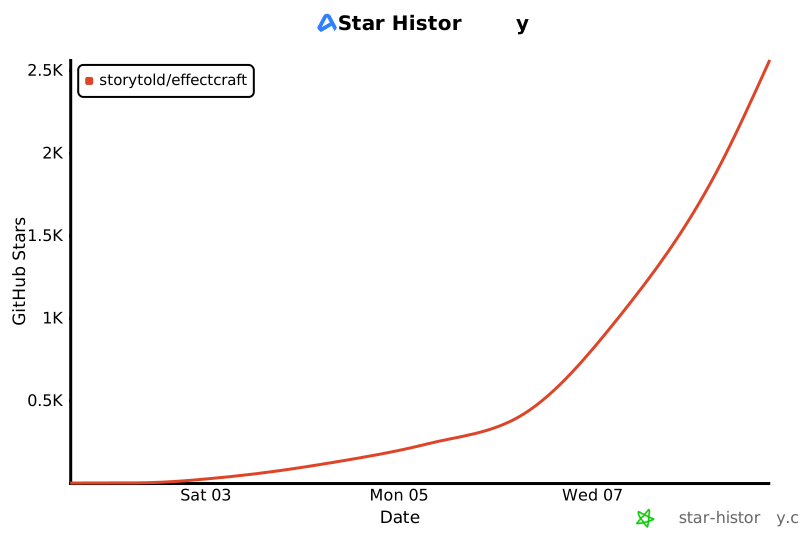](https://www.star-history.com/?repos=storytold%2Feffectcraft&type=date&legend=top-left)
| M3 | Project operations: settings dialogs, layer commands, `.ecproj`, undo, After Effects menu bar | Done (unsaved-changes prompts, Solid / Layer Settings, lock-aware layer commands, safe project files; View ▸ New Viewer still opens only the one locked viewer) |
| M4 | Preview: precomps, motion blur, cached playback | Mostly done (Preserve frame rate / resolution when nested, one motion blur gate, RAM preview fixes, Cache Frames When Idle, motion blur of collapsed precomps and of animated shape / text content; left: content-keyed RAM preview frames) |
| M5 | Timeline depth: graph editor, keyframe clipboard and dialogs, time remapping, pick-whips, expression editor | Done |
| M6 | Shapes, masks and footage: shape operators, masks and the pen tool, video and image import | Done |
| M7 | 3D: 3D layers, cameras, lights, shadows, depth of field, 3D views and camera tools | In review |
| M8 | Expressions with the After Effects object model | Done |
| M9 | Text and effects: text animators, layer styles, 306 effects (all 298 of After Effects') incl. time and audio effects | Done (range, wiggly and expression selectors, per-character 3D, text on a path) |
| M12 | Performance: layer cache, parallel and GPU compositing, disk cache, motion tracking (done); GPU versions of the remaining CPU-only effects | Mostly done |
| M13 | Puppet tools, paint, Roto Brush, motion tracking, a plug-in API, Timeline depth | Done (Roto Brush and face tracking use classical models; learned models are still to come) |
| M15 | The web app (WebAssembly, WebGPU) | Done: browser storage, Web Audio, renders and analyses in Web Workers, viewer frames and GPU effects in frame workers with their own WebGPU devices, the disk cache in the Origin Private File System, a storage manager, offline install ([docs/web.md](docs/web.md)) |
| M14 | Built for agents: MCP server, command-line tool, control channel; Settings, keyboard shortcut editor, auto-save and crash recovery ([docs/preferences.md](docs/preferences.md)) | Done |
| **Feature breadth** | **≈ 91%** | Estimated, weighted by area; the self-graded 92-item checklist says ≈ 99% |
| **Ready for real work** | **≈ 45%** (40–50%) | Estimated; one live fidelity measurement so far |
| **Mainstream practitioner** | **≈ 47%** | Estimated: the typical motion designer's weekly work ([how](docs/target-app-parity.md#mainstream-practitioner-and-essentials-user)) |
| **Essentials user** | **≈ 52%** | Estimated: core features only ([how](docs/target-app-parity.md#essentials-user)) |
| Remaining to **beta** | **≈ 350–620 Opus 5.5 agent-hours** | Estimated |
| Remaining to **full parity** | **≈ 850–1,500 Opus 5.5 agent-hours** | Estimated; ≈ 70% parallelises |
## How far from full parity
| Audience | Ready % | Hours to ~95% | Work that dominates |
`ui-parity.md`, `effects-parity.md` and `scripting-parity.md`.
- 2026-10-10: Spanish (#460) and Brazilian Portuguese (#217) menu translations.
- 2026-10-10: Japanese now translates the interface below the menu bar too: `crates/ui-egui/src/i18n/ui.rs` has a Japanese table with the same 396 rows as the Chinese ones (panels, dialogs, buttons and tooltips; the shape test keeps the three catalogs listing the same source strings). Menus were already Japanese.
- 2026-10-09: Ukrainian now covers all 396 current panel-catalog strings, including dialogs, buttons and tooltips, alongside its menu translation. The catalog keeps the same source keys and placeholder counts as the Chinese catalogs; missing or engine-generated text still falls back to English.
- UI.6: Viewer breadcrumbs use theme colors for readable active text. The bottom control row scrolls horizontally at compact widths; keyboard focus reveals the selected control while dropdowns, exposure adjustments and snapshot holds retain their behavior.
- UI.3: Shared docking transactions and pointer targets now handle panel moves, splits, tab ordering and floating groups, preserving accordion metadata and the saved workspace schema. Dock dividers use bounded shared geometry and keyboard-accessible resize handles. Tiny layouts no longer reach an invalid floating-point clamp; workspace trees and saved layouts are retained.
- 2026-10-09: Settings ▸ General ▸ Language now translates the interface below the menu bar as well: panels, dialogs, buttons and tooltips read their text through `crates/ui-egui/src/i18n/ui.rs`, keyed by the English source string. Simplified and Traditional Chinese are complete (384 strings); Japanese rows can follow in the same file. A test fails when a converted panel gains a hard-coded string, and another keeps the catalog free of unused rows.
- 2026-10-08: `effectcraft-cli render --out` resolves a relative path against the working directory, like `--project` (it used the project's folder, which doubled a path that already named it). Render Queue outputs set in a project are unchanged.
- 2026-10-08: Long-press a grouped toolbar button to choose its tools, including Horizontal/Vertical Type; releasing the hold keeps the menu open. Existing point/paragraph text creation is unchanged.
- 2026-10-06: Settings ▸ General ▸ Language persists English/Japanese menu labels (`general.language`); native UI reuses installed Japanese font fallback, with no bundled CJK font. Dialog and panel contents remain English.
- 2026-10-05: Honest assessment ([docs/gaps.md](docs/gaps.md)): breadth ≈ 99% by our own checklist, real use ≈ 30–50%; workstreams G1–G9.
- 2026-10-04: Checklist audit at `d39c0e8`: 89 done / 3 partial / 0 missing of 92 features.
- 2026-10-01: First commit.
## Revision history
| Date | Change | Summary |
|---|---|---|
| 2026-10-10 | minor | Hours to ≈ 95% for each audience |
| 2026-10-10 | minor | Headline adds mainstream practitioner (≈ 47%) and essentials user (≈ 52%) |
| 2026-10-10 | minor | Stage checked against the new core-workflow gate (all six pass; still alpha) |
| 2026-10-10 | major | Rewritten to the shared progress-docs standard: stage, two numbers, dimensions, features, languages, upcoming, progress log; milestones moved to docs/roadmap.md |
| 2026-10-05 | major | Two numbers (breadth vs real use) and workstreams G1–G9 |
/// The page's WebGPU device was lost (#225): the canvas can't show anything new while the project
/// stays open and editable. Say so over the stale picture, and offer to save the project (a
/// download) and to reload; the reload first writes pending changes to browser storage, from
/// which the session comes back when it is `kept` there.
exportfunctionshowDeviceLost(message,kept){
if(document.getElementById("device-lost"))return;
constbox=document.createElement("div");
box.id="device-lost";
box.setAttribute("role","alertdialog");
consttitle=document.createElement("strong");
title.textContent="The graphics device was lost";
consttext=document.createElement("p");
text.textContent=
"EffectCraft can't update the display any more. Your project is still open. "+
(kept?"Reload to continue: the project and its unsaved changes come back.":"This session isn't kept in browser storage: save the project before you reload.");
letnext=ifgl_next{"The next launch will try OpenGL instead. "}else{""};
letmessage=format!(
"EffectCraft couldn't start its window: {e}\n\n{next}Updating the graphics driver often helps. If it keeps happening, please report it at https://github.com/storytold/effectcraft/issues with this message."
);
// Standard error and the session log; standard error alone when RUST_LOG turned errors off.
iflog::log_enabled!(log::Level::Error){
log::error!("{message}");
}else{
eprintln!("effectcraft: {message}");
}
let_=rfd::MessageDialog::new()
.set_level(rfd::MessageLevel::Error)
.set_title("EffectCraft")
.set_description(message)
.set_buttons(rfd::MessageButtons::Ok)
.show();
}
/// The desktop app: the egui app plus, on macOS, the system menu bar.
@ -141,6 +350,14 @@ struct Desktop {
app: EffectcraftApp,
#[cfg(target_os = "macos")]
menu: native_menu::NativeBar,
/// Documents opened from Finder, the Dock or `open` (macOS).
#[cfg(target_os = "macos")]
apple_events: apple_events::Opened,
/// The window's size and position, saved for the next launch.
window: window::Tracker,
launch: launch_guard::Launch,
/// The first frame was drawn (logged once).
drawn: bool,
}
impleframe::AppforDesktop{
@ -152,35 +369,31 @@ impl eframe::App for Desktop {
"recovery": "Recover with open_project {path: latestPath}, then save_project {path: a normal project file}. Previous sessions may still be running; they are never opened automatically.",
constINSTRUCTIONS: &str="EffectCraft is an After Effects-class motion graphics compositor. Everything is an engine command: list_commands discovers ids and params, execute_command runs them (undoable). Typical flow: execute_command comp.new -> execute_command layer.newText / layer.newSolid (returns the layer id) -> set_property / add_keyframe -> execute_command effect.apply -> render_frame to look at the result. Inspect with get_project, get_comp and get_layer (every property node carries its `path`, e.g. `transform/position`, `effects/#1/blurriness`). Times are seconds. In bridge mode (app started with `--control <port>`) screenshot and the ui_* tools show and operate the live window.";
constINSTRUCTIONS: &str="EffectCraft is an After Effects-class motion graphics compositor. Everything is an engine command: command_list discovers ids and params, command_run {id, params} runs them (undoable; command_batch runs several in order). Typical flow: command_run comp.new -> command_run layer.newText / layer.newSolid (returns the layer id) -> set_property / add_keyframe -> command_run effect.apply -> render_preview to look at the result. Inspect with doc_inspect, get_project, get_comp and get_layer (every property node carries its `path`, e.g. `transform/position`, `effects/#1/blurriness`). Times are seconds. In bridge mode (app started with `--control <port>`) screenshot and the ui_* tools show and operate the live window.";
// JSON-RPC error codes.
constPARSE_ERROR: i64=-32700;
constINVALID_REQUEST: i64=-32600;
constMETHOD_NOT_FOUND: i64=-32601;
constINVALID_PARAMS: i64=-32602;
constINTERNAL_ERROR: i64=-32603;
constRESOURCE_NOT_FOUND: i64=-32002;
pubstructMcpServer{
backend: Backend,
autosave: Option<AutoSave>,
}
implMcpServer{
pubfnnew(backend: Backend)-> Self{
Self{backend}
Self{backend,autosave: None}
}
/// Opt in to durable headless checkpoints in a separate folder per server.
/// `root` is the platform config directory; settings are read by the caller.
// Advertised as absent, but answer politely for clients that probe anyway.
"resources/list"=>Ok(json!({"resources": []})),
"resources/list"=>Ok(json!({"resources": [
{"uri": DOCUMENT_URI,"name": "document","title": "Project","description": "The project overview and the active composition (same as doc_inspect).","mimeType": "application/json"},
{"uri": COMMANDS_URI,"name": "commands","title": "Command catalog","description": "Every engine command with id, label, menu, shortcut and params (same as command_list).","mimeType": "application/json"},
description: "One command in full: id, label, menu path, shortcut, the `params` doc, a JSON Schema of its parameters (`schema`: properties, required, additionalProperties) and whether it can run now (`why` if not). Use before execute_command when unsure of the parameters; execute_command rejects unknown keys.",
bridge_only: false,
schema: ||schema(json!({"command": {"type": "string","description": "Command id, e.g. `layer.newText`."}}),&["command"]),
schema: ||{
schema(
json!({"command": {"type": "string","description": "Command id, e.g. `layer.newText`."},"id": {"type": "string","description": "Alias of `command`."}}),
&[],
)
},
run: describe_command,
},
ToolDef{
@ -485,9 +576,10 @@ static TOOLS: &[ToolDef] = &[
schema(
json!({
"command": {"type": "string","description": "Command id, e.g. `comp.new`, `layer.newText`, `effect.apply` (see list_commands)."},
"id": {"type": "string","description": "Alias of `command`."},
"params": {"type": "object","description": "Command parameters as documented by list_commands.","additionalProperties": true}
}),
&["command"],
&[],
)
},
run: execute_command,
@ -523,7 +615,7 @@ static TOOLS: &[ToolDef] = &[
},
ToolDef{
name: "get_layer",
description: "A layer's property tree (transform, masks, effects, text, shape contents, ...): every node has a `path` usable with get_property/set_property/add_keyframe, plus uid, match id, name, type, value at `time`, keyframes and expression. `flat: true` returns just a list of {path, type, value, keys, expression} (compact).",
description: "A layer's property tree (transform, masks, effects, text, shape contents, ...): leaf properties have a `path` usable with get_property/set_property/add_keyframe, plus uid, match id, name, type, value at `time`, keyframes and expression. Groups contain children; inspect them here, then select a leaf path. `flat: true` returns just a list of {path, type, value, keys, expression} (compact).",
"time": {"type": "number","description": "Keyframe time in seconds (layer time; equals comp time unless the layer is offset/stretched)."},
"timeBase": {"type": "string","enum": ["layer","comp"],"description": "What `time` counts: layer time (the default) or comp time, as the Timeline shows it."},
"expression": {"type": "string","description": "Expression text; empty string removes the expression."}
"time": {"type": "number","description": "Key time in seconds (layer time)."},
"timeBase": {"type": "string","enum": ["layer","comp"],"description": "What `time` counts: layer time (the default) or comp time, as the Timeline shows it."},
description: "Apply an effect to a layer and optionally set its parameters in one undoable call. `effect` is an id (`ec.blur.gaussian`) or After Effects name (`Gaussian Blur`; see list_effects); `values` maps parameter ids to values, e.g. {\"blurriness\": 12}. Returns the instance `path` (`effects/#n`, for set_property / add_keyframe) and its parameters with their paths and current values.",
description: "Apply an effect to a layer and optionally set its parameters in one undoable call. `effect` is an id (`ec.blur.gaussian`) or After Effects name (`Gaussian Blur`; see list_effects); `values` maps parameter ids to values, e.g. {\"blurriness\": 12}. One undo step; if a value fails, nothing is applied. Returns the instance `path` (`effects/#n`, for set_property / add_keyframe) and its parameters with their paths and current values.",
bridge_only: false,
schema: ||{
schema(
@ -607,6 +701,22 @@ static TOOLS: &[ToolDef] = &[
schema: ||schema(json!({"filter": {"type": "string","description": "Only effects whose id, name or category contains this text."}}),&[]),
run: list_effects,
},
ToolDef{
name: "list_fonts",
description: "The font families text layers can use, bundled and installed on this machine: family, styles, origin (bundled / system / user), whether it is a variable font and the name in the font's own language. Narrow with `query` and `variable`; `rescan` picks up fonts installed since launch. Set one with execute_command `layer.setText {\"layer\", \"font\", \"style\"}`.",
bridge_only: false,
schema: ||{
schema(
json!({
"query": {"type": "string","description": "Only families whose name (English or own-language) contains this text."},
"variable": {"type": "boolean","description": "Only variable fonts (families with variation axes)."},
"rescan": {"type": "boolean","description": "Look for fonts installed since launch first."}
}),
&[],
)
},
run: list_fonts,
},
ToolDef{
name: "get_state",
description: "Where things stand: the editor state (active comp, current time, selected layers/keys/items, open comps, tool, work area) plus what this build can do (`app`: version, command and effect counts, GPU effects, import/export formats, After Effects parity summary). Cheap; call it to re-orient after a series of edits.",
description: "List engine commands: id, label, menu path, shortcut, `params` doc (e.g. `{name?, width?, height?, frameRate?, duration? (s)}`) and whether it can run now (`why` if not). Every menu item, shortcut and panel gesture maps to one of these ids; run them with execute_command. Narrow with `filter` (e.g. `layer.new`, `keys`, `effect`).",
bridge_only: false,
schema: ||{
schema(
json!({
"filter": {"type": "string","description": "Only commands whose id or label contains this text (case-insensitive)."},
"enabled_only": {"type": "boolean","description": "Only commands that can run right now."},
description: "Run any engine command by id with JSON params; edits are undoable. Examples: comp.new {\"name\":\"Main\",\"width\":1920,\"height\":1080,\"frameRate\":30,\"duration\":5}; layer.newText {\"text\":\"Hello\",\"size\":120,\"fill\":\"#ffffff\"} (returns {\"layer\":id}); layer.newSolid {\"color\":\"#3366ff\"}; layer.newShape; effect.apply {\"layer\":3,\"effect\":\"Gaussian Blur\"}; time.set {\"time\":2.5}; layer.select {\"layers\":[3]}. Layers are referenced by id, \"#n\" or name; times are seconds.",
bridge_only: false,
schema: ||{
schema(
json!({
"id": {"type": "string","description": "Command id, e.g. `comp.new`, `layer.newText`, `effect.apply` (see list_commands)."},
"params": {"type": "object","description": "Command parameters as documented by list_commands.","additionalProperties": true}
}),
&["id"],
)
},
run: execute_command,
},
ToolDef{
name: "render_preview",
description: "Render a composition frame (default: the active comp at the current time) and return it as a PNG image, longest side `max_side` (default 960, 0 = full size). Use it to check your work.",
bridge_only: false,
schema: ||{
schema(
json!({
"comp": comp_s(),
"time": {"type": "number","description": "Comp time in seconds (default: current time)."},
"max_side": {"type": "integer","description": "Longest side in pixels (default 960; 0 = full comp size)."},
"transparent": {"type": "boolean","description": "Keep the frame's alpha (RGBA PNG, as an RGB + Alpha render writes it) instead of compositing over the comp's background colour."}
}),
&[],
)
},
run: render_frame,
},
ToolDef{
name: "command_batch",
description: "Run commands in order, returning each result or error. Stop at the first error by default; stop_on_error: false continues. Each edit has its own undo step; use batch for an atomic undo group.",
"notes":"Original EffectCraft transition presets (MIT OR Apache-2.0), written from scratch on EffectCraft's own Transition effects. Key times are seconds from the current time (layer time); effect paths are the effect's parameter ids; layer paths are property paths such as transform/opacity.",
"presets":[
{
"id":"fadeIn",
"name":"Fade In",
"category":"Transitions",
"direction":"in",
"description":"The layer fades up from transparent over half a second.",
title: EffectCraft Transitions animation presets (Fade In/Out, Wipe In from Left/Right/Top/Bottom, Diagonal Sweep In, Wipe Out to Right, Clock Reveal, Fan Open, Clock Wipe Out, Blinds Open/Close, Slats Down, Pixel Dissolve In/Out, Mosaic Fade In, Card Flip In/Out, Grid Doors In, Lens Pop In, Line Sweep In, Jaws Close In)
author: EffectCraft contributors
source: original work
license: MIT OR Apache-2.0
added: 2026-10-11 by vangel76 (Claude Code agent, #757)
notes: Effect choices, values and key timings written from scratch for EffectCraft on its own Transition effects; not derived from any Adobe preset (.ffx) or its values.
"{comp?, name?, width?, height?, anchor? 0-8 (resize anchor, 4 = center), frameRate?, duration?, startTime? (s) | startTimecode?, background?, shutterAngle?, shutterPhase?, motionBlurSamples?, adaptiveSampleLimit? (16–256), preserveFrameRate?: bool (nested or in the render queue it shows only its own frames), preserveResolution?: bool (nested, it renders at full size), pixelAspect?, renderer? classic3D|advanced3D}",
"{comp?, name?, width?, height?, anchor? 0-8 (resize anchor, 4 = center), frameRate?, duration?, startTime? (s) | startTimecode?, background?, shutterAngle?, shutterPhase?, motionBlurSamples?, adaptiveSampleLimit? (16–256), preserveFrameRate?: bool (nested or in the render queue it shows only its own frames), preserveResolution?: bool (nested, it renders at full size), pixelAspect?, renderer?: classic3D|advanced3D}",
 Brandon Thomas
 Kristian Myram
 Losminek
 MarekSpodBiedry
 webdevtodayjason
 SteamSmith
 Nigel Ihza Firdausy
 heojunfo
 Themolx
 Anton Iliashenko
 pravdomil
 Fabio Lussi
 vangel76
 tylerjenningsw
 sanches
 Dylan M. Taylor
 Luniiya
 cdinhoo
 redonion23
 MishynMykhailo
 Mara Johnson
 Wladmir Júnior
 Vikram Bhaskaran
 Dennis M. Francis
 skylar taylor-barrick
 BFlat
BFlat
 Claude
 Johnstocker
 Katt
Katt
 Matej Kozlovský
 FrederoxDev
 sanyamsingh001
 kikikikier
 Jeremy Yao
 lloyd
lloyd
 Ikki Nishihara
 seldoms
 Aavirash
 Limestudio90
 WaWu
WaWu
 Sawizzle
 daijro
 Dmytro Matviichuk
 llopjulen
 storybored379
 David Campos
 cdinhoo
 FeiLiuEM
 Kaz Walker
 Nguyen Thanh Cong
 Xus Badia
 Jonas Neubauer
 MindlessRuff
 Oldrich333
 DWAA1660
 DWAA1660
 midasdf
 Brandon Thomas
 prekabreki
 pat-the-wizard
 Gert Pellin
 Alex Ulanch
 RicSchonfelder
 EthanSuquet
 Luskish
 coygeek
 Dexter
 fortesnow
 Jonas Neubauer